Inquiries Grid Actions
Adding an Inquiry
A new Inquiry can be added from the Inquiries grid. Select Adding an Inquiry for information.
Converting an Inquiry to a Transaction
An Inquiry can be converted to a transaction from the Inquiries grid. Select Converting an Inquiry to a Transaction for more information.
Accessing the Inquiry Summary
The Inquiry Summary page can be access from the Inquiries grid. Select Accessing and Editing the Inquiry Summary for more information.
Downloading an Inquiry Report
An Inquiry Report includes Inquiry Name, State, Party, Type, Assignee, Created Date, Modified Date, and Age information. The report can be downloaded as an Excel file. The Excel file can be edited and saved as needed.
To download an Excel report, customize the grid as needed. Select Download on the grid.
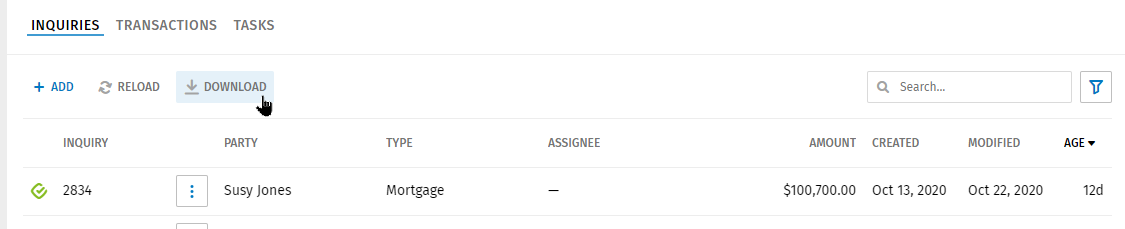
- If you are using Chrome, an Excel filed displays at the bottom of the page. Double-click the file to open it. Review and save the file as needed.
- If you are using Edge, you will be prompted to save the file.

Deleting an Inquiry
- Select
 next to the Inquiry name in the grid
and select Delete Inquiry.
next to the Inquiry name in the grid
and select Delete Inquiry. 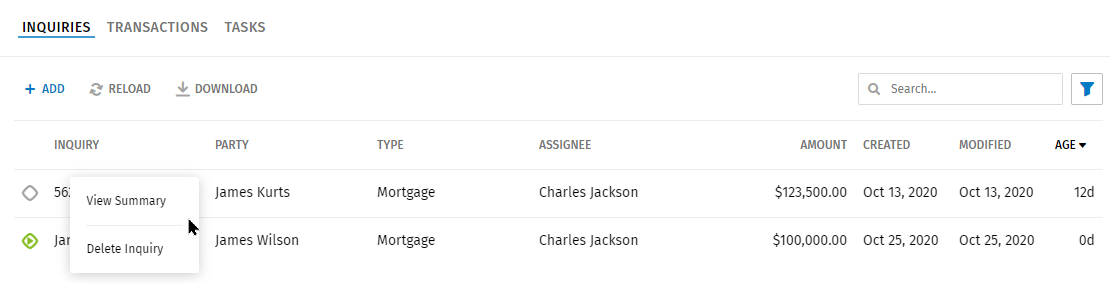
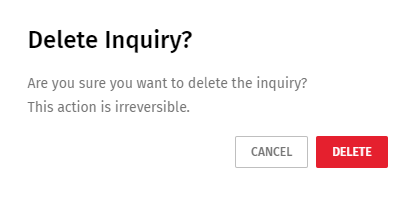
- Select Delete on the Confirmation page. This action is not
reversible.