Errors
A error refers to an item on a task, decision, gate, phase, or stop that must be corrected before a template can be activated and used in a workflow process.
Notification of Total Number of Errors in a Template

- The notification displays the total number of errors in a template.
- Select
 to
display a list of errors in the template.
to
display a list of errors in the template. 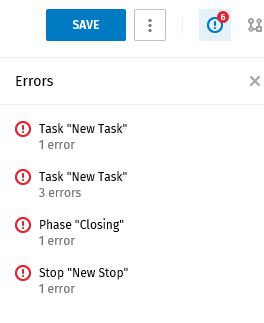
- Select an item in the list to display the Properties pane for the item. Select
 next to Task Properties to
display specific errors for the item.
next to Task Properties to
display specific errors for the item.Sample Errors Message
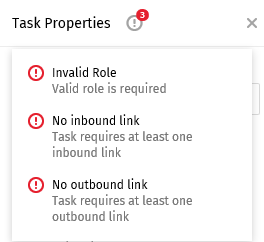
- Correct the error(s).
Error Notification on an Item in the Process Diagram
Errors are indicated by a red circle with an exclamation point on an item in a process template.
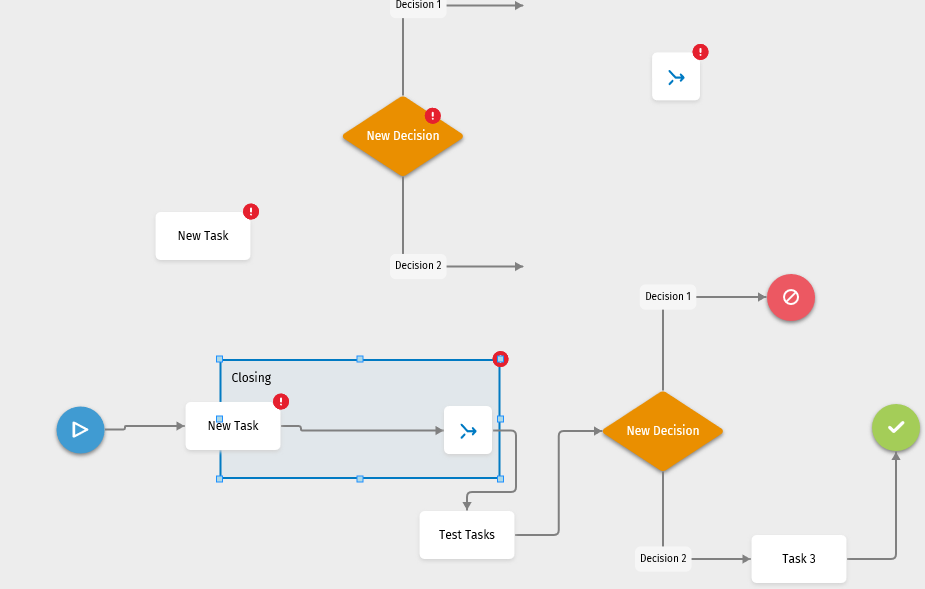
- Select an item with an error in the diagram.
- Select in the
Properties pane to display a list of errors.
- Correct the error(s).