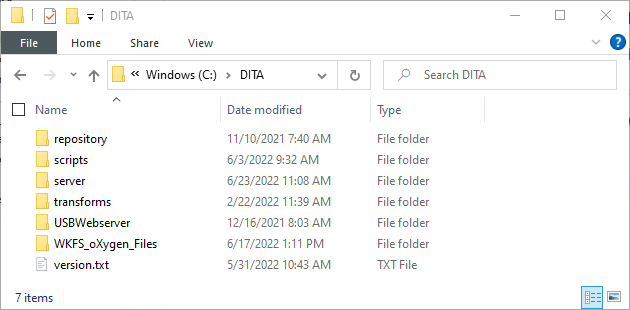
DITA Folder
DITA Folder files contain all files necessary to transform your DITA content into InfoDev supported formats.
DITA Folder files are installed on your local system under the path
C:\DITA and include the following items:
- USBWebserver files: Used to run a local web server to display your trnasformations locally as it would appear in the InfoDev servers
- WKFS Oxygen Files: Contains all files required to transform your content, as well as files to assist in making your authoring easier
Note: This is better left up to installing from InfoDev Tools, as if
downloads and installs the files to the standard location (C:\DITA).
To manually download the zip file, download DITA Folder files
Once downloaded, extract the files so that your folder appears with the following structure: