List of LOBs tab
Providing your own list of LOBs
The List of LOBs tab allows you to provide and maintain your own list of
LOBs.
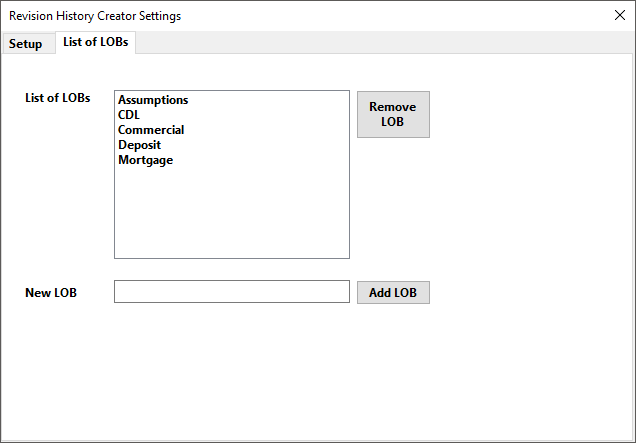
To add a new LOB:
- Enter the name of the desired LOB in the New LOB text box.
- Press Enter on the keyboard or select Add LOB. The LOB is added to the List of LOBs and is now available to select from the Line of Business list on the main window.
To remove a LOB from the List of LOBs:
- From the List of LOBs, select the LOB to be removed.
- Press Delete on the keyboard or select Remove LOB. The LOB is removed from the List of LOBs and will no longer appear in the Line of Business list on the main window.