Profile Details Window
The Profile Details window allows you to view and edit the details of an individual
profile.
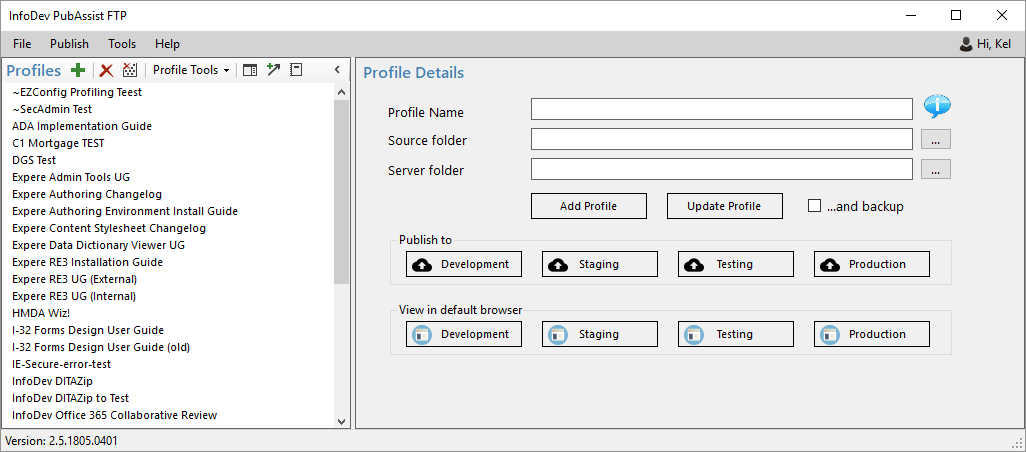
| Feature | Description |
|---|---|
| Profile Name | Allows you to enter a name for the artifact you are working
with. Note: Hovering over the information balloon provides helpful tips
for naming your Profile. |
| Source Location | Enter the location of the transformed content. this is typically the ourput location of oXygen XML Editor transformations. |
| Dev Server folder | Enter the folder in which to publish to the Development server. |
| Testing Server folder | Enter the folder in which to publish to the Testing server. |
| Staging Server folder | Enter the folder in which to publish to the Staging server. |
| Production folder | Enter the folder in which to publish to the Production server. |
| Browse button | Allows you to browse the associated server and populate the corresponding text box. |
| View in Browser button | Allows you to view any content within the corresponding location within your browser. |
| Add Profile | Creates a new profile with the supplied information. |
| Update Profile | Updates the profile selected in the Profiles list with the information in the Profile Details pane. |
| ...and backup |