Updating a Profile
This procedure can be used to modify the specific details of any existing profile.
-
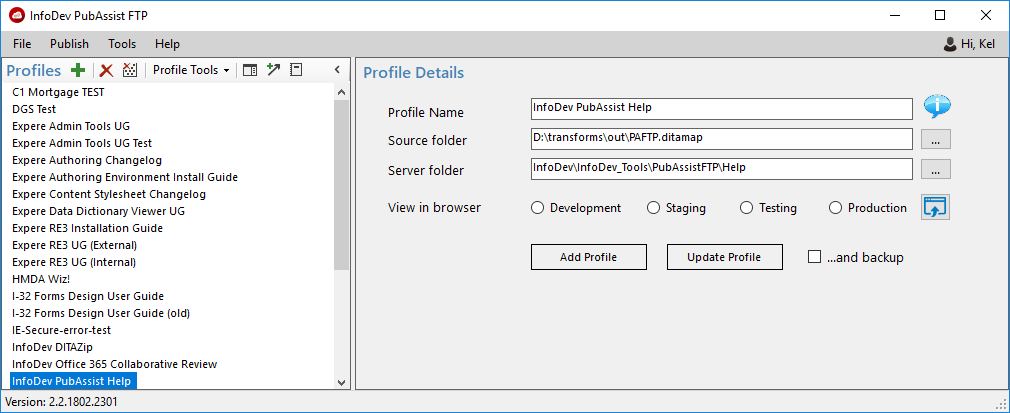
Click the View/Edit Profile Details button.

The Profile Details pane is displayed with the details of the selected profile populated.