Exporting and Importing Single Profiles
You can export and import individual profiles. This makes is easy to share your profiles with another person.
Export Location
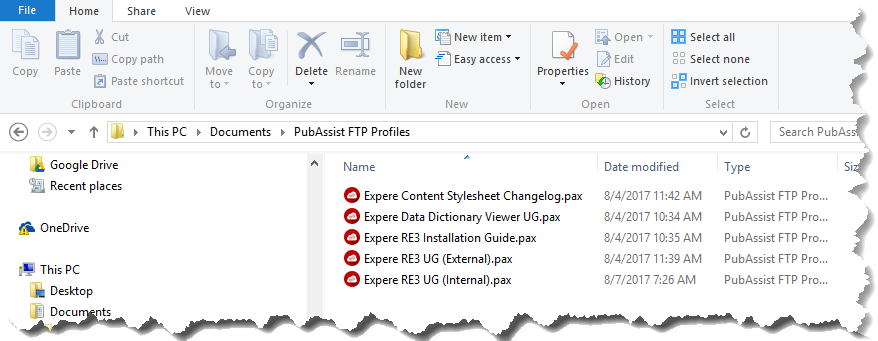
When you export a single profile, the resulting file is saved in your Documents folder within a folder called PubAssist FTP Profiles. Ex. C:\Users\<username\Documents\PubAssist FTP Profiles
File Association and Double-Clicking
Exported profile files have an extension of .pax (PubAssist FTP XML file). This
extension is registered in the Windows registry and associated with PubAssist FTP.
This means double-clicking the file itself will automatically open PubAssist FTP and
import the profile data.
Note:  Did you receive a profile attached to an
email? Opening the file from Outlook will have the same effect as opening it
locally; it will automatically open PubAssist FTP and import the profile
data.
Did you receive a profile attached to an
email? Opening the file from Outlook will have the same effect as opening it
locally; it will automatically open PubAssist FTP and import the profile
data.
Did you receive a profile attached to an
email? Opening the file from Outlook will have the same effect as opening it
locally; it will automatically open PubAssist FTP and import the profile
data.