Jump to main content
Integration Overview
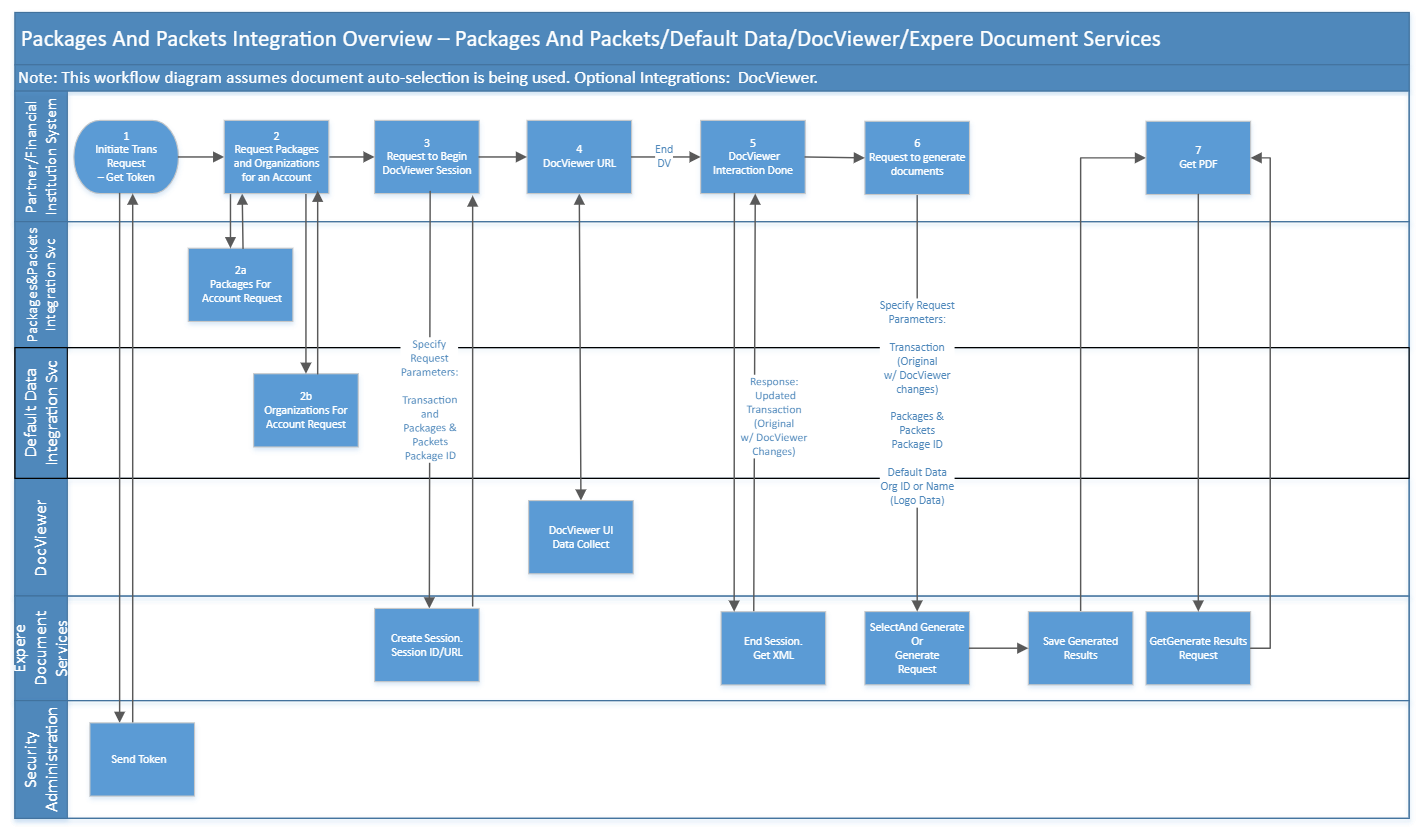
- The external applications calls Security Administration to obtain an access token
used for authorization.
- The external application makes the following calls to the Expere EZ Config
Integration Services:
- Packages and Packets Integration Service to request a list of packages for a
given account using the Packages For Account API.
- Default Data Integration Service to request a list of organizations for a
given account using the Organizations API.
- Expere Document Services resolves the alias to obtain a content URI that DocViewer
will understaned, and then calls BeginSession on DocViewer. DocViewer obtains a
Simple web Token (SWT) through Expere Document Services and adds that to the
BeginSession Response with the DocViewer URL (/DocServices/Services/SecuritySession/SecuritySessionSvc.svc) and SessionID; this collection of data is sent
back to the original calling party (BeginSessionResult).
- The extermal application renders a page that immediately redirects to the returned
DocViewer URL and posts the token. DocViewer validates the SWT that was passed in
the SOAP; if the token is valid, users input data via DocViewer.
- After performing data entry on all desired documents, an EndSession call is placed,
which returns the updated transaction through the response file (EndSession, EndSessionIn, and EndSessionResult).
- For detail on steps 6 and 7, see /WK-Hosted-Expere/Web-Services/topics/eds_Workflow-Outline-SelectAndGenerate.html for detailed information of the steps that
occur.