DocViewer Workflow Outline – using Expere Document Services (REST - V2)
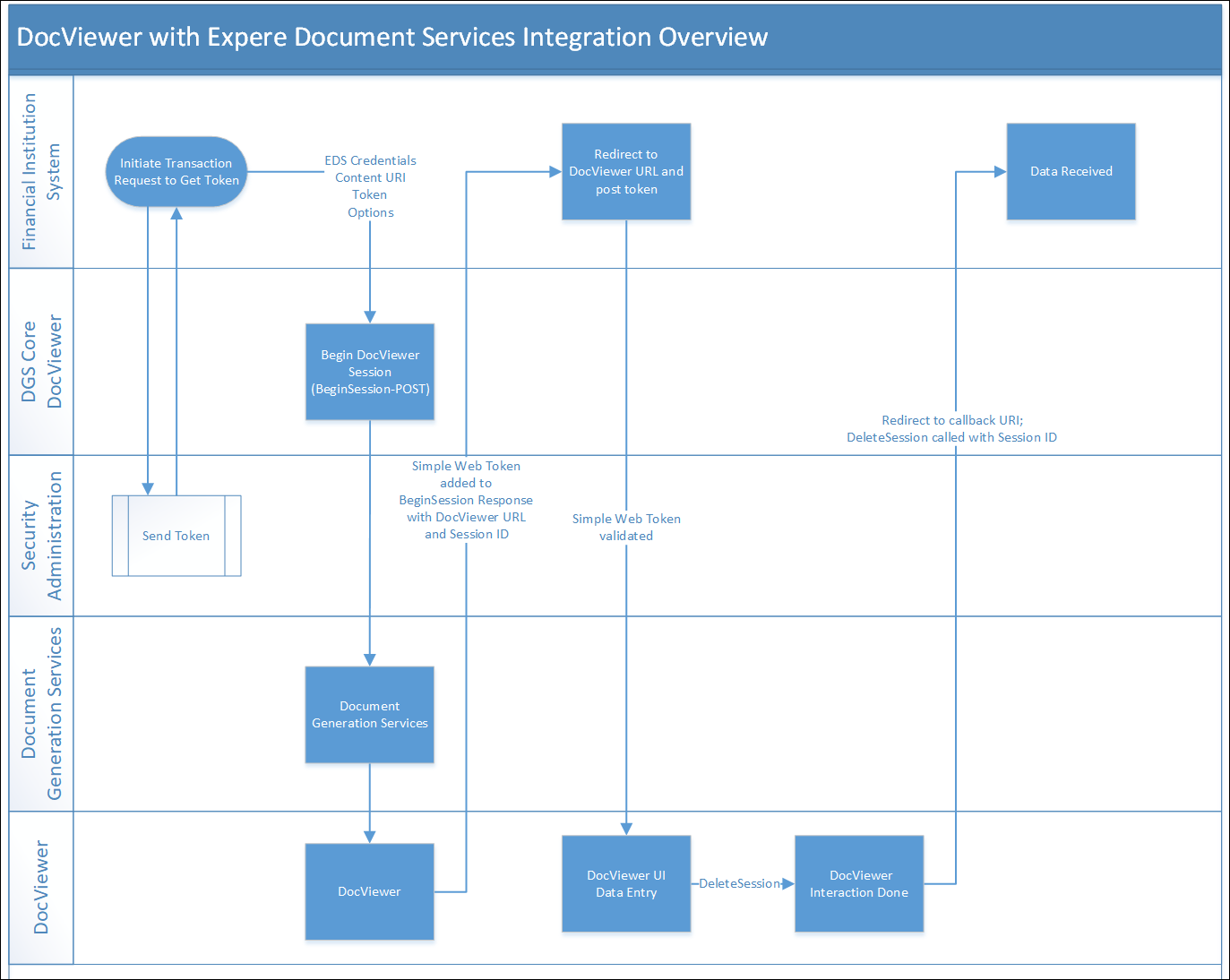
This outline walks you through all of the steps that occur when using Expere Document Services with DocViewer.
Note: There is critical authentication and authorization information
here; while it was written originally for a
standard Expere Document Services (EDS) Select and Generate call, the same principal
applies when calling DocViewer as part of an overal EDS workflow.
- The external application calls DGS Core DocViewer with a
BeginSessionmethod call using the EDS credentials and content URI for validation (BeginSession). - DGS Core DocViewer passes the BeginSession call to Document Generation Services to validate library access.
- Document Generation Services resolves the alias to obtain a content URI that DocViewer will understand and then calls BeginSession on DocViewer.
- DocViewer obtains a Simple Web Token (SWT) and adds that to the BeginSessionResponse with the DocViewer URL (https://ct-expere.wolterskluwerfs.com/DocServices/Services/SecuritySession/SecuritySessionSvc.svc) and SessionID; this collection of data is sent back to the original calling party.
- The external application renders a page that immediately redirects to the returned DocViewer URL and posts the token.
- DocViewer validates the SWT that was passed in the REST API; if the token is valid, users input data via DocViewer.
- After performing data entry on all desired documents, an EndSession call is placed which returns the updated transaction through the response file (Sessions - DELETE).
- After the user receives the data, they can submit a transaction to Expere Document Services through a Select and Generate, Select / Generate, or Generate call. For more information on the Expere Document Services workflow for a Select and Generate API call, see Expere Document Services Workflow Outline - Select And Generate with Callback.