Reconciling Old with New Determinations
If you find a historic determination that does not match a newly submitted determinaiton (i.e. the results you have concluded), it is your responsibility as the analyst to make sure each of the determinations match. In each case, we need to “Add Note” or enter an “Internal Dispute” if any of the flood information needs to be changed (dispute note in the event of a zone change) saying what changes have been made to the determination.
- In order to update it, it MUST be ordered as a Life of Loan
- If ordered basic, “Add Note” with the updated information, but do not update the determination.
- Changes that can be updated and resent without the client’s knowledge:
- A minor typo or transposition of numbers
- City name or zip code (in address line)
- Minor address mistype (check with the supervisor to see if it qualifies)
- Panel change (IF that’s the only thing changing – when in doubt, contact)
- Program Start date
- Zone changes between D, X, X500
- Must contact client if & when:
- Major address change (see supervisor on whether to order a new one)
- Zone change - from IN to OUT or OUT to IN
- Secondary IN zone change (VE to AE, A1 to A5, CBRA, etc…)
- Panel change if it affects the community name, code, or flood zone, or panel date
- Community Name change
- Comnunity Status change
Discrepancy Process
- Search for the previous and locate the differences
- Map out the property and verify which information should be correct.
- Original is correct – update the current order and to the correct information and send back so the client can retrieve it.
- Enter and “submit” current order in process so client can retrieve.
- Tally sheet – Previous correct
- RMSI Correct – if the information that RMSI entered on the current order is correct then the original order must be updated to match
- Mapper Note: “01/20/09 – Sara updated panel per cert # 1234567"
- All records with the same address must have matching flood information.
- Enter and “send” current order in process so client can retrieve.
- Tally sheet – RMSI correct
***If there is any doubt, please see your Supervisor***
- Original is correct – update the current order and to the correct information and send back so the client can retrieve it.
Flood Determination - Disputes
At any time a client can dispute the findings on our flood determinations, both AUTO and MANUAL.
- Manual In house Mapper
- RMSI - Including RMSI5's
- All Auto's (except Census Tract Disputes)
- Previous Stewart
- Previous PLU
- All Jeremy
- When 2 manuals are completed with different answers - send to Dispute Team or Internal Mapper who worked on it.
- Any LOL update
Dispute Team Mailbox: WKFS-FloodDisputes@wolterskluwer.com (internal ONLY)
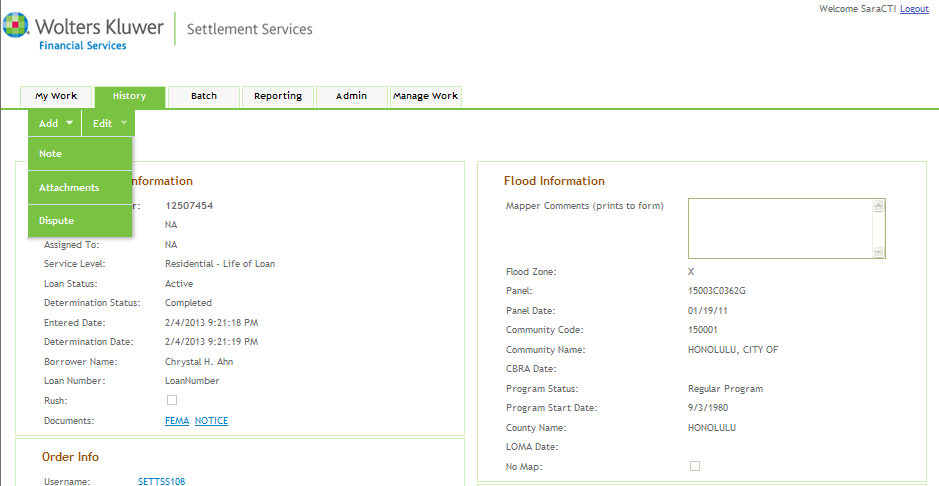
- Find order through “History Tab"
- “Add” – “Dispute"
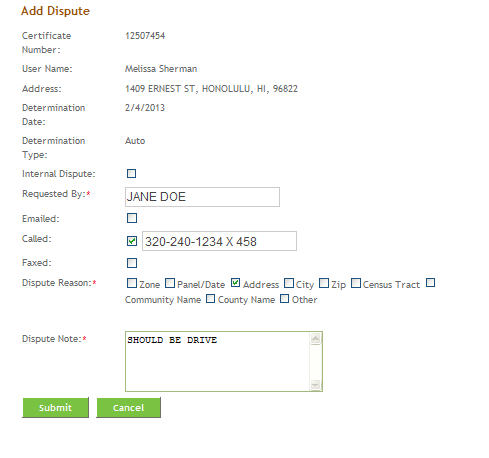
- Enter dispute info
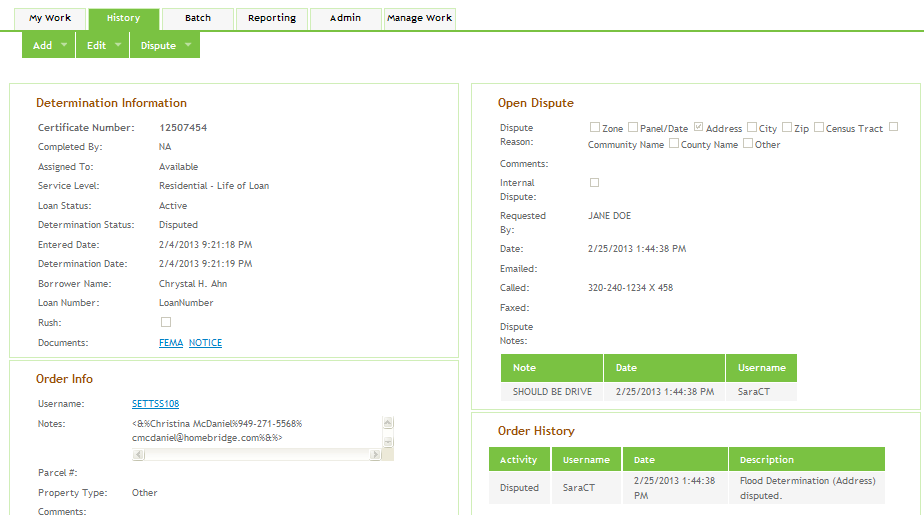
- “Submit” – this will be routed directly to the “Open Dispute” queue to be retrieved.
If a dispute is received by phone and was completed by an internal Mapping Analyst, then Customer Service must include in the dispute note that they forwarded it to the individual and send an email to notify the internal Mapping Analyst.
- Find order through "History Tab"
- "Add" - "Dispute"
- Enter dispute information
- "Submit" - This will get queued into the "Open Disputes."
*See section on Attaching Emails
- "Dispute" - "Edit Dispute"
- Update open dispute info and enter dispute note.
- Save
- Whate did you change?
- What information did you use to change it?
- Who was contacted?
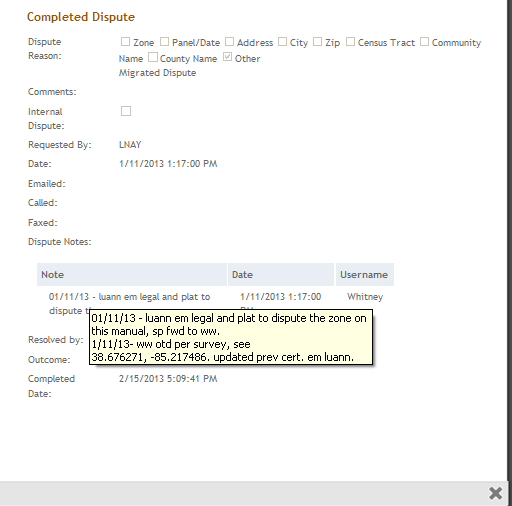
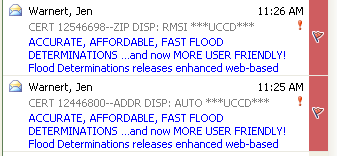
- Process for “URGENT” or “RUSH” Disputes (UCCD & TCF) – Send High Importance email to the Dispute team or individual and label subject line as we do today.
- One Determination Per Structure
Information that can be used for disputes
- Letter of Map Change: LOMA, LOMR, LOMR-F
- Plat map
- Survey
- Appraisal
- Complete legal description
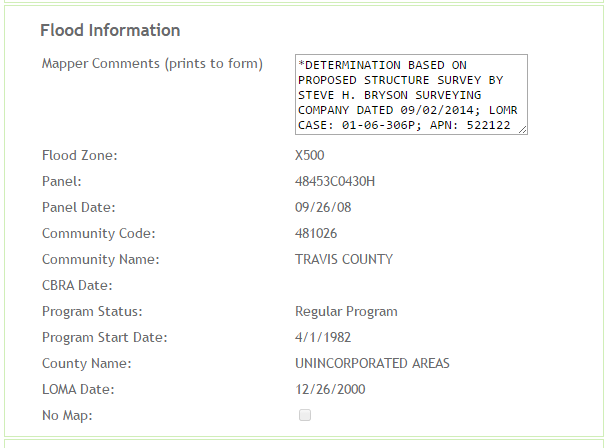
- Proposed Survey/Site Plan
- As of 01/11/09 we will be using proposed survey’s/site plans for the determination and review process.
- In order to decrease the risk taken by using this information, we will be specifically stating in the comment section what their determination is based on.
- “STRUCTURE LOCATION BASED ON PROPOSED SURVEY BY JOHN SMITH DATED 01/08/09”
- “STRUCTURE LOCATION BASED ON SITE PLAN BY JOHN SMITH DATED 01/08/09”
- Legal
- Title work
- Appraisal - use with discretion (appraisers are notoriously incorrect)
- Parcel info as it relates to the county
- Another vendors cert
- Elevation Certificate
- Letters from county officials
Manual Dispute
- If information provided verifies the information they are disputing – update the determination accordingly
- If the information provided does not verify what they are disputing – create image documentation of your resources and send to the client as verification on why we will not change our determination.
- Enter detailed dispute notes
- Respond to the client with an explanation
- Remap the property manually and if you find the information the server returned to be incorrect, update the certificate accordingly.
- Send image documentation of the resources used and send to the client as verification on why we will not change our determination
- Enter detailed dispute notes
- Respond to the client with an explanation
- The Client can only dispute census information on manual determinations – Census Information that is returned on automatic responses is being based off of the lat/long coordinates for that specific address. If we double check them, we will not get a different answer. However, manual dets are being based off of the center of the zip code which is why we are willing to double check the information.
- We do not guarantee the census information – Census information is put on the flood cert as a reference and should not be used for HMDA reporting. We do it because it is an industry standard.
- Do not change the census information “just because” – Although we have done this in the past in escalated customer situations, this is NOT our best practice.
- CSR receives e-mail / phone call regarding census dispute
- CSR forwards to Mapping Analyst
- Mapping Analyst uses FFIEC website to determine census info, fixes applicable order, contacts client
- http://www.ffiec.gov/Geocode/default.aspx
Geocoding
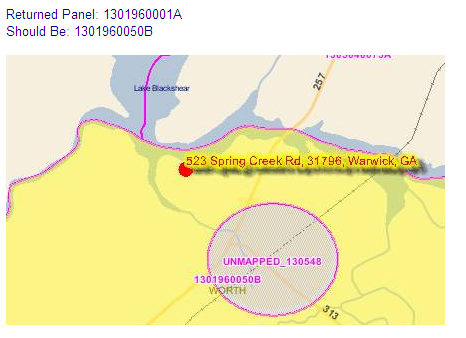
- LSI – incorrect auto hit
- LSINumber= 2061128983
- Explanation of what is wrong “Returned this panel, but should be this panel”, “Community should be City, Of not County”, etc.
- TU – incorrect auto hit
- TUNumber=XMLF665774
- Explanation of what is wrong – same as above.
- No note in the Mapper Notes – Our internal server
- Explanation of what is wrong – same as above.
Internal Dispute
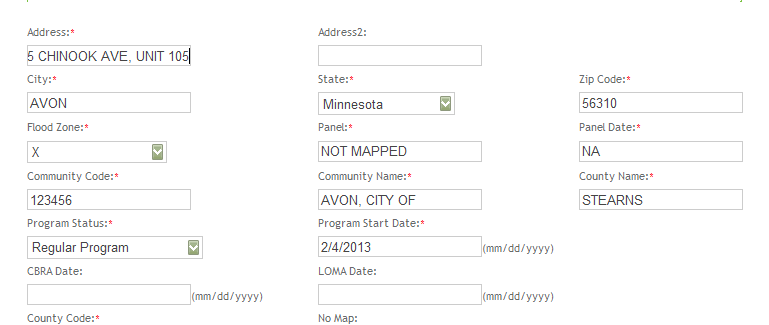
Internal disputes should be initiated when an input error has been made or to edit the Address 1 Line to include a Building, Unit, Suite #, etc.
Oh no, I entered the wrong zone, had a typo in the comment section, entered wrong panel, etc… How can I fix it?
- Once certificate is already completed you need to:
- Go to "Add" then select "Dispute"
- Enter as an "Internal Dispute"
- Enter your name as "Sara Prinkkila"
- Once the order type is “Open Dispute” go to “Dispute”, then “Resolve Dispute”
- Update the information accordingly and enter dispute note
- Go to “Add” then select “Dispute"
- Enter as an "Internal Dispute"
- Enter your name ex. “Sara Prinkkila”
- "Dispute" - "Resolve Dispute"
- Edited Address Field
- Enter Dispute Note and "Overturn"
Note: This will NOT change the date. The only time the date may change is when the zone changes from insurable to insurance not required (from X or X500 to A or AE) and vice versa. Date does not need to be changed if the insurance requirements do not change.
