The SDX Registration feature allows you to simultaneously add multiple users to an SDX site. Not only does the registration feature set up the initial account on SDX, it also sends an invitation notification email message to all included users, prompting them to register on the SDX site.
The following is an example of the Invitations to Register page.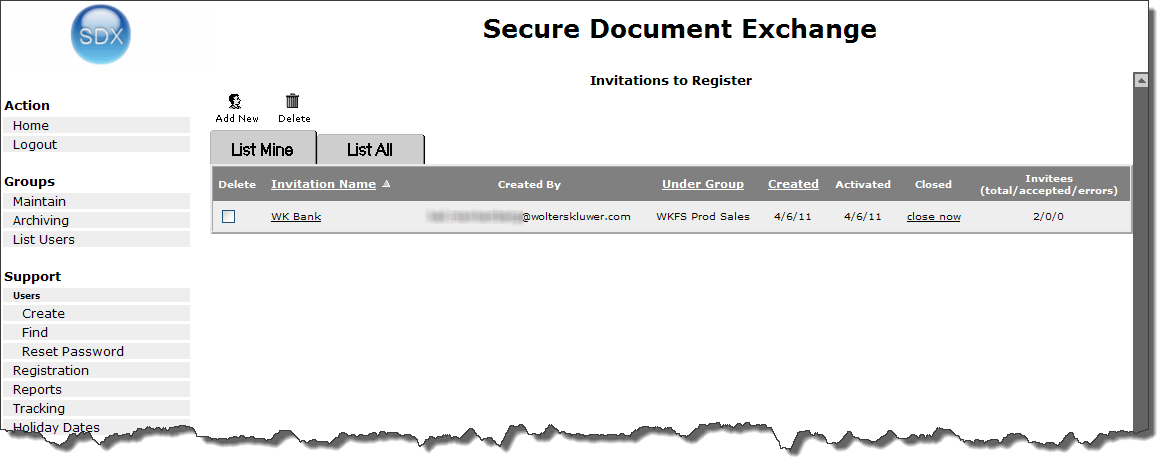
- List Mine - shows only invitation lists that you created
- List All - shows all lists on the system (for which you have permission to view).
Each invitation listed shows enough detail for you to see the overall status of the invitations. If applicable, you can also close a list from this screen by selecting the appropriate close now link. You can also select multiple lists for deletion.
review note: What does "closing a list" actually do? Pop-up window suggests that any invites that have not yet been enrolled will effectively be lost (user won't be able to sign in) - is this correct? When the "Close now" option is selected a subsequent screen appears, with Delete options - explanation needed of what selecting delete here will actually do (remove enrolled users from the system??, or just from this list??)
