This topic provides information on using Pub Assist to publish your transformed
content to the InfoDev Web Server.
Note: When you first run DITA Tools including the Pub Assist feature, there are no
profiles to work with. You will need to create a profile that pertains to your
own projects in order to publish your WebHelp content, as described in Creating a Pub Assist Profile.
-
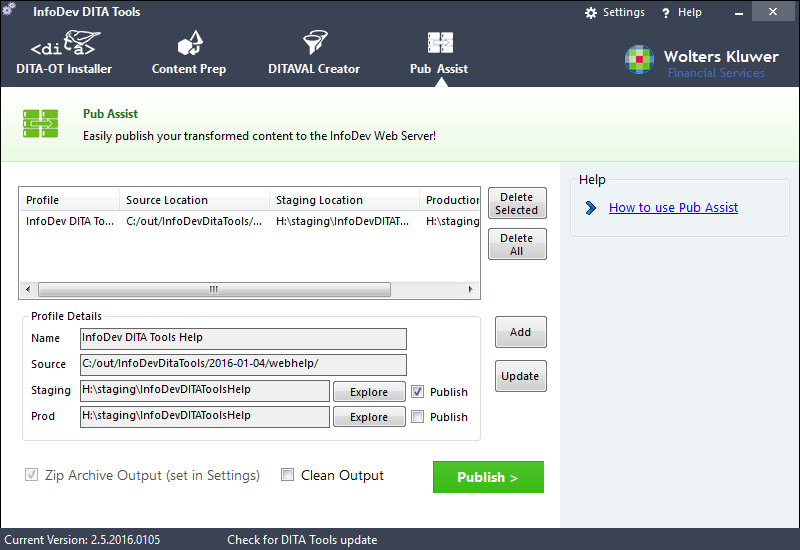
Select a profile from the Profile list.
the details of your selected profile are displayed in the Profile Details section.
-
Click Publish >.
DITA Tools responds by copying all files in the Source location to the selected output location.Note:
- Prior to copying files, any files that are currently in the selected output location (Staging or Production) are automatically archived (zipped) as a precautionary measure. Archives are placed in <My Documents>\DITA Tools Archives
- Selecting the Clean Output option deletes all file after they have been archived and before the new files are copied.
When finished, you will receive a message similar to the following:
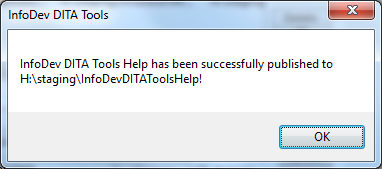 Tip: you can click the Explore button next to the Staging or Prod fields to verify in Windows Explorer that all files have been successfully published.