Requirements Editor Merge windows have contextually based (right-click) menus. Menu items that appear when right-clicking are dependent on the window you are currently working in and the document you have selected.
| Menu Item | Description | Available in |
|---|---|---|
| Compare With Common Base | Opens the selected document with a view of the Incoming and Existing versions.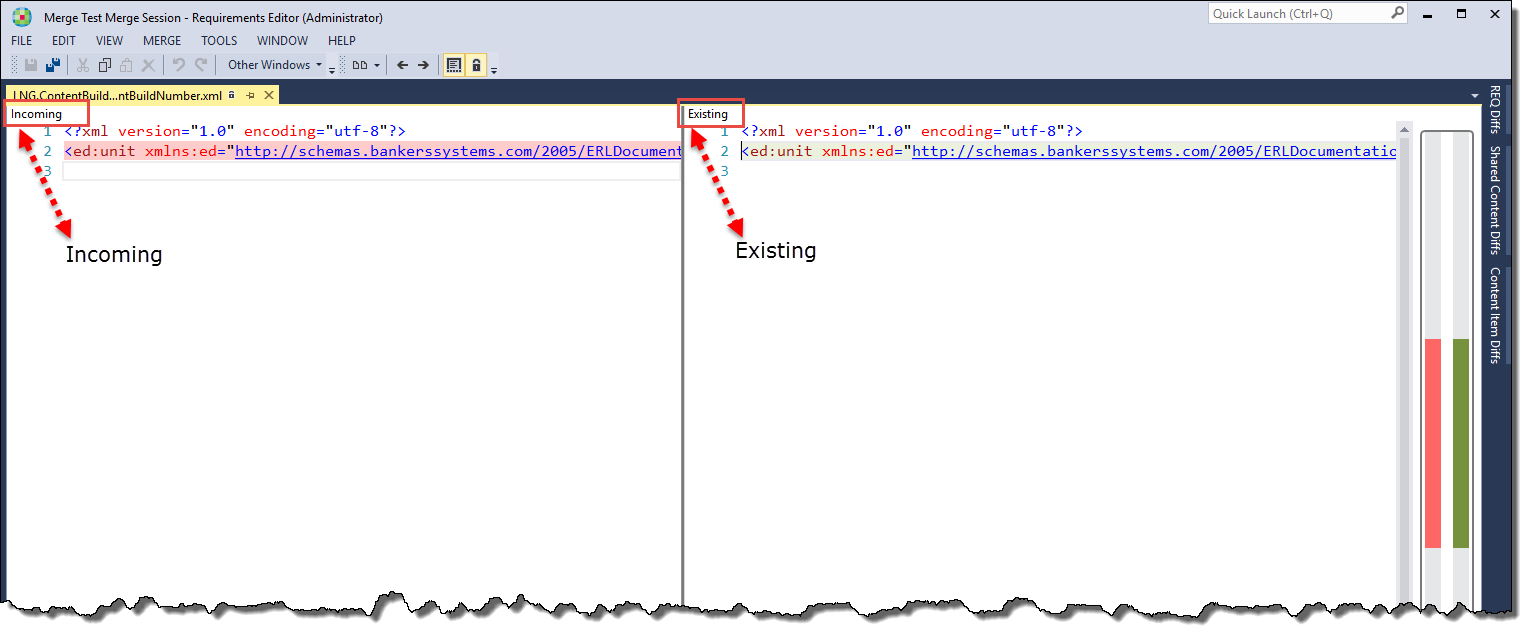 For more information, refer to Compare with Common Base. |
- Shared Content Diffs Window - Content Item Diffs Window |
| Compare with Incoming | Opens the selected document with a view of the Incoming and Existing versions. For more information, refer to Compare with Incoming. | |
| Delete from Repository | Deletes the selected document from the existing repository. | - Shared Content Diffs Window - REQ Diffs Window |
| Open Incoming | Opens the incoming version of the selected document. | - Shared Content Diffs Window - Content Item Diffs Window - REQ Diffs Window |
| Open Existing | Opens the existing version of the selected document. | - Shared Content Diffs Window - Content Item Diffs Window - REQ Diffs Window |
| Open Reconciled File | Opens the reconciled version of the selected document. | - REQ Diffs Window |
| Open Three-Way Merge | Allows you to compare the selected document in the Incoming, Existing and RQDIF windows. For more information, refer to Three Way Merge. | - REQ Diffs Window |
| Take Incoming | Accepts all changes in the incoming version of the selected document | - REQ Diffs Window |
| Take Existing | Accepts the existing version of the selected document | - REQ Diffs Window |
