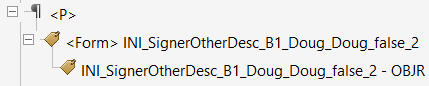
Electronic signature (and e-signature initials), and eSignature date fields are tagged properly for accessibility. When configured properly, a corresponding Tooltip for eSignatures and/or eInitial fields are created automatically when the PDF is generated. See Customizing Electronic Signature Tooltip to configure eSignature tooltips. This option is available for the user to customizable ToolTip allowing the Job Access With Speech (JAWS) screen reader to read the ToolTip text out loud. This provides unsighted readers an audible queue that they have reached a signature or initial field.
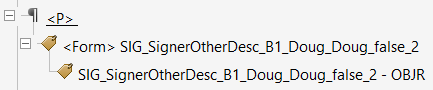
eSignature
eInitial
Attention: Due to a technical error beyond the control of Wolters Kluwer Financial Services, JAWS 15 does not read the ToolTip text as expected.
Note:
- To suppress accessibility tags from being generated for e-Signature Date fields, a setting in the bsi.properties file should be set to ‘false’.
- A Tooltip with text description ‘Date’ will automatically be created if the eDate property is supported (the property is set in the bsi.properties file). This is done to resolve errors with accessibility checker which requires all form fields to have a text description (Tooltip).