Confirming Installation
In CRA Wiz and Fair Lending Wiz:
In Windows, do the following:
-
Open the geo32ver file in a text editor (such as Notepad). You should
see the version below:
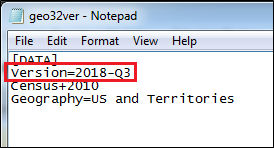
If you do not see this version information, either the install did not complete successfully or the path in System Maintenance is incorrect.