Note about Geocoding Data Path
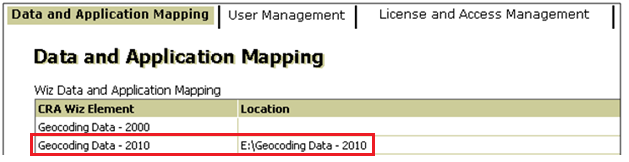
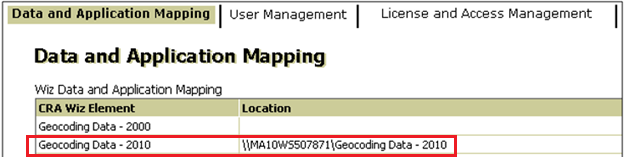
If you have installed Geocoding Data in a client/server environment for the first time, you need to update the geocoding data path to share folder (i.e., instead of the drive letter that the installer uses). This path can be updated using the Data and Application Mapping section of the CRA Wiz and Fair Lending WizSystem Maintenance screen (as seen below).
Before:
After:
Important:
Please note that if you do not have access to CRA Wiz and Fair Lending
Wiz you can update these paths by modifying the Geocoding Data – 2010
path in the dbo.Elementlocations table located in the Objectstore
database:
