Deposit Product Setup
See the following for more information:
Account Type Descriptions
Account type descriptions help Expere further refine data collection and documents election for the account. The account type descriptions are not intended to be an exhaustive list, so one can generally rely on the most general description (Checking, Savings, or Time, as applicable) to create an account that does not have a more specific Type description listed.
Creating and Managing Deposit Products
A Product is created to define the type of deposit account and associate the policies applicable for that product offering. System Integrations using OPPSA data requires the Product Name to be included in integration service request with Expere to process the transaction to generate documents
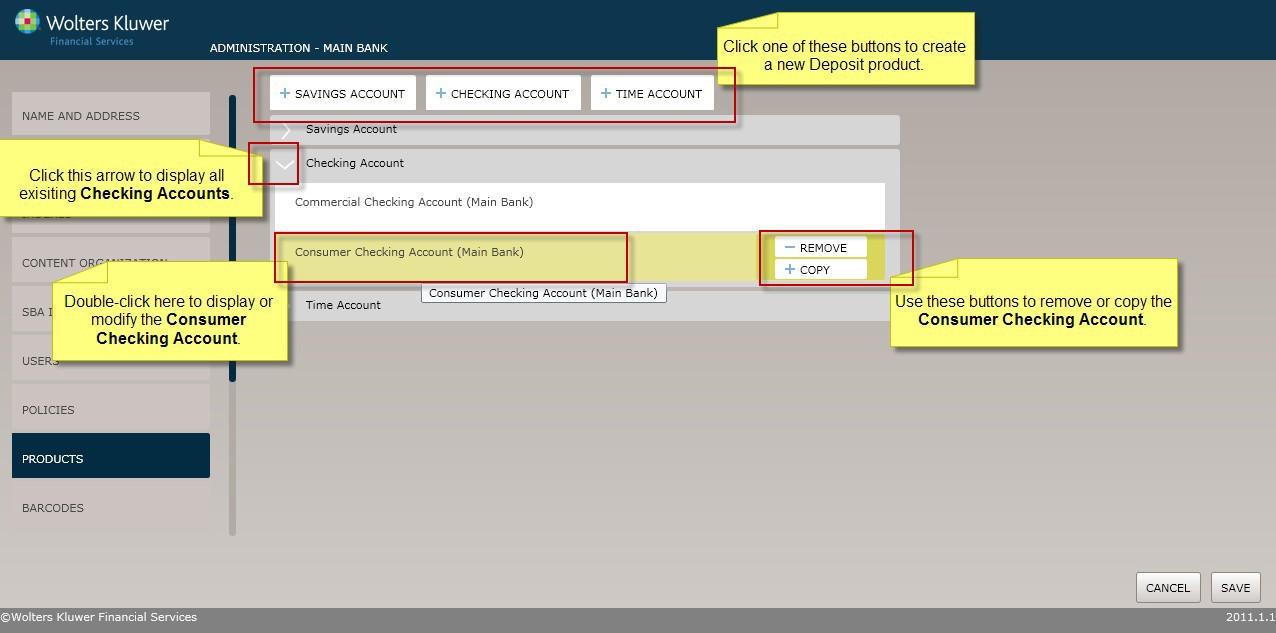
As shown in the page shot below, select the Products menu option to display and work with Deposit products as follows:
- Click the Savings Account, Checking Account or Time Account buttons to create a new deposit product.
- Click the arrow next to a product category to see the existing products under that category.
- Click an existing product to display or modify it.
- Select Copy to duplicate a product. All product data is copied and you can save the information under a new name.
- Select Remove to delete a product.
Checking Account
A Checking Account is a transaction account that allows the account holder essentially unlimited access to funds through the use of checks or drafts (and in some cases, ATM, debit or point-of-sale cards). A NOW account (sometimes called “Money Market Checking”) is an earnings-bearing variety of Checking account.
Creating a Deposit Product
This procedure demonstrates how to create a new Savings Account, Checking Account or Time Account and apply the necessary policies as needed.
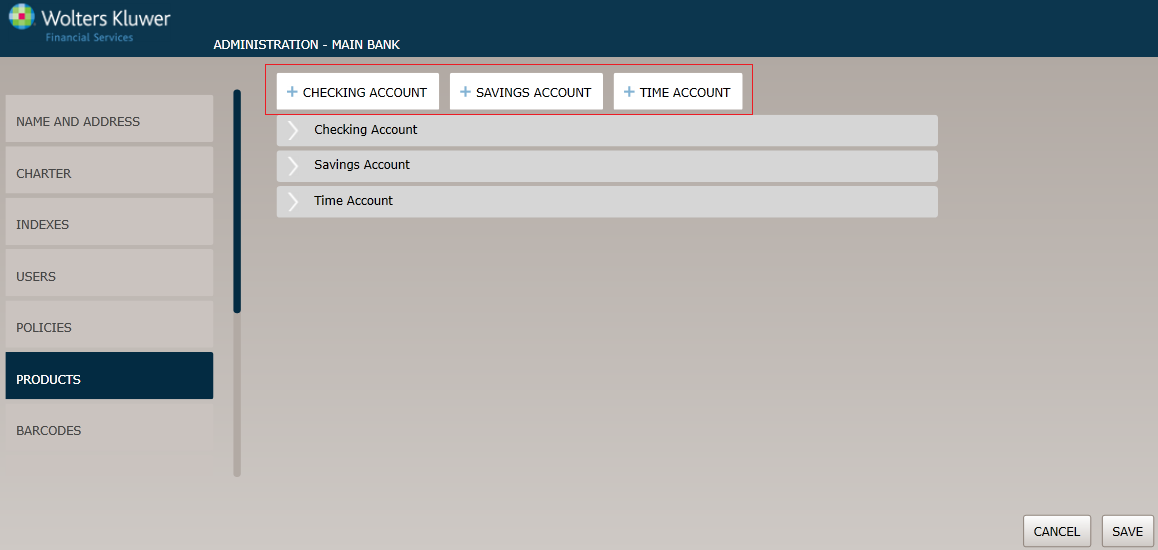
Product Name page
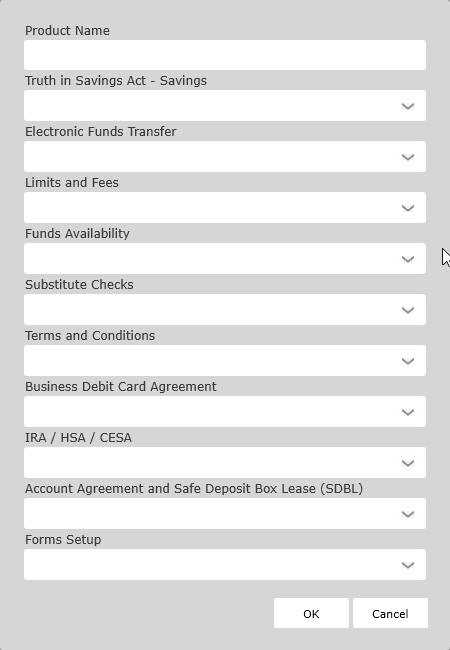
Enter the product name and select the following policies for this product:
- TISA Policy
- Reg. E Disclosure
- Limits and Fees
- Funds Availability Policies
- Substitute Checks Policy
- Terms and Conditions Polices
- Business Card Debit Agreement Policies
- IRA/HSA/CESA Policies
- Account Agreement and Safe Deposit Box Lease (SDBL)
- Forms Setup
Click OK to complete the Deposit product creation process. The product is now available to OPPSA users.
When determining the value to use for the Product Name, keep in mind the following:
- The Expere Document Generation request process requires that the transaction data includes the Product Description value and the description value must be the same as the Product Name.
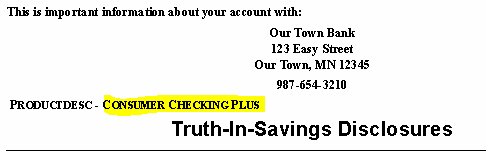
- The Product Name itself does not print on any documents; however, the Product Description does print of a few documents. Because the values for the Product Name and Product Description must match, it is important to define the Product Name such that it meets the needs of where Product Description prints on documents.
- For example, on the MultiPartySignatureCard (referenced as Signature Card or Account Agreement) and the TruthInSavingsDisclosure. See the following document samples for the Product Description location.
Figure 1. MultiPartySignature Card Sample Document 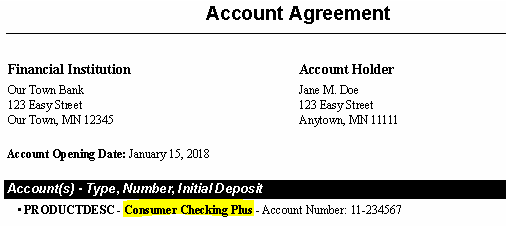
Figure 2. TruthInSavingsDisclosure Sample Document