Created by Kelly Mankenberg, last modified on Mar 24, 2017
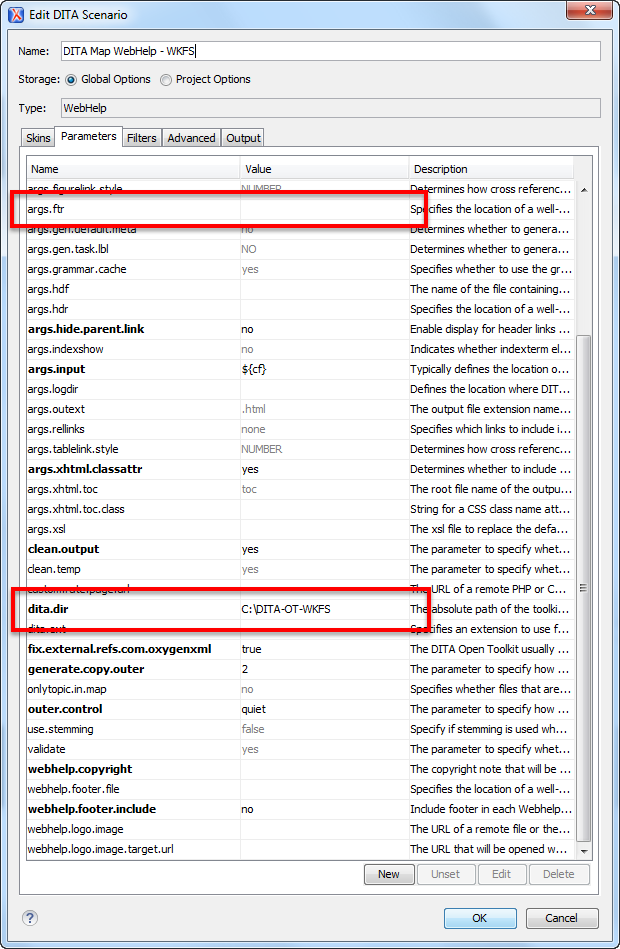
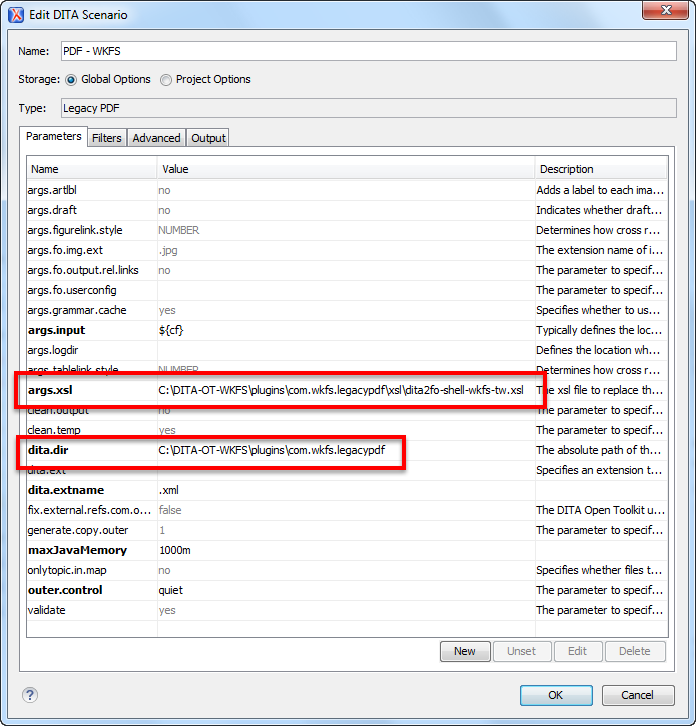
If you are experiencing trouble with transformations after the Transformation Scenario has been imported, you should verify that the Transformation Scenario is configured properly. The following paragraphs discuss Transformation Scenario settings for both the WebHelp and PDF transformations.
The following information can be used to verify all other scenario settings that appear bold in the Transformation Scenario dialog box.
| Parameter Name | Value |
|---|
| args.input | ${cf} | | args.xsl | D:\WKFS oXygen Files\pdf\com.wkfs.legacypdf-GRC\xsl\dita2fo-shell-wkfs-tw.xsl | | clean.output | yes | | clean.temp | yes | | dita.dir | D:\WKFS oXygen Files\pdf\com.wkfs.legacypdf-GRC | | fix.external.refs.com.oxygenxml | true | | maxJavaMemory | 1000m | | outer.control | quiet |
Skin: file:/D:/WKFS%20oXygen%20Files/css/WKFS-GRC.css | Parameter Name | Value |
|---|
| args.input | ${cf} | | args.xhtml.classattr | yes | | clean.output | yes | | dita.dir | ${configured.ditaot.dir} | | fix.external.refs.com.oxygenxml | true | | webhelp.favicon | D:\WKFS oXygen Files\images\favicon.ico | | webhelp.footer.file | D:\WKFS oXygen Files\fragments\WKFS_WebHelp_Classic_ftr.xml | | webhelp.head.script | file:/D:/WKFS oXygen Files/fragments/WKFS_WebHelp_Classic_hdr.xml |
Skin: file:/D:/WKFS%20oXygen%20Files/css/WKFS-GRC-Feedback.css | Parameter Name | Value |
|---|
| args.input | ${cf} | | args.xhtml.classattr | yes | | clean.output | yes | | dita.dir | ${configured.ditaot.dir} | | fix.external.refs.com.oxygenxml | true | | webhelp.favicon | D:\WKFS oXygen Files\images\favicon.ico | | webhelp.footer.file | D:\WKFS oXygen Files\fragments\WKFS_WebHelp_Classic_ftr.xml | | webhelp.head.script | file:/D:/WKFS oXygen Files/fragments/WKFS_WebHelp_Classic_hdr.xml |
Skin: n/a | Parameter Name | Value |
|---|
| args.input | ${cf} | | clean.output | yes | | dita.dir | ${configured.ditaot.dir} | | fix.external.refs.com.oxygenxml | true | | webhelp.favicon | D:\WKFS oXygen Files\images\favicon.ico | | webhelp.fragment.before.body | D:\WKFS oXygen Files\fragments\WKFS_WebHelp_Classic_body.xml | | webhelp.fragment.footer | D:\WKFS oXygen Files\fragments\WKFS_WebHelp_Classic_ftr-responsive.xml | | webhelp.logo.image | D:\WKFS oXygen Files\images\Wolters-Kluwer-logo_disc_blk.png | | webhelp.show.indexterms.link | no |
|