Transformation Scenarios are provided within oXygen as a means of configuring different output formats. Currently, InfoDev transforms to WebHelp and PDF formats.
Remember!
You can click on an image to view a larger version.
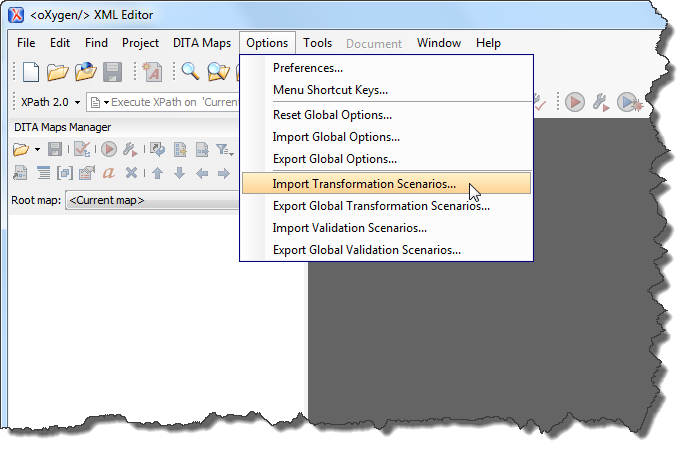
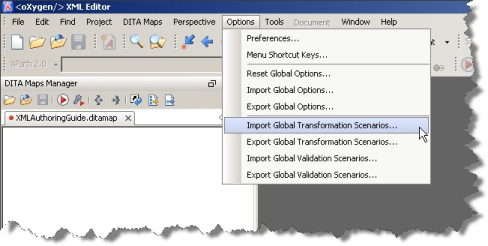
To import the global transformation scenarios:
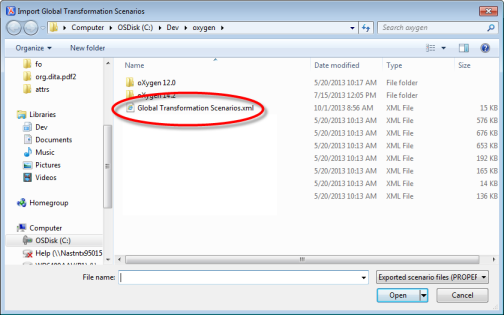
- From the menu bar, select Options > Import Transformation Scenarios.
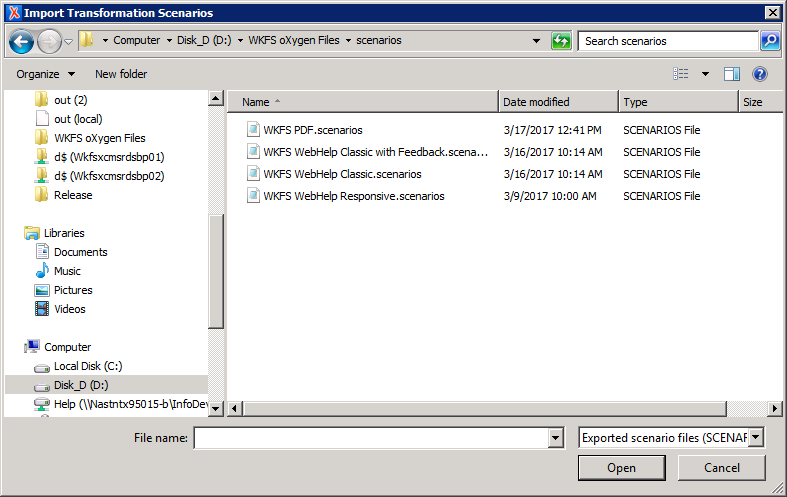
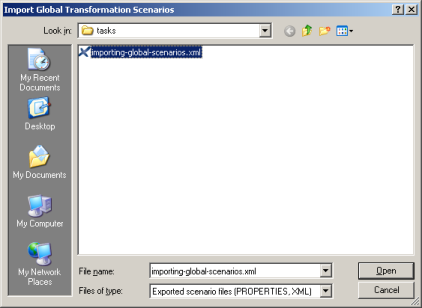
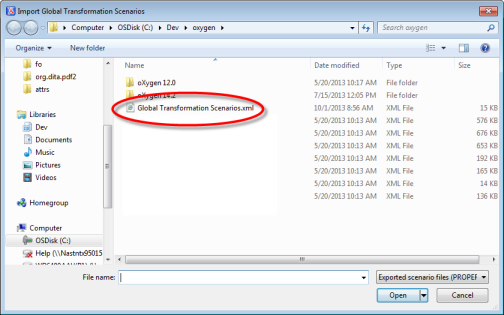
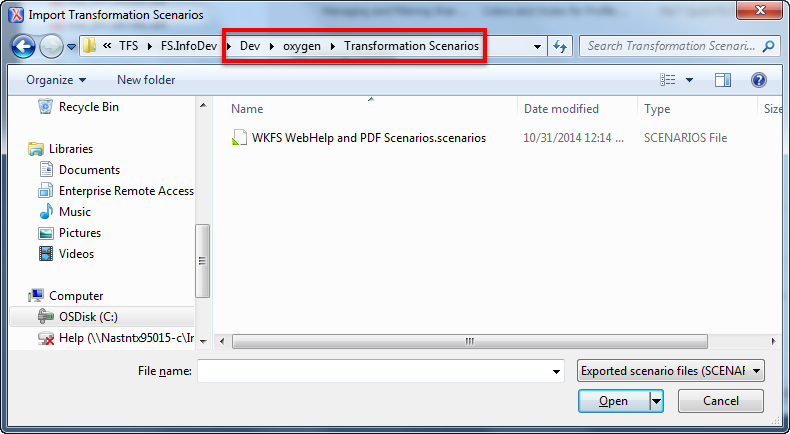
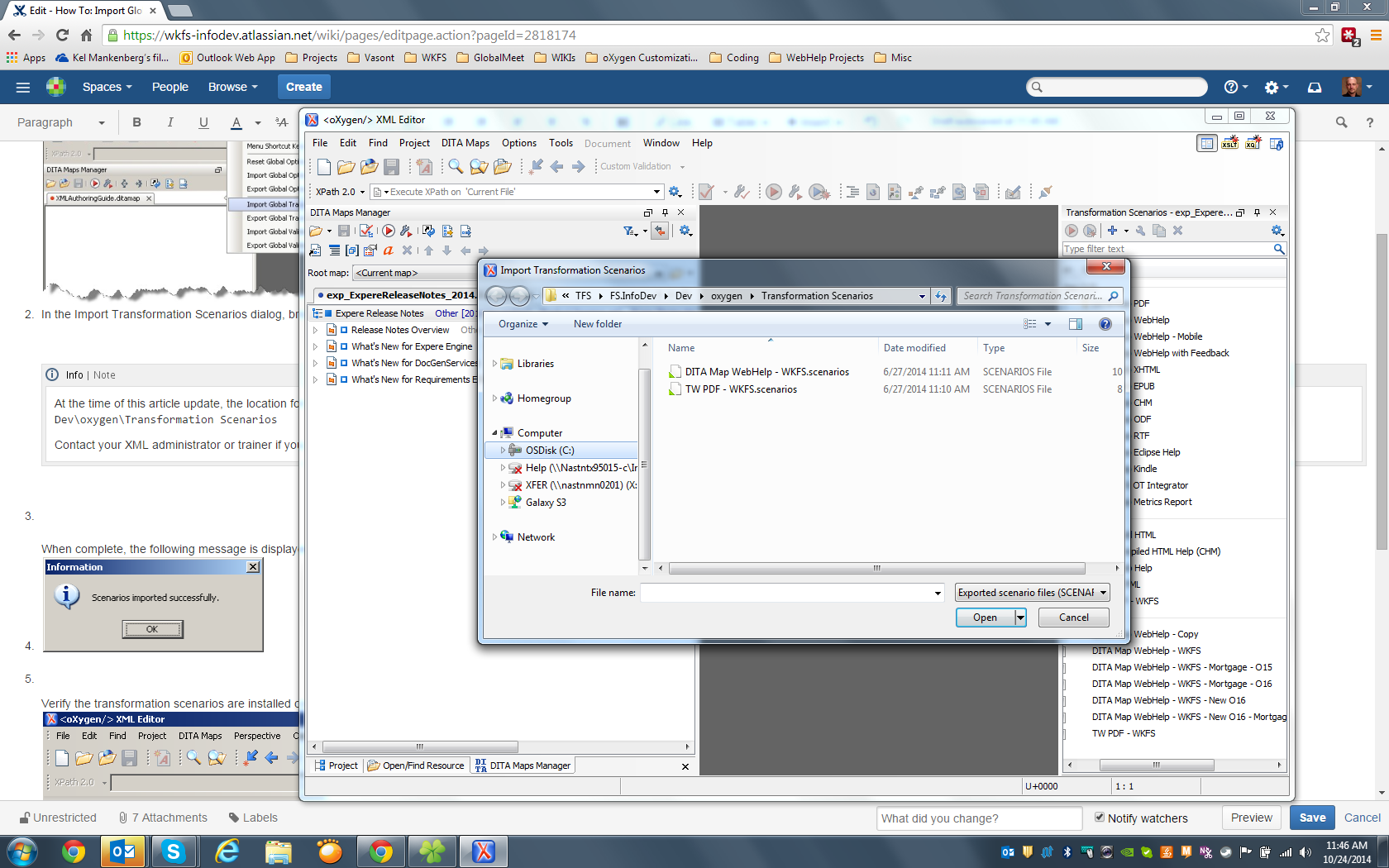
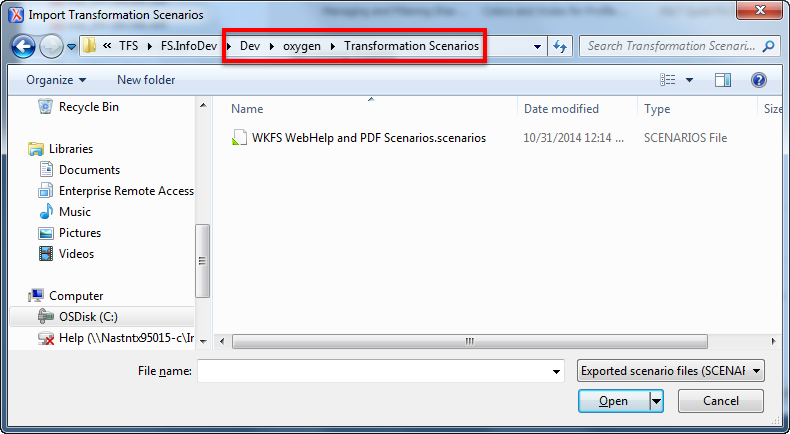
In the Import Transformation Scenarios dialog, browse for and select the desired transformation file and click Open.
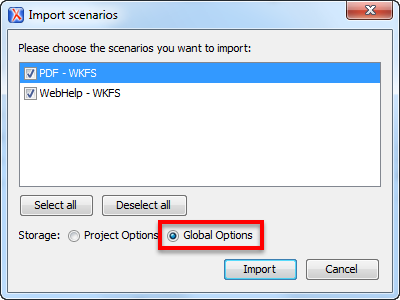
The Import Scenarios dialog is displayed with your selection.
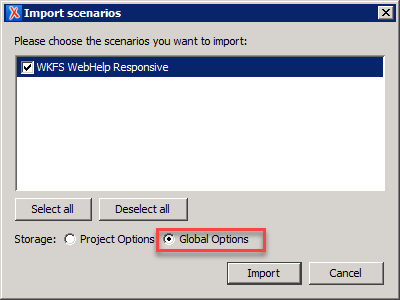
Verify the Global Options option is selected. This ensures that the transformation scenario can be used across all projects.
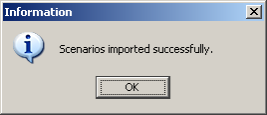
Click Import. The following message is displayed:
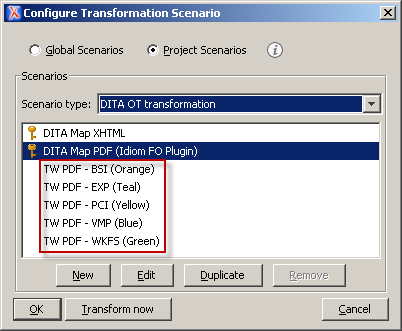
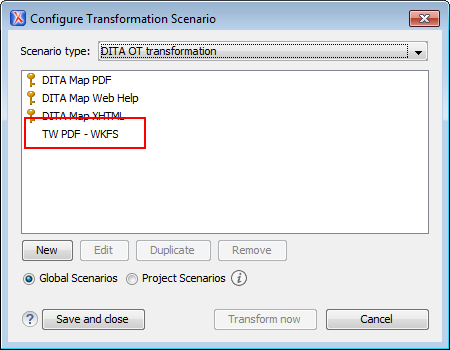
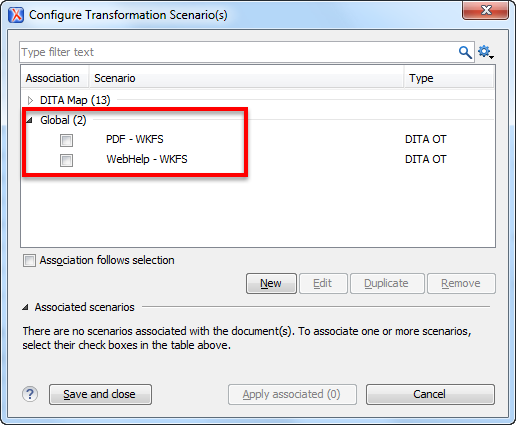
Verify the transformation scenarios are installed correctly by clicking the Configure Transformation Scenario button located in the DITA Maps Manager window.
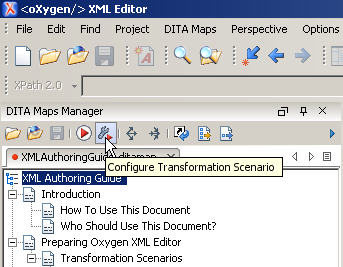
The Configure Transformation Scenario dialog box appears.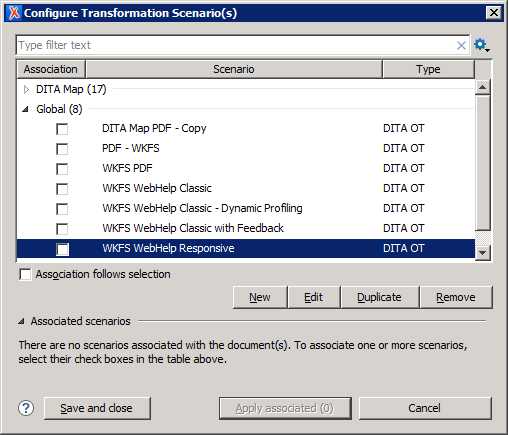
- Verify the scenario indicated above in the red box are installed. Click Save and close when finished.
See Also
Attachments:
 worddav984d0af0e5210e39b3e5a8f01458dd69.png (image/png)
 worddavbccfb5a32f8ee010c587264c22ec7087.png (image/png)
 worddava21f66f1ace4d80855f740a7b95520b6.png (image/png)
 worddave4726f814e00d4dbe9762de65340d749.png (image/png)
 worddavf1886a001285563e290030589b8dbb57.png (image/png)
 Import Scenarios.png (image/png)
 Import Scenarios.png (image/png)
 Configure Transformation Scenario.png (image/png)
 Import Transformation Scenarios Dialog.png (image/png)
 Import Scenarios dialog.png (image/png)
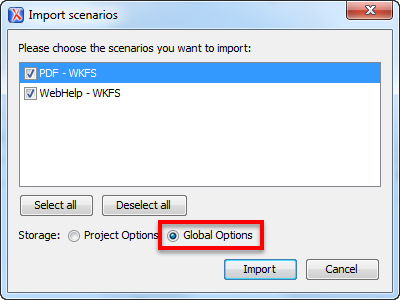 image2014-10-24 11:56:6.png (image/png)
 Configure Transformation Scenarios dialog.png (image/png)
 Options-ImportTransformationScenarios.png (image/png)
 Import Transformation Scenarios Dialog.png (image/png)
 Import Scenarios dialog.png (image/png)
 Configure Transformation Scenarios dialog.png (image/png)
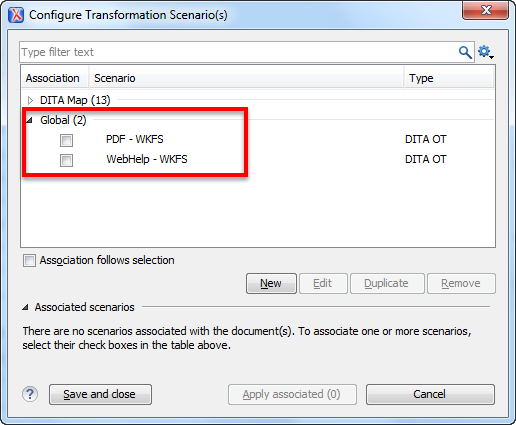 image2017-3-24_9-11-4.png (image/png)
 image2017-3-24_9-14-42.png (image/png)
 image2017-3-24_9-19-26.png (image/png)
