Installing the Data Dictionary Viewer
-
Navigate to the RequirementsEditor folder on the CD or
location of the installation files on the target machine. Either:
- Install directly from the Expere Authoring CD (\\RequirementsEditor folder), or
- Copy the installation files (DictionaryViewer.msi and *.cab file) to a folder on the target machine.
- Select and open DictionaryViewer.msi.
- The installation program first checks your system to ensure disk space and dependencies with any other Wolters Kluwer Financial Services applications installed on your computer. It will return standard Windows Installer errors, if any are encountered. Once complete, the Setup Wizard dialog opens.
- In the Dictionary Viewer Setup Wizard, check the valid licensing agreement box.
-
If you selected the Advanced installation, select the type of
installation to perform.
- Select Install just for you to install the program in a manner specific to the user account on the target computer in the [LocalAppDataFolder] folder (for example, C:\Users\UserFolder\AppData\Local). The shortcut location is defined in: C:\Users\user.name\AppData\Roaming\Microsoft\Windows\Start Menu\Programs\Wolters Kluwer\Requirements Authoring.
- Select Install for all users of this machine to install the program on the target computer, available to all users, in the default program files folder (C:\Program Files (x86)\Wolters Kluwer\Dictionary Viewer). The shortcut location is defined in: C:\ProgramData\Microsoft\Windows\Start Menu\Programs\Wolters Kluwer\Requirements Authoring.
-
In the Destination Folder dialog box, click Change
to select a folder to install the program to or accept the default program
folder and click Next.
This option is not available if using the Install just for you option. The default program file location is C:\Program Files (x86)\WoltersKluwer\Dictionary Viewer\.
-
In the Ready to install Dictionary Viewer dialog box,
click Install.
The installation wizard begins the installation process. This make take several minutes.
-
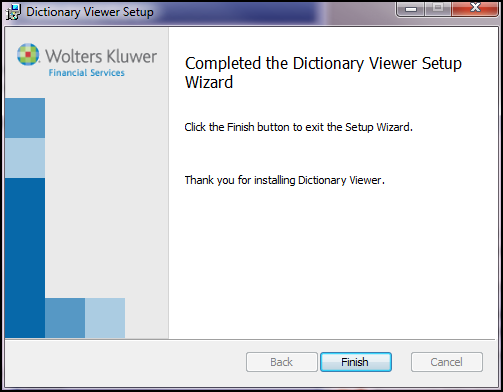
In the Completed the Dictionary Viewer Setup Wizard dialog
box, click Finish.