Resetting Multifactor Authentication (TOTP) in Security Administration
An administrator assigned the Reset Account User Multifactor Authentication permission in Security Administration can reset multifactor authentication for a user.
- In Security Administration, select the account. Select the Users tab and select the user.
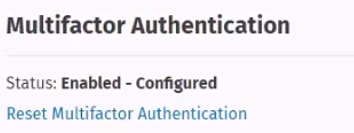
- Select the Reset Multifactor Authentication link under Multifactor
Authentication section.
Note:
The status changes to Enabled-Not Configured under Multifactor Authentication
after resetting multifactor authentication.
Note:
The user will be required to reconfigure multifactor authentication the next time
they log in.