Clear Google Chrome browser cache
1. Open Google Chrome.
2. Press Ctrl + Shift + Delete on your keyboard.
3. Select the following check boxes:
- Browsing History
- Download History
- Cookies and other site and plug-in data
- Cached images and files
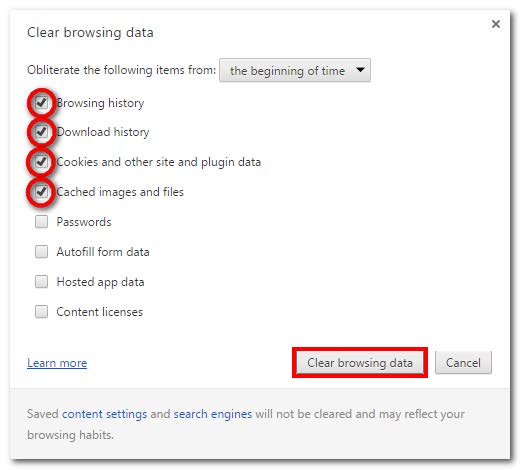
4. Click the Clear browsing data button.
5. The Clear browsing data window closes automatically once complete.
6. Close ALL Google Chrome windows.
7. Re-open Google Chrome.
8. Login to ComplianceOne SaaS.