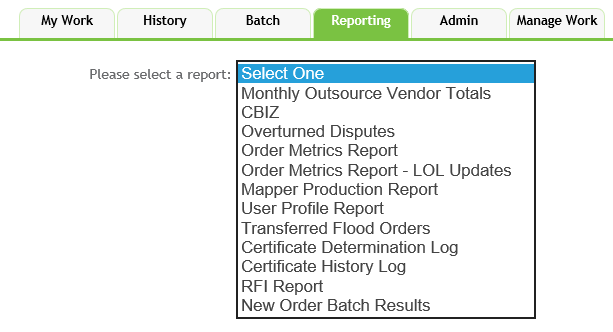
The Reporting tab allows users to select one of the following reports:
- Monthly Outsource Vendors Total
- CBIZ
- Overturned Disputes
- Order Metrics Report
- Order Metrics Rerport - LOL Updates
- Mapper Production Report
- User Profile Report
- Transferred Flood Order
- Certificate Determination Log
- Certificate History Log
- RFI Report
- New Order Batch Results
Using the Report viewing tools
Observe the following guidelines when using the report functionality:
- Enter a page to view search results if the total number of search results resides on multiple pages

- Click the Zoom dropdown to magnify or shrink the search results
- Enter a term in the Search field: click Find to initiate the search: click Next to advance to the following search results.

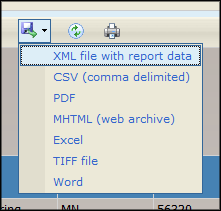
- Click the Export dropdown to export the search results as one of the following file types:
- XML file with report data
- CSV (comma delimited)
- MHTML (web archive)
- Excel
- TIFF file
- Word
-
- Click the Refresh button to update the search results

- Click the Print button to print the search results