This procedure explains how to search for an order in Manual Center.
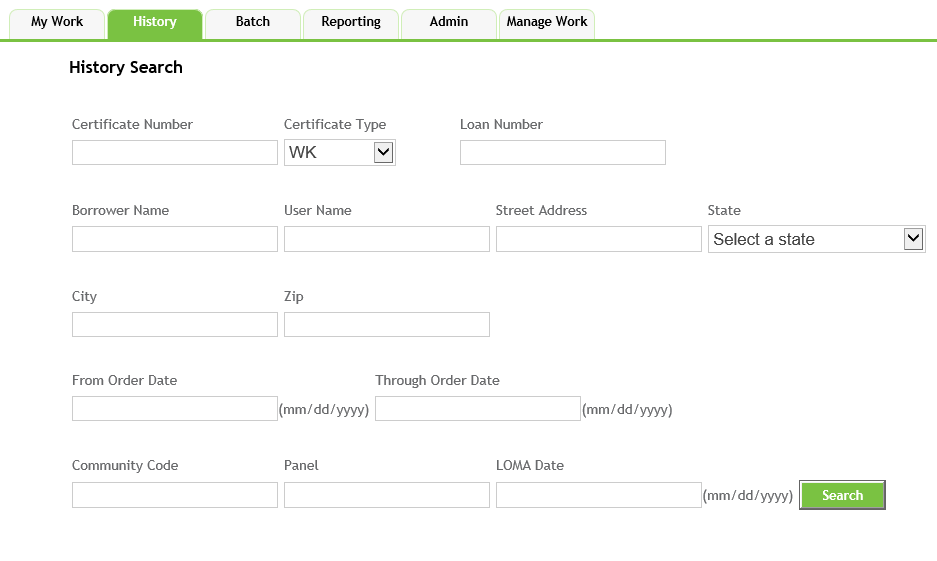
- Enter a Certificate Number; you must enter the exact certificate number
- Select one of the following options from the Certificate Type dropdown:
- WK: default option
- PLU: ID will contain a series of numbers, followed by a decimal point and six additional numbers
- SRG: ID will start with a letter
- STEWART: no identifying attributes
- ASSUMED: Portfolio Cert number that was provided by the original vendor
- Enter a Loan Number up to 40 characters; the loan number search does not require an exact match.
- Enter a Borrower Name, up to 60 characters.
- Enter a User Name.
- Enter a Street Address.
- Select a State from the corresponding dropdown.
- Enter a date range in the From Date and Through Date fields; utilize the format MM/DD/YYYY.
- Once you have entered the search criteria, click the Search button to perform the search and display search results.
