To sort the columns in the Search Results screen, click the desired column heading. The results are arranged by column. To view the order details for a specific order, hover over the desired order and click anywhere within the order, to view the order.
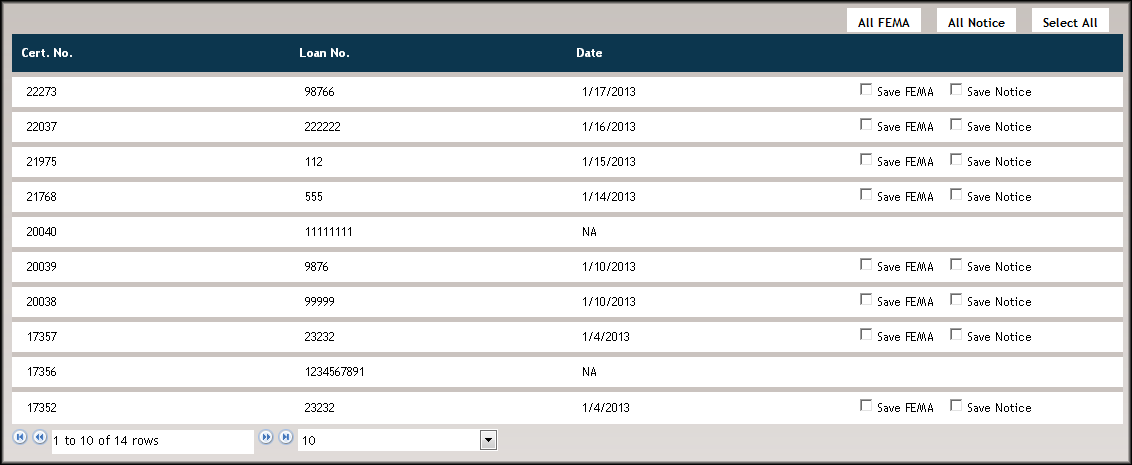
Save FEMA
The Save FEMA option allows users to save the FEMA form for an individual or multiple order(s) as a .ZIP file.
Save Notice
The Save Notice option allows users to save the notice letter for an individual or multiple order(s) as a .ZIP file.
All FEMA
The All FEMA option allows users to select all of the FEMA orders for download.
- Select the All FEMA button to select all FEMA orders.
- Click Save; a File Download dialog appears. Click Open to open the files in WinZip, or click Save to save the files as a .ZIP file.
All Notice
The All Notice option allows users to select all of the FEMA orders for download.
- Select the All Notice button to select all Notice orders.
- Click Save; a File Download dialog appears. Click Open to open the files in WinZip, or click Save to save the files as a .ZIP file.
Select All
The Select All option allows users to select every order within the Search Results screen.
Save
Click Save to save the FEMA form or notice letter for those selected orders as a .ZIP file.
