This section explains how to transfer users.
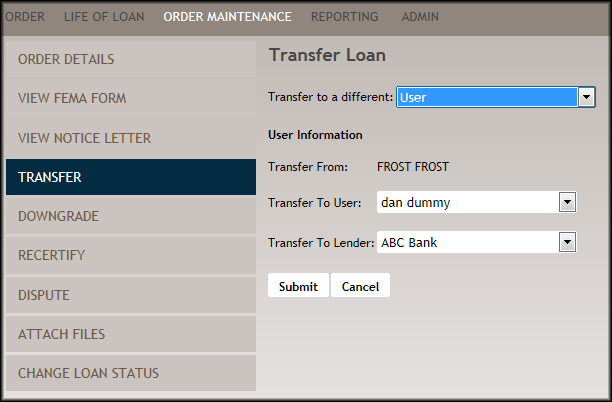
- From the Order Details screen, select Transfer on the left side of the screen.
- Select User from the corresponding dropdown.
- From the User Information section, select a user from Transfer To User: dropdown.
- Select an option from the Transfer to Lender: drop down
- Click Submit.
