Tracking a Package Using a User Name

To track a package using a user's name:

  1. Click the Tracking link from the Support section of the navigation menu. The Tracking screen is displayed.
    You can use an asterisk (*) as a wildcard symbol for your search.
  2. Select the Name search option.
  3. Enter the name of the user you wish to locate in the Search by field. For this example, kevin* was entered.
  4. Click the Find button. The results are displayed.
  5. Click the Recvd or Sent icon for the email address/user you wish to browse. The lower section of the screen is populated with the Packages Report for your selection.
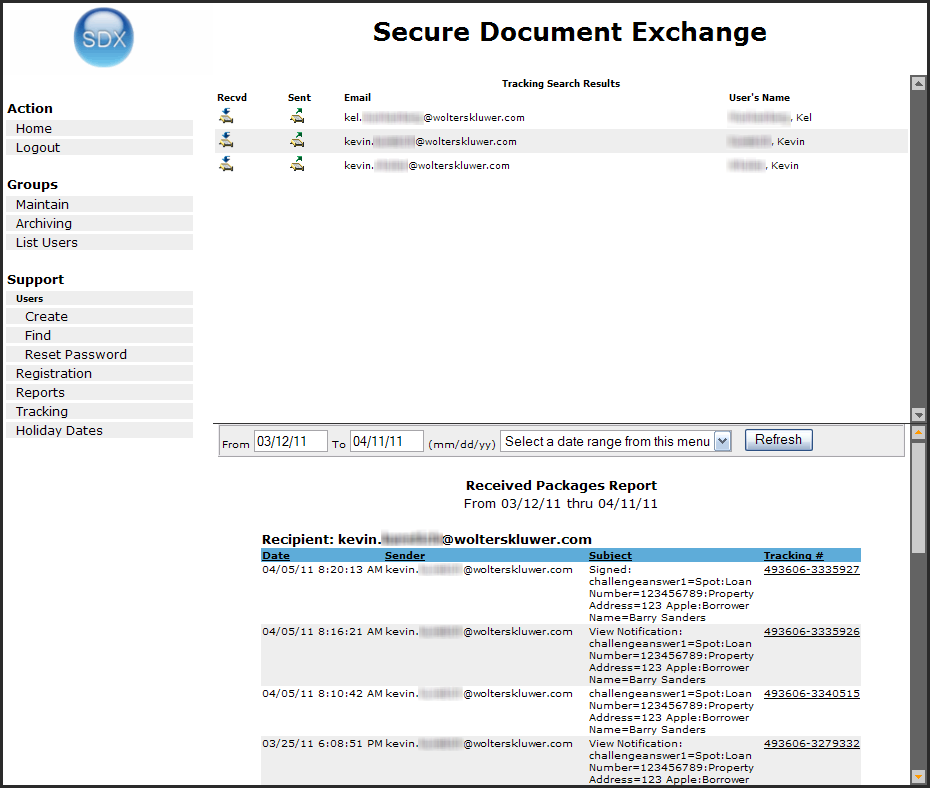
  6. Scroll through the list to locate the desired package.
    You can select a different date range using the From/To fields or the Date Range list, and clicking the Refresh button.
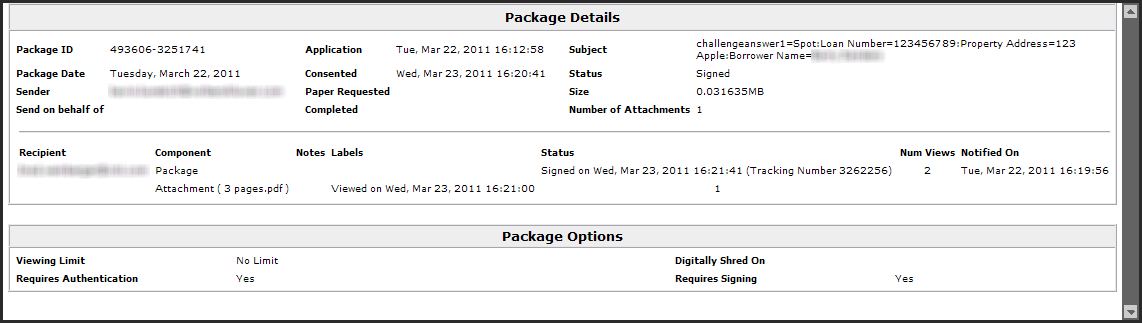
  7. Click the desired package. The package details are displayed in a new window.