A Checking Accountis a transaction account that allowsthe account holderessentially unlimited access to funds throughthe use of checksor drafts (and in some cases,ATM, debit or point-of-sale cards). A NOW account(sometimes called “MoneyMarket Checking”) is an earnings-bearing variety of Checkingaccount.
This proceduredemonstrates how to create a new SavingsAccount, CheckingAccount or Time Account and apply the necessarypolicies as needed.
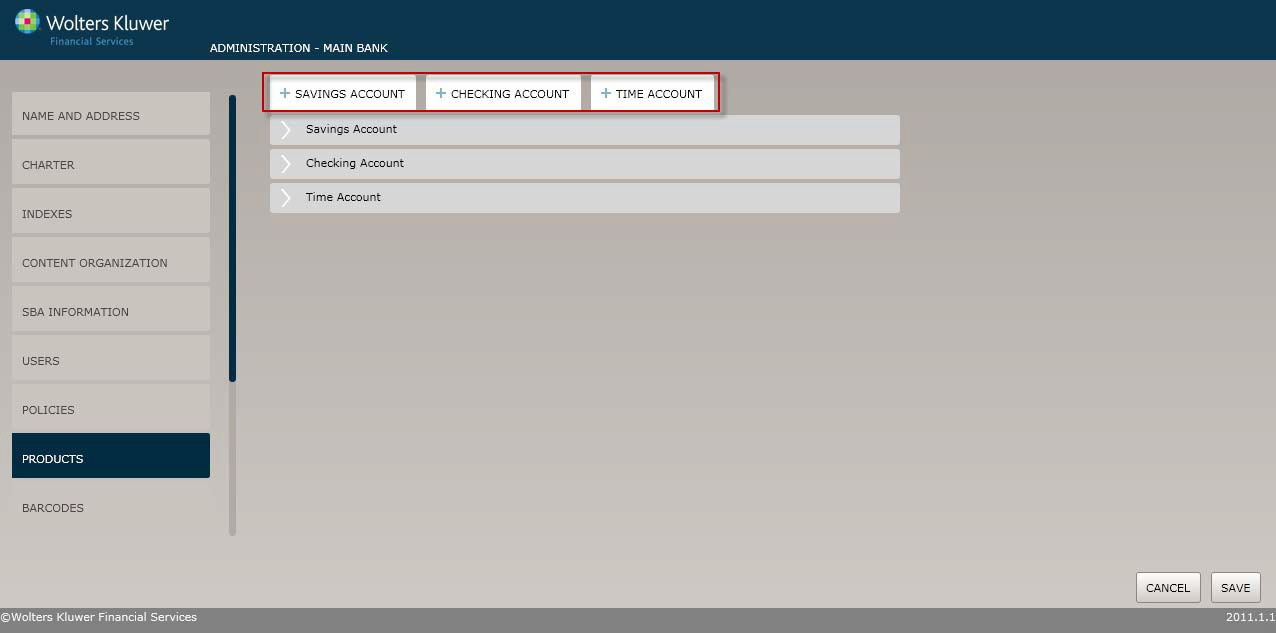
Select the Productsmenu option and click the Savings Account, CheckingAccount or Time Account button. The ProductName screen displaysregardless of which optionyou select.
The Product Name screen allows you to enter a name for the product and to selectthe applicable policiesfor the product.
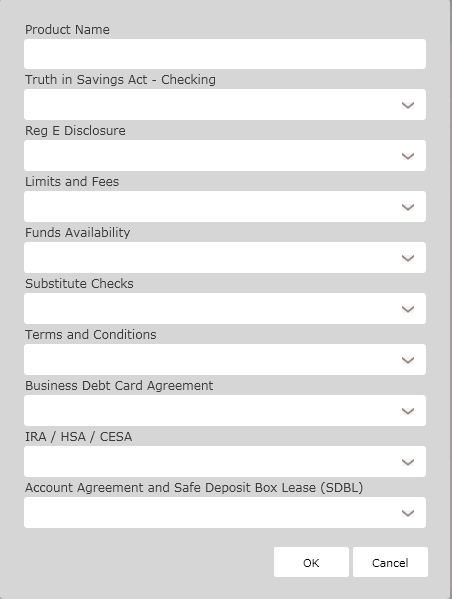
Enter the product name and selectthe following policiesfor this product:
§ TISA Policy
§ Reg. E Disclosure
§ Limits and Fees
§ Funds Availability Policies
§ Substitute Checks Policy
§ Terms and Conditions Polices
§ Business Card Debit AgreementPolicies
§ IRA/HSA/CESA Policies
§ AccountAgreement and Safe Deposit Box Lease (SDBL)
Click OK tocomplete the Depositproduct creation process. The productis now available to OPPSA users.
For information on displaying, editing, copyingor deleting products, see Creatingand Managing Products, earlier in this guide.