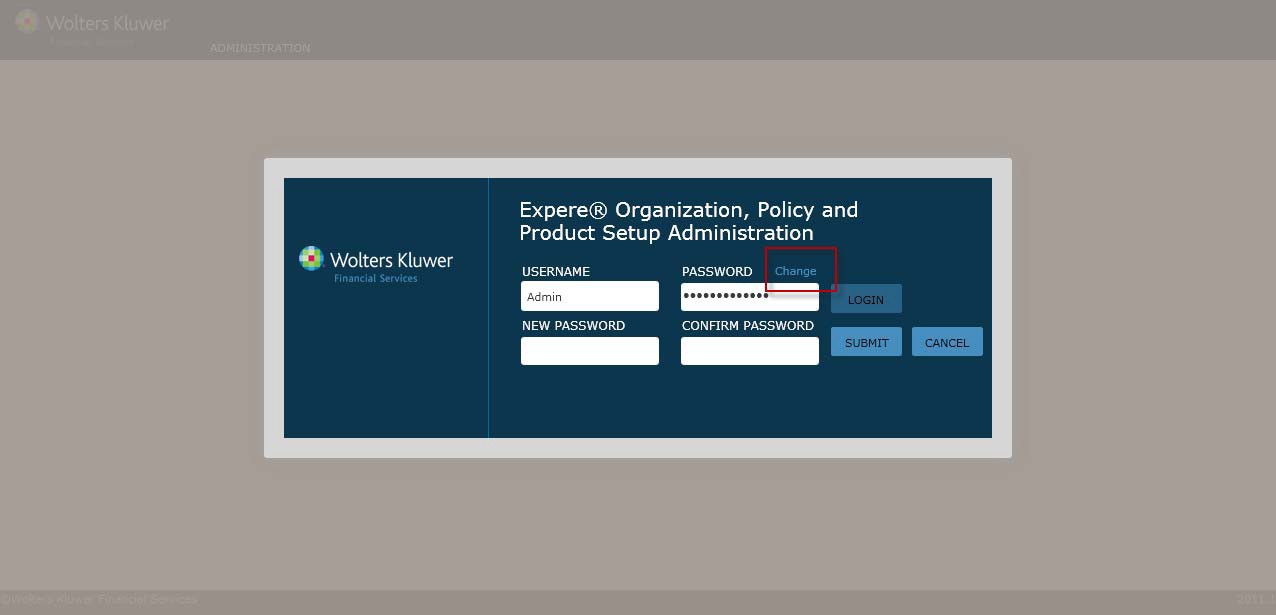
To changea user password, performthe following procedure:
1. From the OPPSA Login screen,click Change (next to the Password field).
2. Complete the following fields:
§ New Password
§ Confirm Password
NOTE: Passwords are case sensitive (User Names are not). Each password must contain at least six letters, one number,and one specialcharacter.
3. Perform one of the following:
§ Click Submit to finalizethe password changeand display the Organizations screen.
§ Click Cancel to exit the Change Password screen and return to the Login screen.