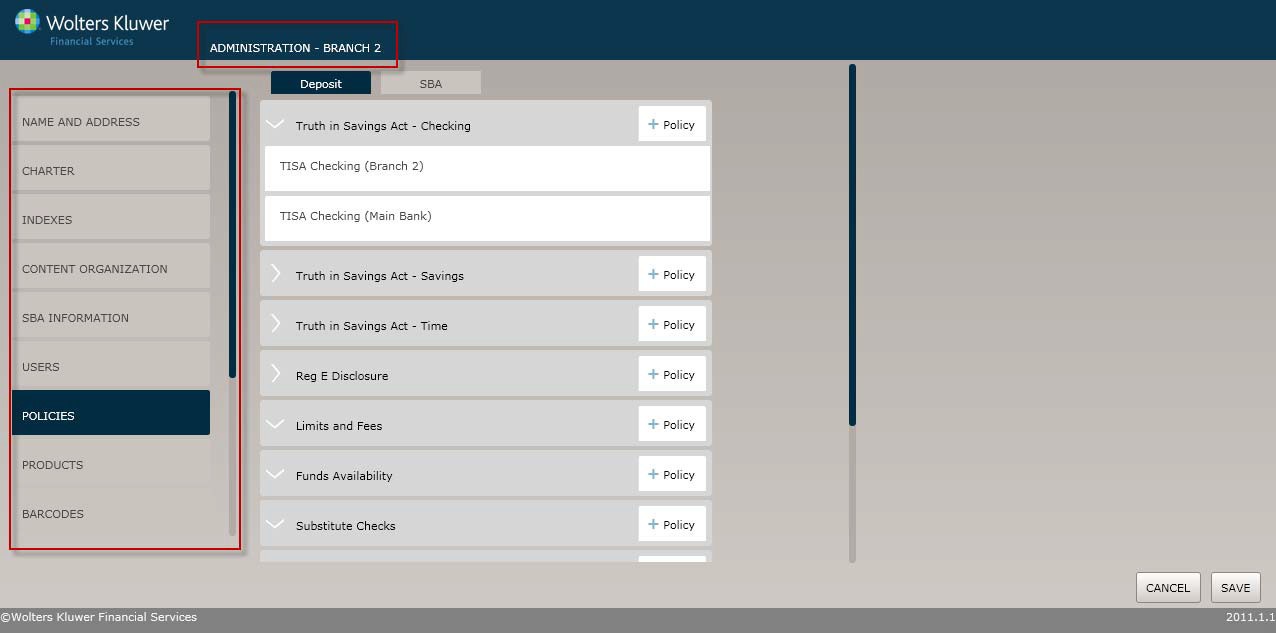
In the screen shot below, we see the user’s menu options,including the Users option, indicating that this user has SystemAdministrator rights. The Policies menu option is selected and so is the Truth in Savings Act – Checkingdropdown menu, displaying one policy for Branch 2 and one for the Main Bank. At the top of the screen is the Organization level: Administration – Branch2, so users can determinewhich Organization’s policies,for example, are currentlydisplayed.