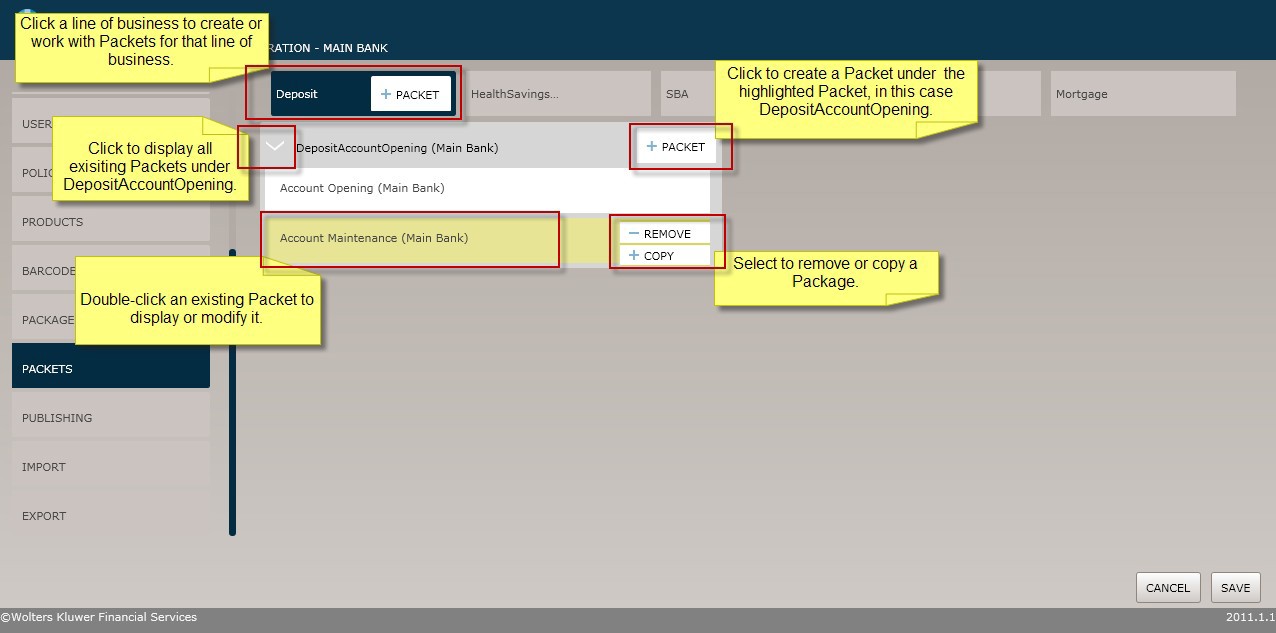
As shown in the screen shot below, select the Packagesmenu option to displayand work with packagesas follows:
§ Click the Packet button for a line of businessto create a new package for that line.
§ Click the Packet button for an existing packetto create a new package under that package.
§ Click the arrow next to an existingpacket to displaythe packets under it.
§ Double-click an existingpacket to displayor modify it.
§ Select Remove to delete a packet.
§ Select Copy toduplicate a packet.