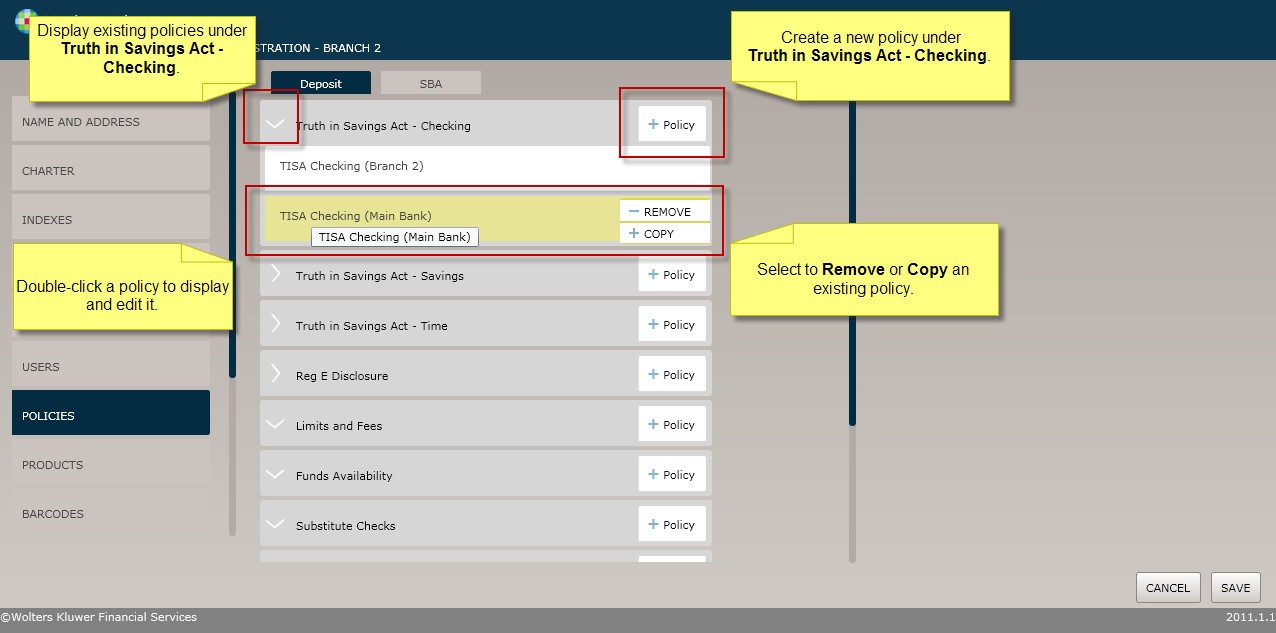
As shown in the screen shot below, select the Policies menuoption to display and work with policies as follows:
§ Click the arrow next to a policy categoryto see the existing policiesunder that category.
§ Click the Policy button to add a new policyunder the selectedpolicy category.
§ Double-click an existing policy to displayor modify it.
§ Select Copy to duplicatea policy. All policy data is copiedand you can save the information under a new name.
§ Select Remove to deletea policy. Error messages displaywhen a policy cannot be deleted at the current Organization level. Policies must be deletedfrom the level at whichthey were created.