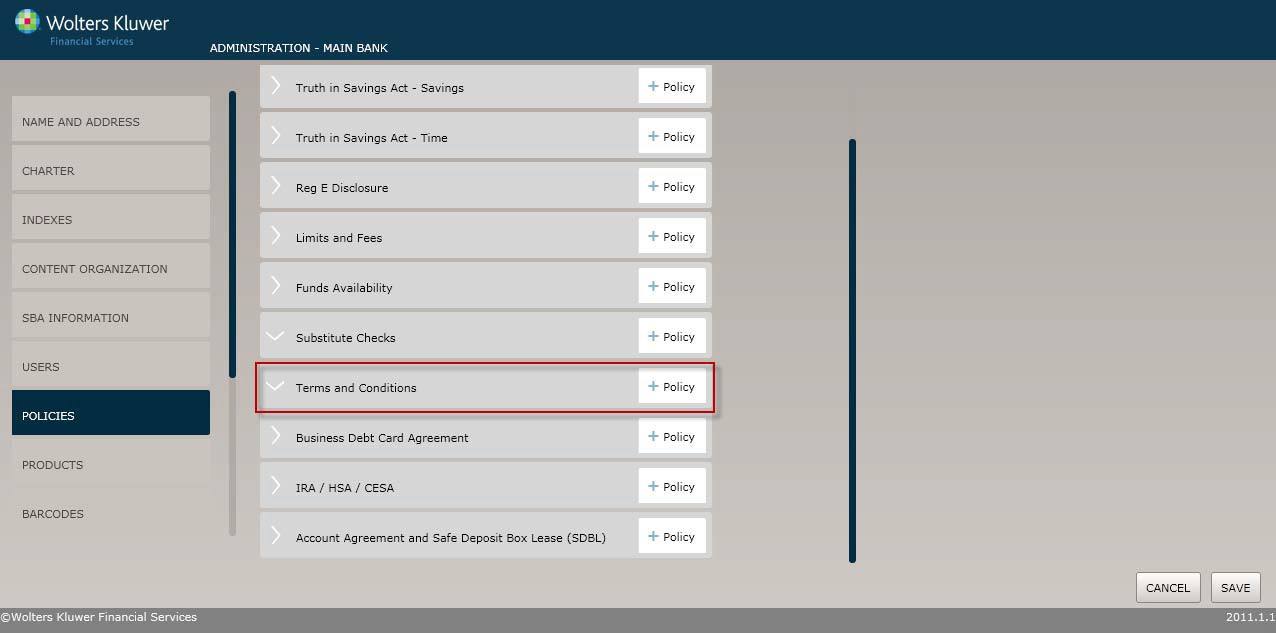
Select the Policiesmenu option and click the Policy buttonfor the Terms and Conditions option.
The Policy Name screen displays by default. Complete this screen and then click the option immediately under Policy Name, in this case Policy Applicability. Continue until you have completed all the necessary screens and fields.
Click the OK button at any time to save the policy information; however, keep in mind that the policy will close and save the information when you click OK. You will have to go to the menu screen and open the policy again to make additional changes.
In the Enter the policy name field, enter the name of the new policy.
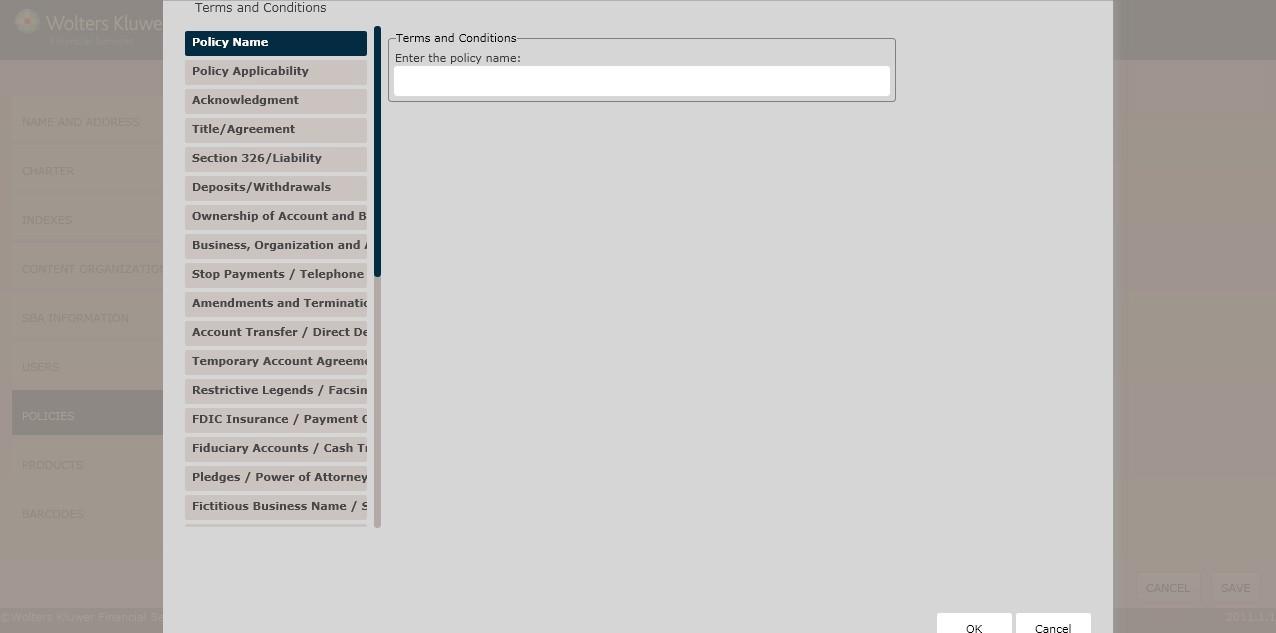
In the Enter the policy name field, enter the name of the new policy.
The Policy Applicability screen allows the user to determine the account purposefor the policy.
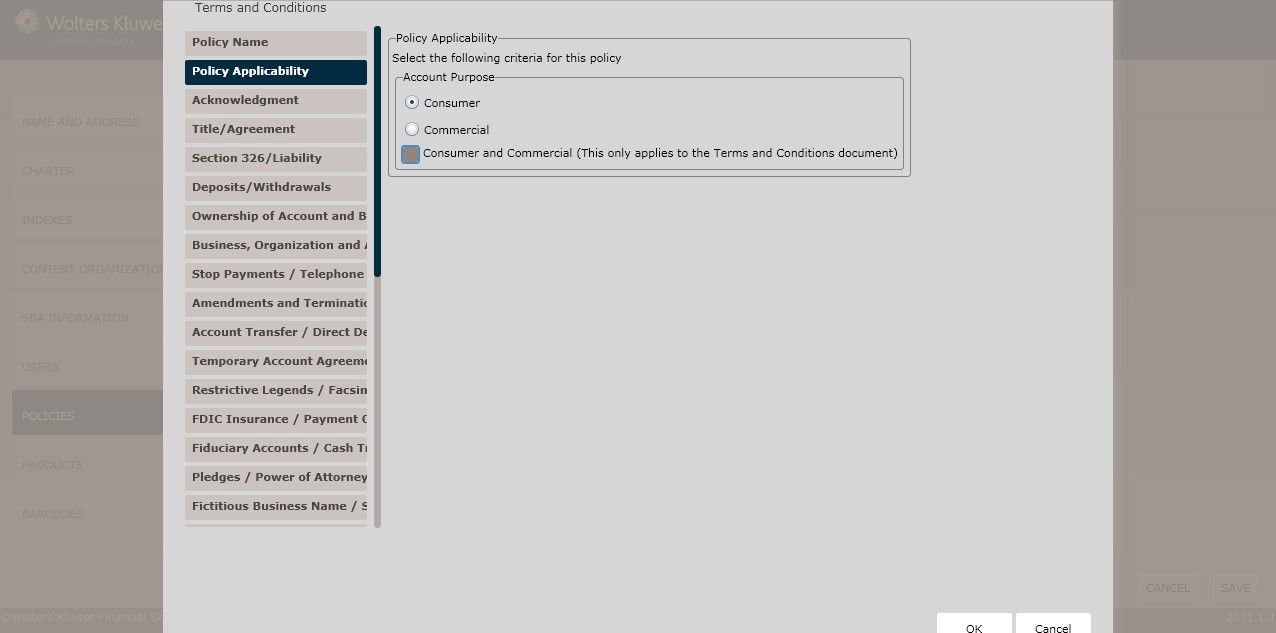
Determine the Account Purposeby selecting one of the following:
§ Consumer(*default)
§ Commercial
§ Consumerand Commercial
The Acknowledgement Screenrequires that user click the opening acknowledgement in order to continue with the Terms and Condition policy creationprocess.
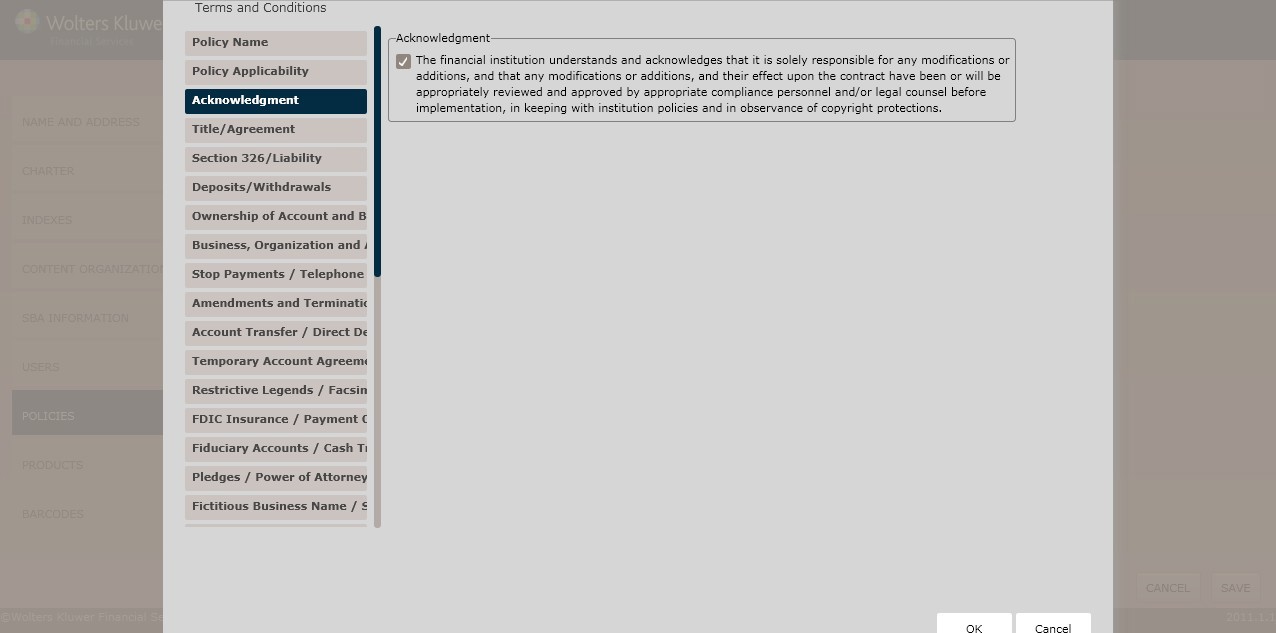
Clicking the following checkboxdisplays a list of additional Acknowledgement selections:
§ The financial institution understands and acknowledges that it is solelyresponsible for any modifications or additions, and that any modifications or additions, and their effect upon the contract have been or will be appropriately reviewed and approved by appropriate compliance personnel and/or legal counselbefore implementation, in keepingwith institution policies and in observance of copyrightprotections.
The Title Agreement screen is used for the following:
§ Customer namingprocess (title)
§ Agreement creation
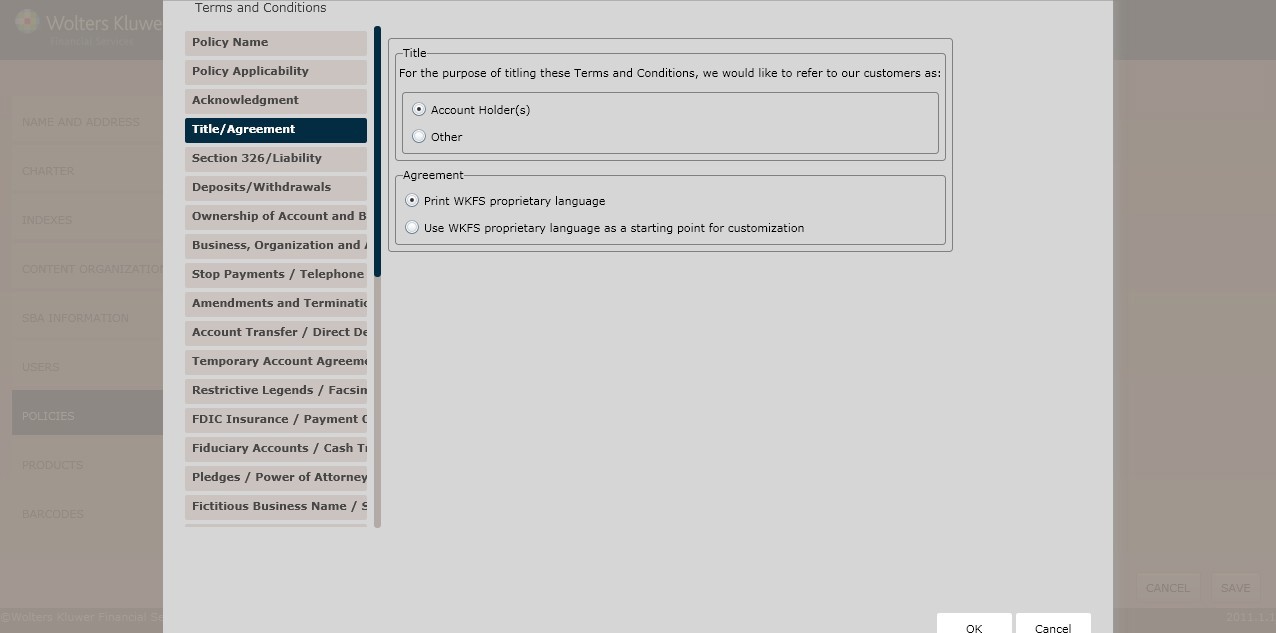
In the Title section, determine the Name of our customersby selecting one of the following option buttons:
§ AccountHolder(s) (*default)
§ Other
NOTE: Selecting Other requires the user to enter the name of the customer.
Determine the Agreement language by selecting one of the following:
§ Print WKFS proprietary language(*default)
§ Use WKFS proprietary language as a starting point for customization
NOTE: If selecting Use WKFS proprietary language as a startingpoint for customization, enter additional language necessary for this rule in the All states exceptPennsylvania textboxes.
This screenallows users to determine regulatory language for the following:
§ Section326 (USA Patriot Act)
§ Liability
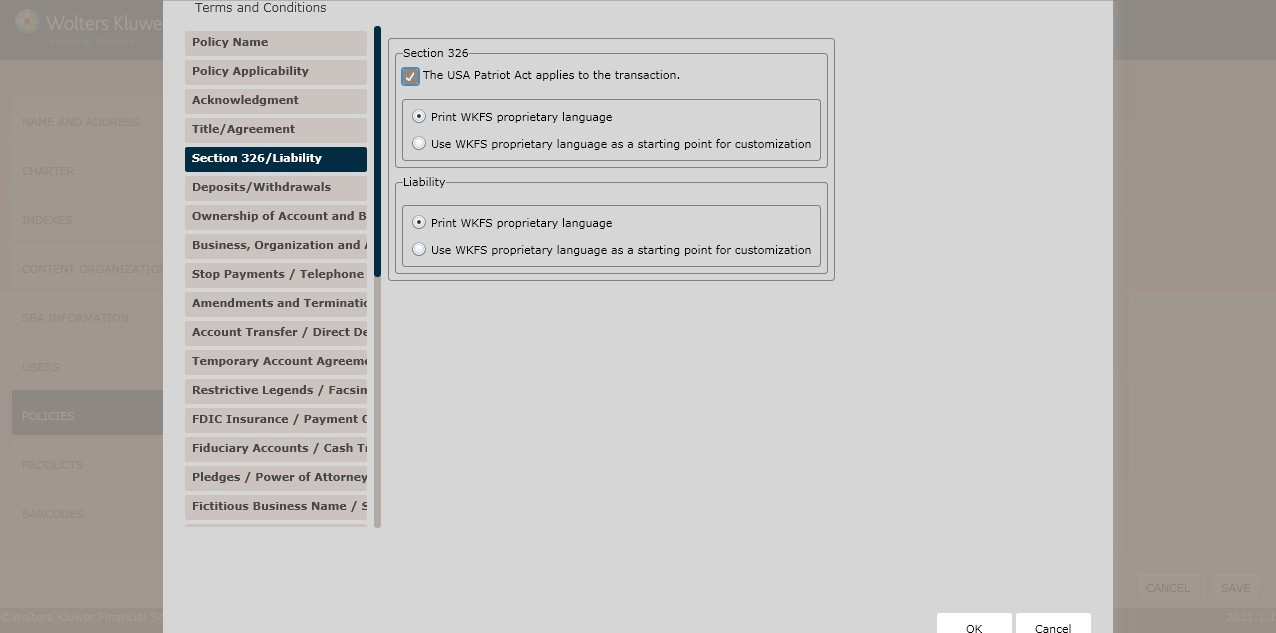
Click The USA PatriotAct applies to the transaction checkbox. Select either of the following:
§ Print WKFS proprietary language(*default)
§ Use WKFS proprietary language as a startingpoint for customization
NOTE: If selecting Use WKFS proprietary language as a starting point for customization, enter additional languagenecessary for this rule.
Determine the Liability byselecting one of the following:
§ Print WKFS proprietary language(*default)
§ Use WKFS proprietary language as a starting point for customization
NOTE: If selecting Liability Other Language, enter additional language necessary for this rule in the All states exceptLouisiana textbox.
This screen allowsusers to determine regulatory languagefor the following:
§ Deposits
§ Withdrawals
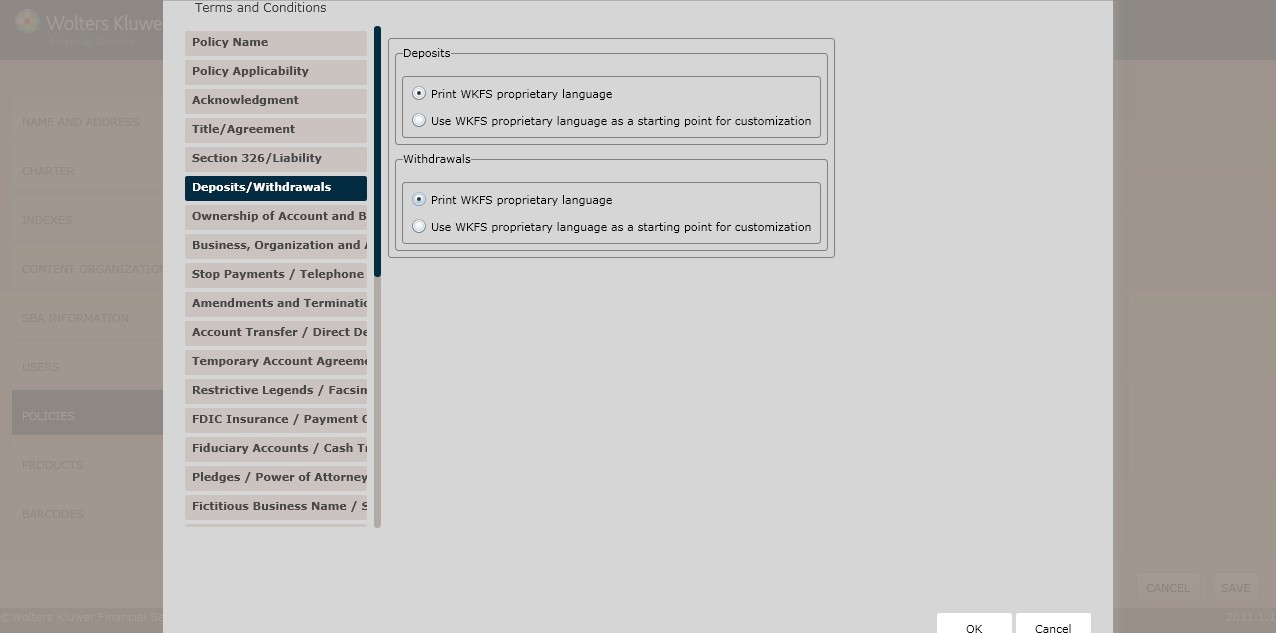
Determine the Depositslanguage by selectingone of the following optionbuttons:
§ Print WKFS proprietary language(*default)
§ Use WKFS proprietary language as a starting point for customization
NOTE: If selecting Use WKFS proprietary language as a startingpoint for customization, enter additional language necessary for this rule in the All states exceptNew Mexico textbox.
Determine the Withdrawals language by selecting one of the following option buttons:
§ Print WKFS proprietary language(*default)
§ Use WKFS proprietary language as a starting point for customization
NOTE: If selecting Use WKFS proprietary language as a startingpoint for customization, enter additional language necessary for this rule in the All states except Kentuckyand New Jerseytextbox.
This screenallows users to determine regulatory language for the following:
§ Chapter 167D Accounts (For Massachusetts only)
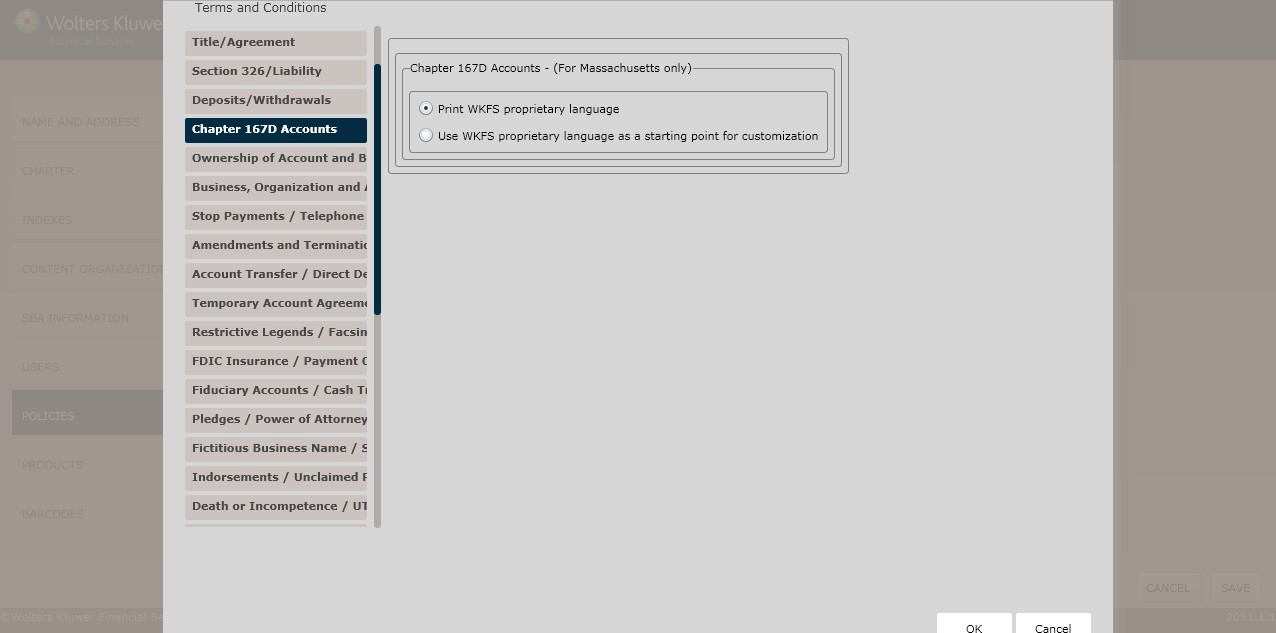
In the Chapter 167D Accounts(For Massachusetts only) section, select one of the following options:
§ Print WKFS proprietary language(*default)
§ Use WKFS proprietary language as a starting point for customization
NOTE: If selecting Use WKFS proprietary languageas a starting point for customization, enter additional language necessary for this rule in the corresponding textbox.
This screenallows users to determine regulatory language for the following:
§ Ownership of Account and Beneficiary Designation
§ AgencyDesignation
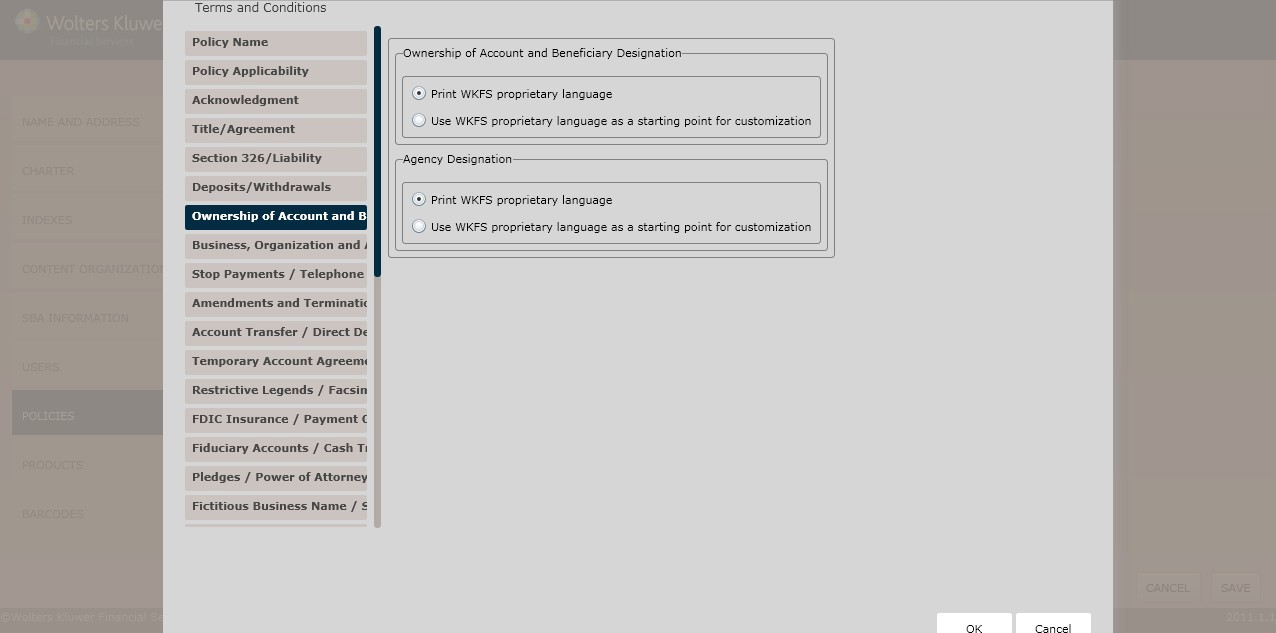
Determine the Ownership of Account and Beneficiary Designation language by selecting one of the following option buttons:
§ Print WKFS proprietary language(*default)
§ Use WKFS proprietary language as a starting point for customization
NOTE: If selecting Use WKFS proprietary languageas a starting point for customization, enter additional language necessary for this rule in the appropriate state-specific textbox.
If customization is needed to default text for Ownership of Account and Beneficiary Designation for multiple jurisdictions, a separate policy needs to be created for each jurisdiction with the corresponding text customization. If ‘Use WKFS proprietary language as a starting point for customization’ is selected and there are multiple juridictions states selected on the Charter page, an error will occur when processing the transaction.
Determine the Agency Designation language by selectingone of the following:
§ Print WKFS proprietary language(*default)
§ Use WKFS proprietary language as a starting point for customization
NOTE: If selecting Use WKFS proprietary languageas a starting point for customization, enter additional language necessary for this rule in appropriate state-specific textbox.
This screenallows users to determine regulatory language for the following:
§ Business, Organization and Association Accounts
§ Remotely CreatedChecks
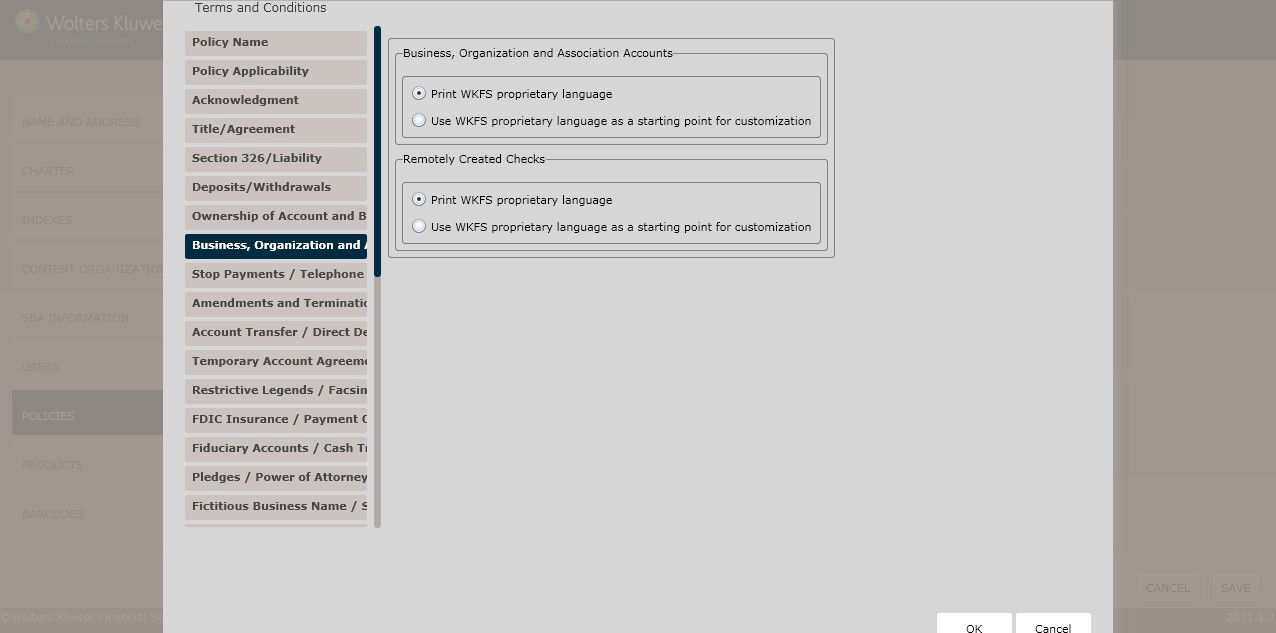
Determine the Business, Organizations and Associations Accountslanguage by selecting one of the following:
§ Print WKFS proprietary language(*default)
§ Use WKFS proprietary languageas a starting point for customization
NOTE: If selecting Use WKFS proprietary languageas a starting point for customization, enter additional language necessary for this rule in the Idaho and Illinois textboxes.
To include a Remotely CreatedChecks section, click the Include RemotelyCreated Checks sectioncheckbox. Select one of the following:
§ Print WKFS proprietary language(*default)
§ Use WKFS proprietary language as a starting point for customization
NOTE: If selecting Use WKFS proprietary languageas a starting point for customization, enter additional language necessary for this rule in the corresponding text box.
This screenallows users to determineregulatory language for the following:
§ Stop Payments
§ Telephone Transfers
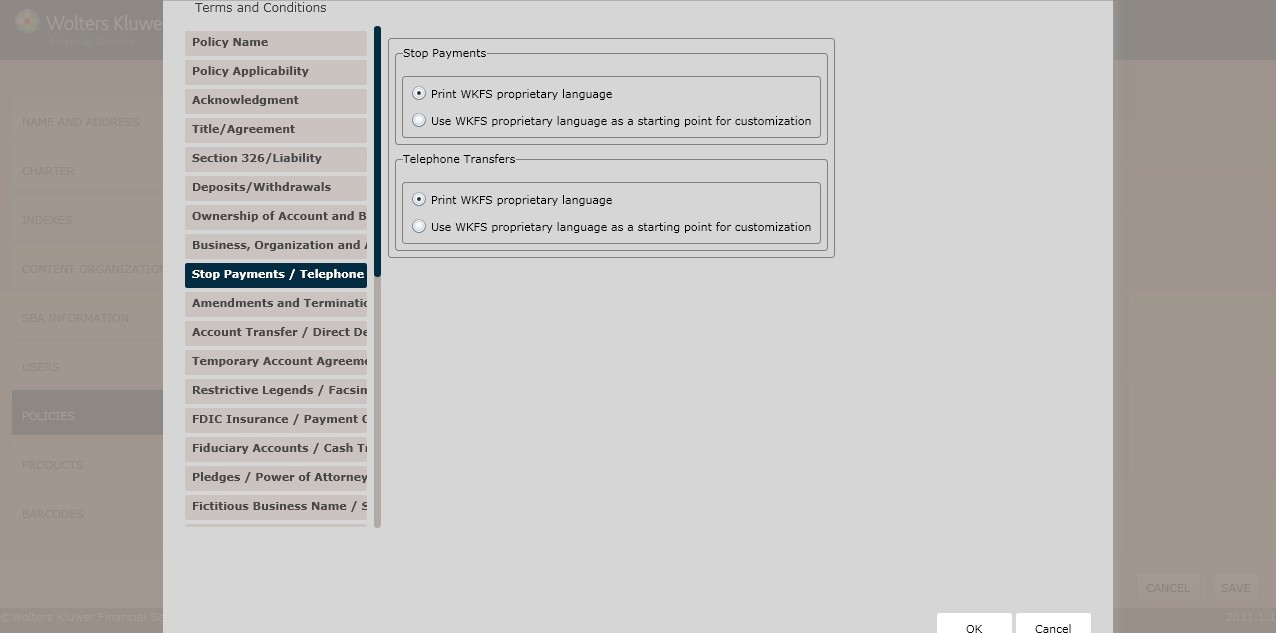
Determine the Stop Payments language by selecting one of the following:
§ Print WKFS proprietary language(*default)
§ Use WKFS proprietary language as a starting point for customization
NOTE: If selecting Use WKFS proprietary languageas a starting point for customization, enter additional language necessary for this rule in the corresponding text box.
Determine the Telephone Transfers language by selectingone of the following:
§ Print WKFS proprietary language(*default)
§ Use WKFS proprietary language as a starting point for customization
NOTE: If selecting Use WKFS proprietary languageas a starting point for customization, enter additional language necessary for this rule in the corresponding text box.
This screenallows users to determine regulatory language for the following:
§ Amendments and Termination
§ Statements
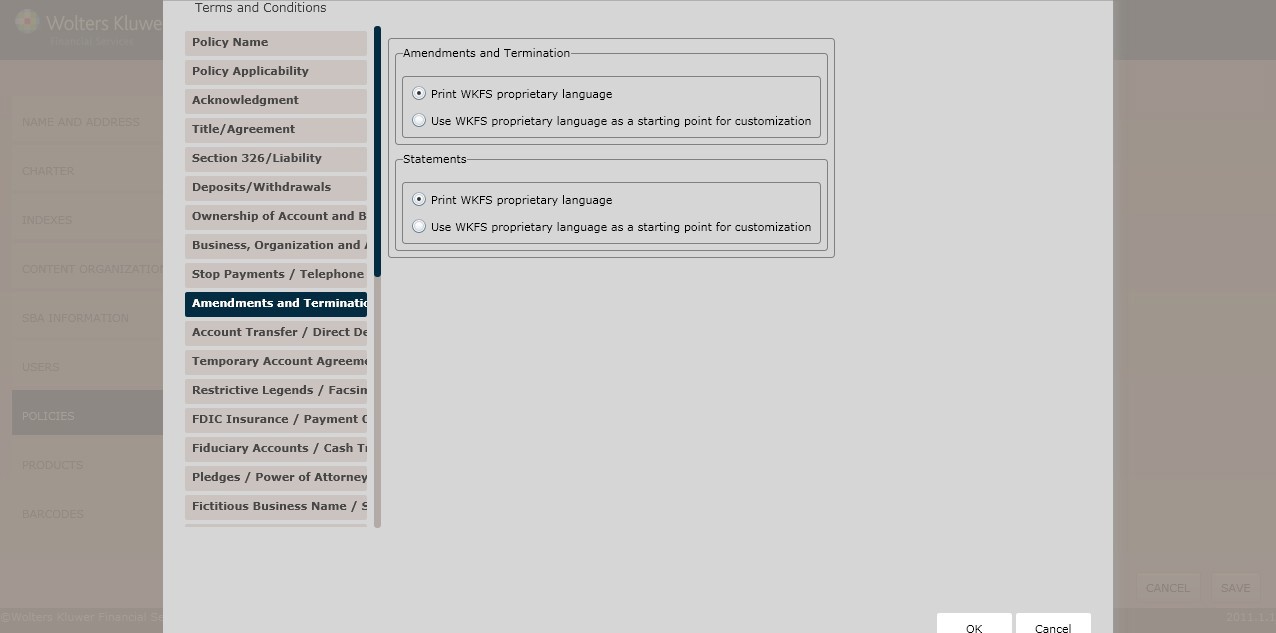
Determine the Amendmentsand Termination language by selecting one of the following:
§ Print WKFS proprietary language(*default)
§ Use WKFS proprietary language as a starting point for customization
NOTE: If selecting Use WKFS proprietary languageas a starting point for customization, enter additional language necessary for this rule in the corresponding text box.
Determine the Statements language by selecting one of the following:
§ Print WKFS proprietary language(*default)
§ Use WKFS proprietary language as a starting point for customization
NOTE: If selecting Use WKFS proprietary languageas a starting point for customization, enter additional language necessary for this rule in the corresponding text box.
§ Account Transfers
§ Direct Deposits
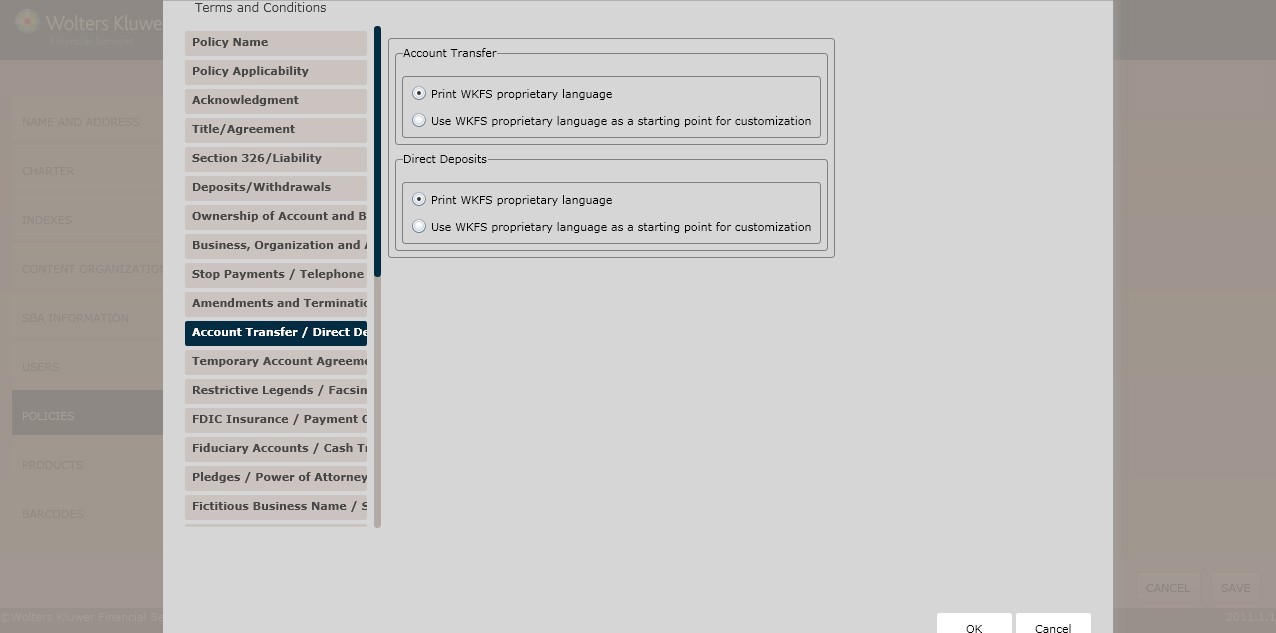
Determine the Account Transferlanguage by selectingone of the following:
§ Print WKFS proprietary language(*default)
§ Use WKFS proprietary language as a starting point for customization
NOTE: If selecting Use WKFS proprietary languageas a starting point for customization, enter additional language necessary for this rule in the corresponding text box.
Determine the Direct Depositslanguage by selecting one of the following:
§ Print WKFS proprietary language(*default)
§ Use WKFS proprietary language as a starting point for customization
This screenallows users to determine regulatory language for the following:
§ TemporaryAccount Agreements
§ Setoff
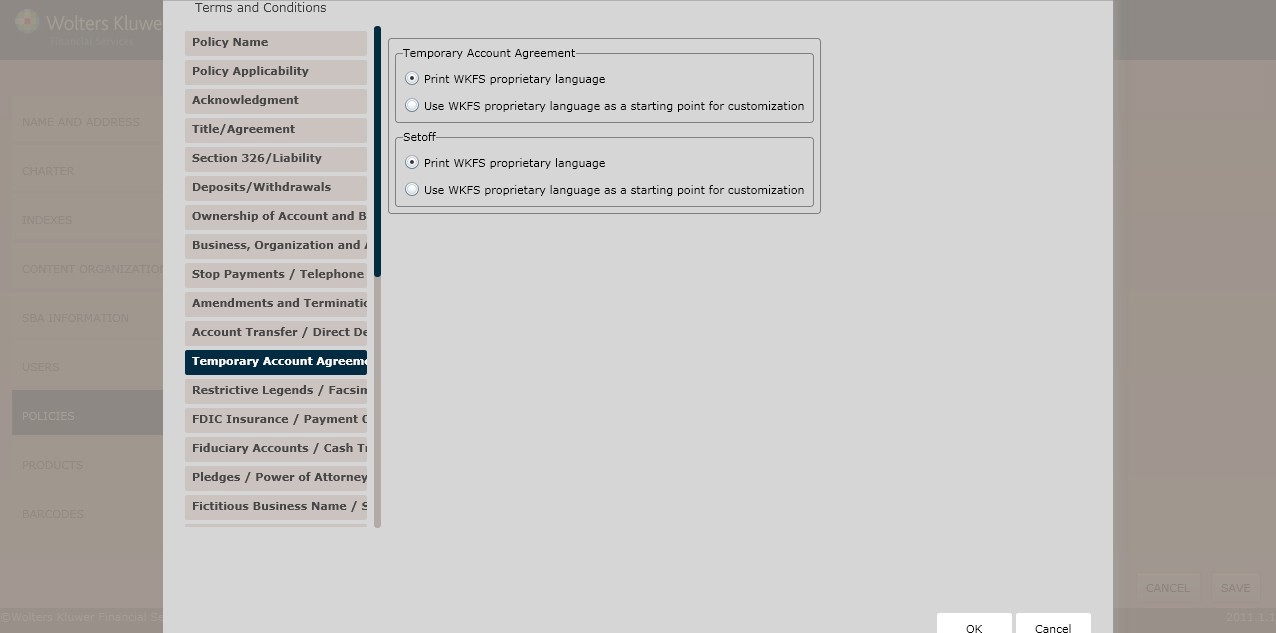
Determine the TemporaryAccount Agreement language by selectingone of the following:
§ Print WKFS proprietary language(*default)
§ Use WKFS proprietary language as a starting point for customization
NOTE: If selecting Use WKFS proprietary languageas a starting point for customization, enter additional language necessary for this rule in the corresponding text box.
Determine the Setoff language by selecting one of the following:
§ Print WKFS proprietary language(*default)
§ Use WKFS proprietary language as a starting point for customization
NOTE: If selecting Use WKFS proprietary languageas a starting point for customization, enter additional language necessary for this rule in the corresponding text box.
§ Restrictive Legends
§ Facsimile Signatures
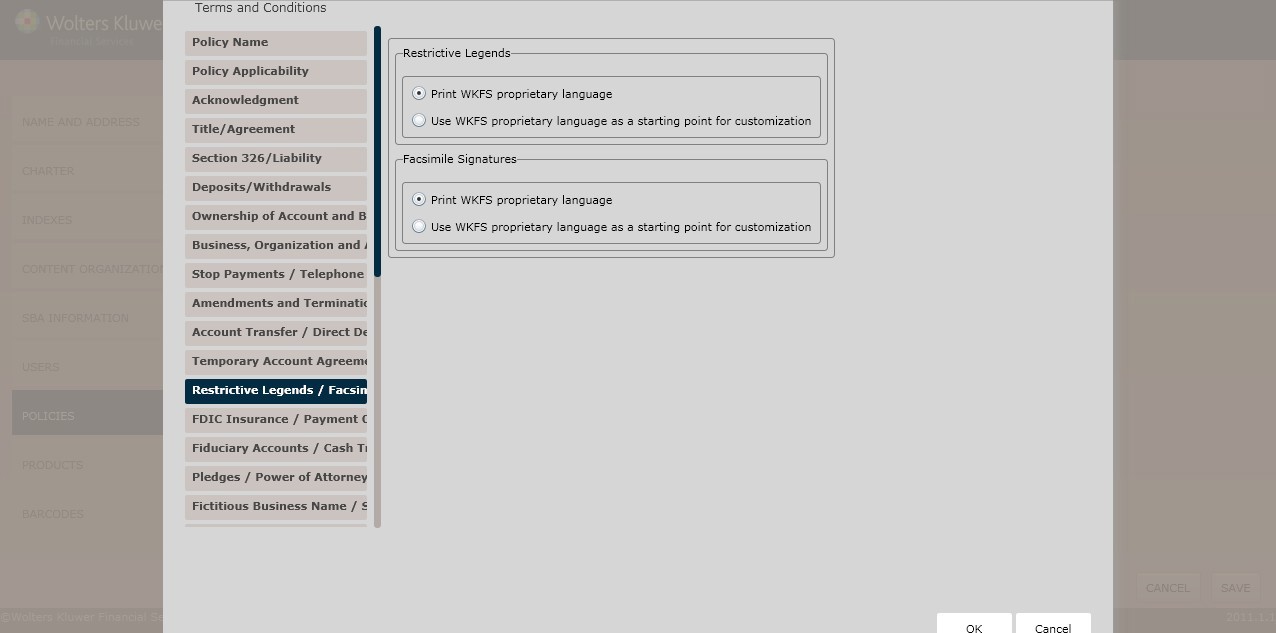
Determine the Restrictive Legends language by selectingone of the following:
§ Print WKFS proprietary language(*default)
§ Use WKFS proprietary language as a starting point for customization
NOTE: If selecting Use WKFS proprietary languageas a starting point for customization, enter additional language necessary for this rule in the corresponding text box.
Determine the Facsimile Signatures language by selectingone of the following:
§ Print WKFS proprietary language(*default)
§ Use WKFS proprietary language as a starting point for customization
This screenallows users to determine regulatory language for the following:
§ FDIC Insurance
§ Payment Order of Items
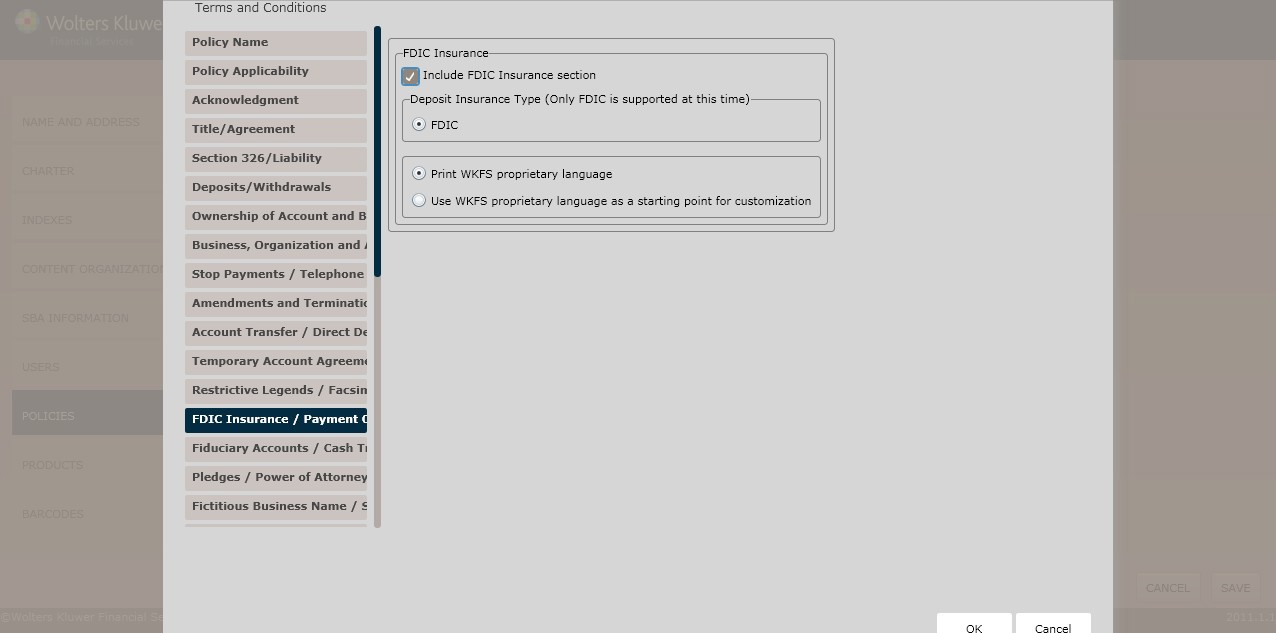
Click the Include FDIC Insurance sectioncheckbox; select one of the following:
§ Print WKFS proprietary language(*default)
§ Use WKFS proprietary language as a starting point for customization
NOTE: If selecting Use WKFS proprietary languageas a starting point for customization, enter additional language necessary for this rule in the corresponding text box.
This screen allows Vermontusers to includea joint fiduciary within their policy. To select jurisdictions for your policy,see Creating an Organization/Charter for more information.
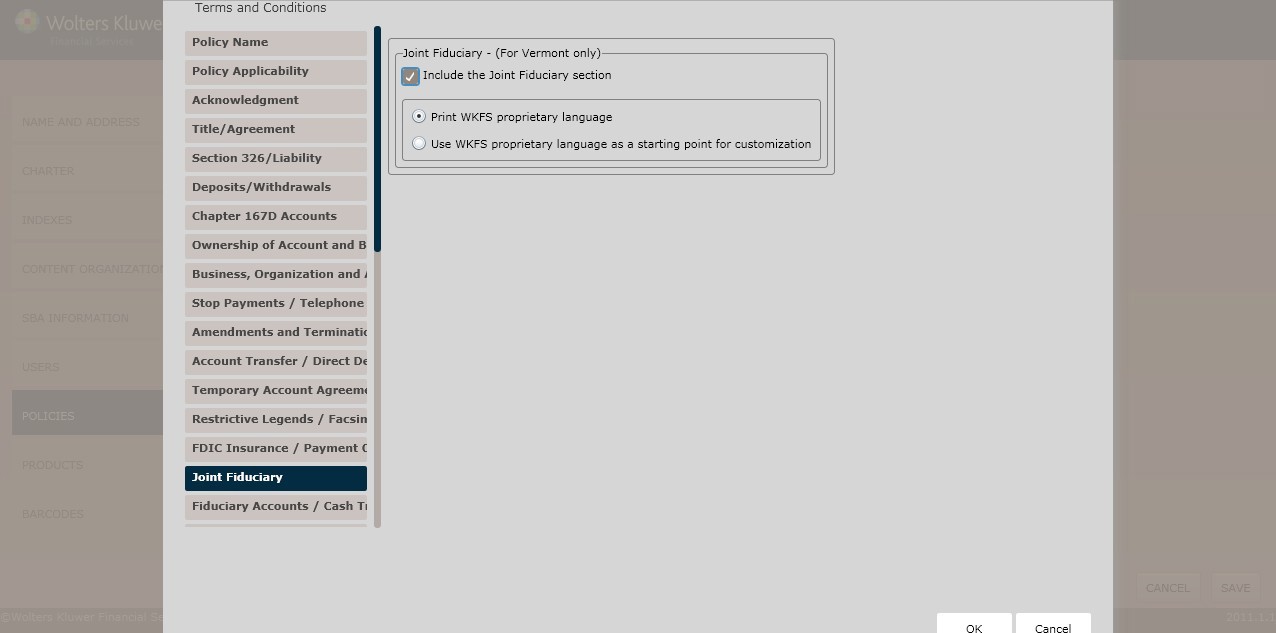
To include a joint fiduciarysection, click the Include the Joint Fiduciary sectioncheckbox; select one of the following:
§ Print WKFS proprietary language(*default)
§ Use WKFS proprietary language as a starting point for customization
NOTE: If selecting Use WKFS proprietary languageas a starting point for customization, enter additional language necessary for this rule in the corresponding text box.
This screen allows users to includeregulatory language for the following:
§ Fiduciary Accounts
§ Cash Transactions
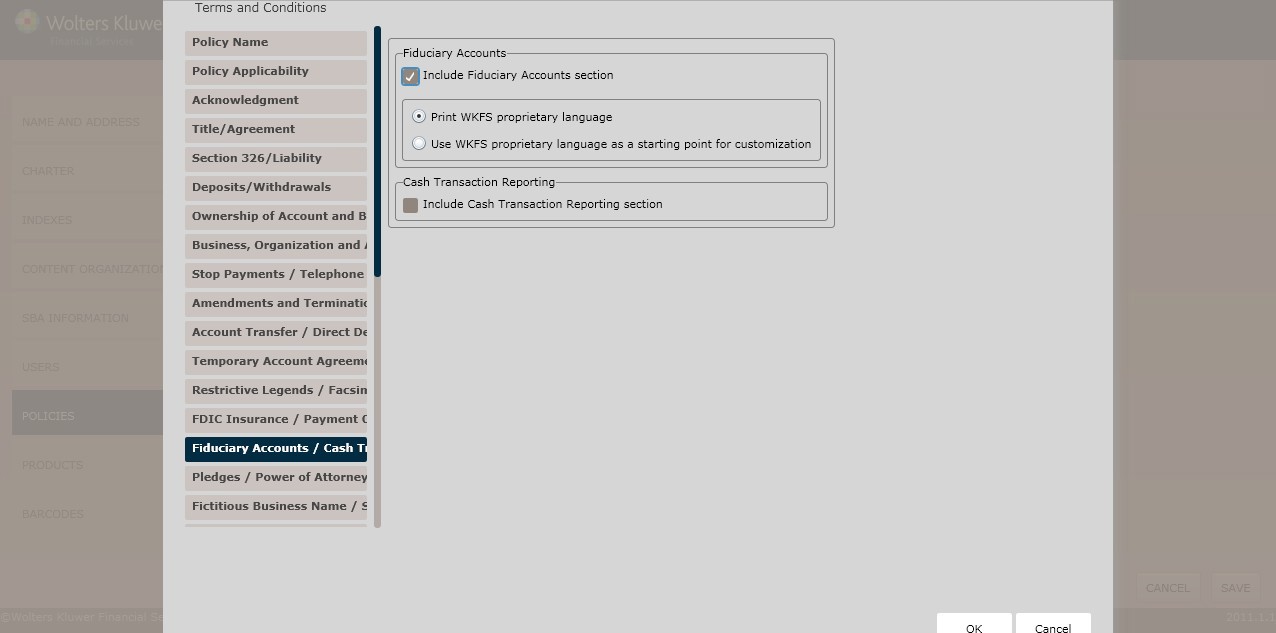
To include a fiduciary accountssection, click the Include Fiduciary Accountssection checkbox; select one of the following:
§ Print WKFS proprietary language(*default)
§ Use WKFS proprietary language as a starting point for customization
NOTE: If selecting Use WKFS proprietary languageas a starting point for customization, enter additional language necessary for this rule in the corresponding text box.
To include a cash transaction reporting section,click the IncludeCash Transaction Reporting sectioncheckbox; select one of the following:
§ Print WKFS proprietary language(*default)
§ Use WKFS proprietary language as a starting point for customization
NOTE: If selecting Use WKFS proprietary languageas a starting point for customization, enter additional language necessary for this rule in the corresponding text box.
NOTE: If conducting business in Virginia, advanceto the Guardian or Custodial Accounts screen.
This screen allows Virginia users to includeguardian or custodial account languagewithin their policy.To select jurisdictions for your policy, see Creating an Organization/Charter for more information.
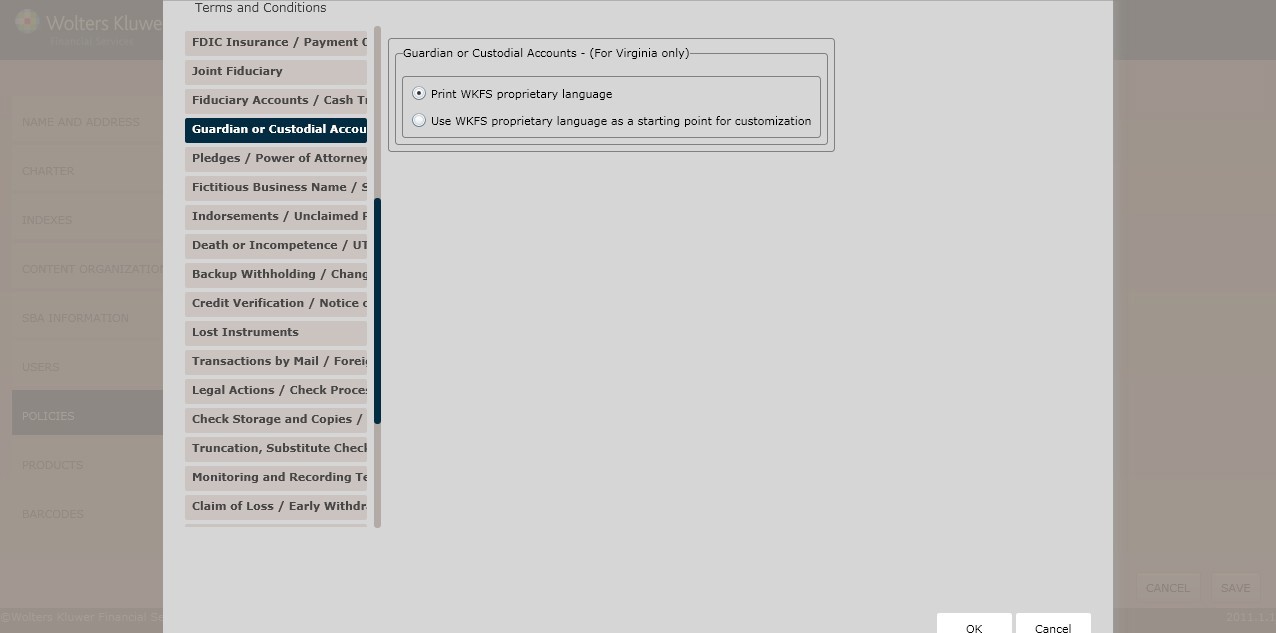
Select one of the following and click Next toadvance to the Pledges/Power of Attorney screen.
§ Print WKFS proprietary language(*default)
§ Use WKFS proprietary language as a starting point for customization
NOTE: If selecting Use WKFS proprietary languageas a starting point for customization, enter additional language necessary for this rule in the corresponding text box.
This screen allows users to includeregulatory language for the following:
§ Pledges
§ Power of Attorney
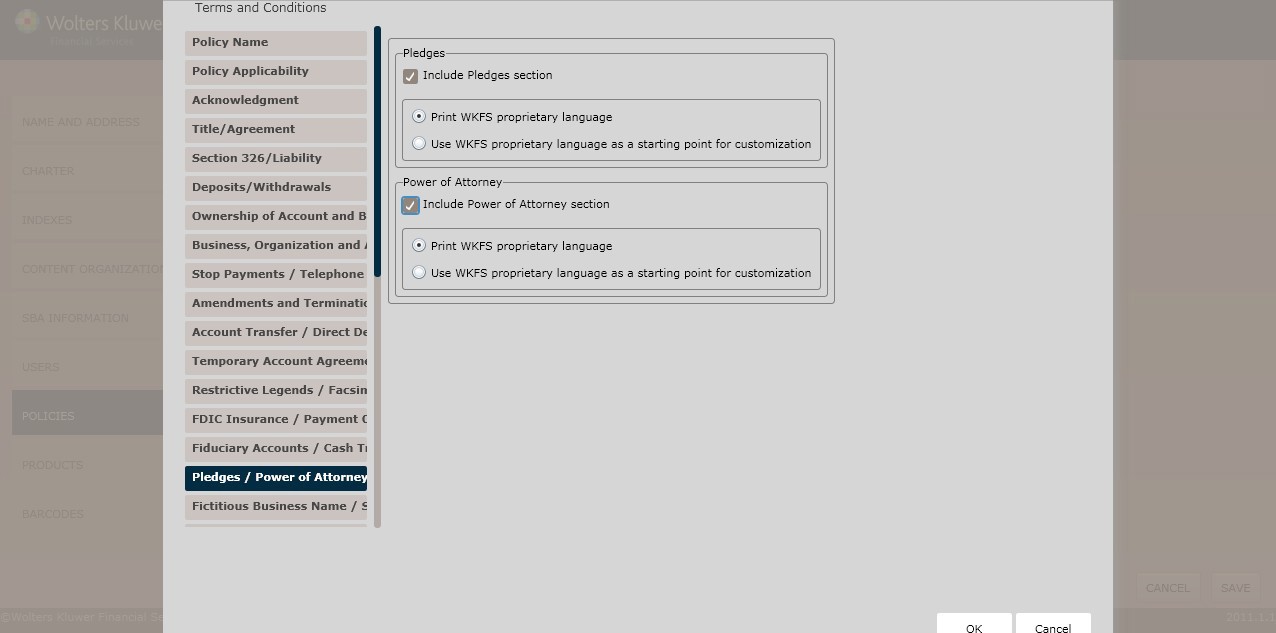
To include a pledges section,click the Include Pledgescheckbox; select one of the following:
§ Print WKFS proprietary language(*default)
§ Use WKFS proprietary language as a starting point for customization
NOTE: If selecting Use WKFS proprietary languageas a starting point for customization, enter additional language necessary for this rule in the corresponding text box.
To include a power of attorneysection, click the IncludePower of Attorneysection; select one of the following:
§ Print WKFS proprietary language(*default)
§ Use WKFS proprietary language as a starting point for customization
NOTE: If selecting Use WKFS proprietary languageas a starting point for customization, enter additional language necessary for this rule in the corresponding text box.
This screen allows users to include regulatory language for the following:
§ Fictitious Business Name
§ Stale-Dated Checks
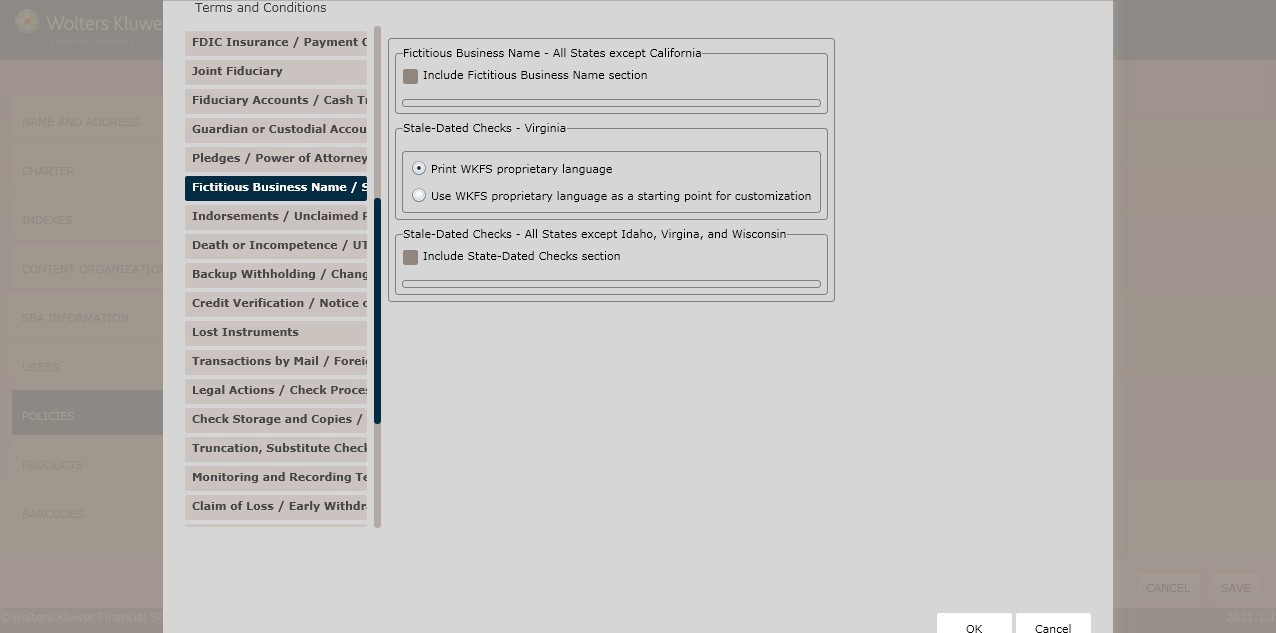
To include a fictitious businessname section, click the Include Fictitious Business Name section checkbox; selectone of the following:
§ Print WKFS proprietary language(*default)
§ Use WKFS proprietary language as a starting point for customization
NOTE: If selecting Use WKFS proprietary languageas a starting point for customization, enter additional language necessary for this rule in the corresponding text box.
To include a stale-dated checkssection, click the Include Stale-Dated Checks section checkbox; select one of the following:
§ Print WKFS proprietary language(*default)
§ Use WKFS proprietary language as a starting point for customization
NOTE: If selecting Use WKFS proprietary languageas a starting point for customization, enter additional language necessary for this rule in the corresponding text box.
This screen allows users to includeregulatory language for the following:
§ Indorsements Name
§ Unclaimed Property Checks
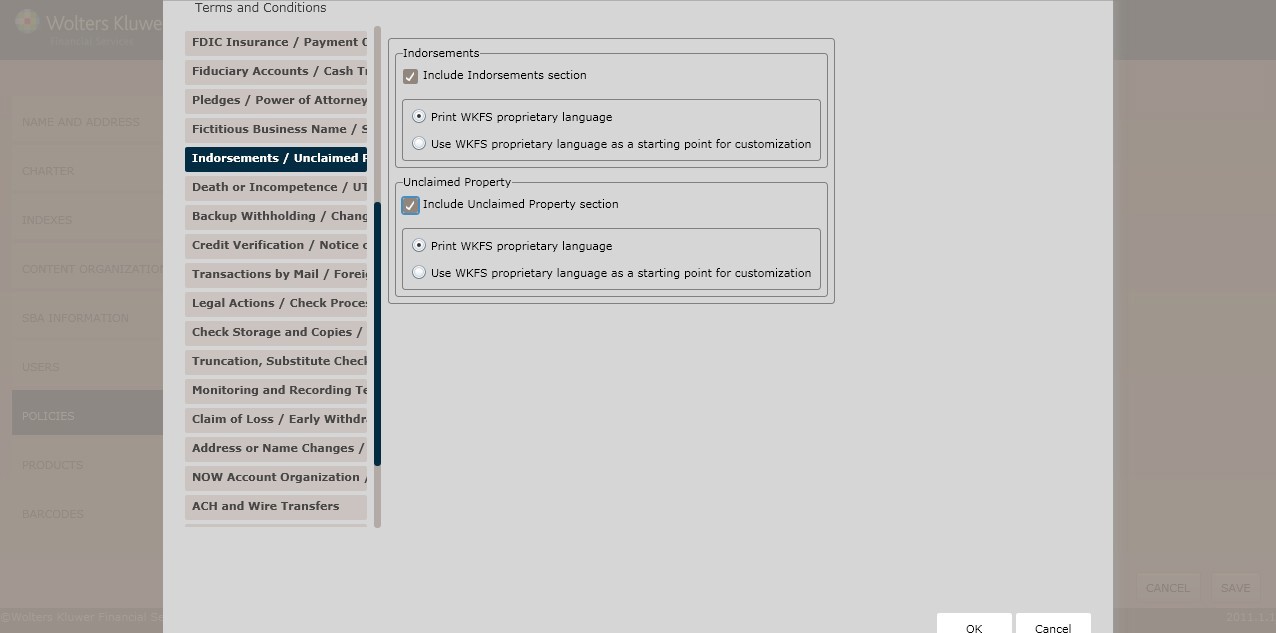
To include an indorsements section, Click the IncludeIndorsements sectioncheckbox; select one of the following:
§ Print WKFS proprietary language(*default)
§ Use WKFS proprietary language as a starting point for customization
NOTE: If selecting Use WKFS proprietary languageas a starting point for customization, enter additional language necessary for this rule in the corresponding text box.
To include an unclaimed propertysection, click the IncludeUnclaimed Property section checkbox; selectone of the following:
§ Print WKFS proprietary language(*default)
§ Use WKFS proprietary language as a starting point for customization
NOTE: If conducting business in Virginia, advanceto the Guardian or Custodial Accounts screen.
This screen allowsNew York users to include dormantaccount languagewithin their policy.To select jurisdictions for your policy, see Creating an Organization/Charter for more information.
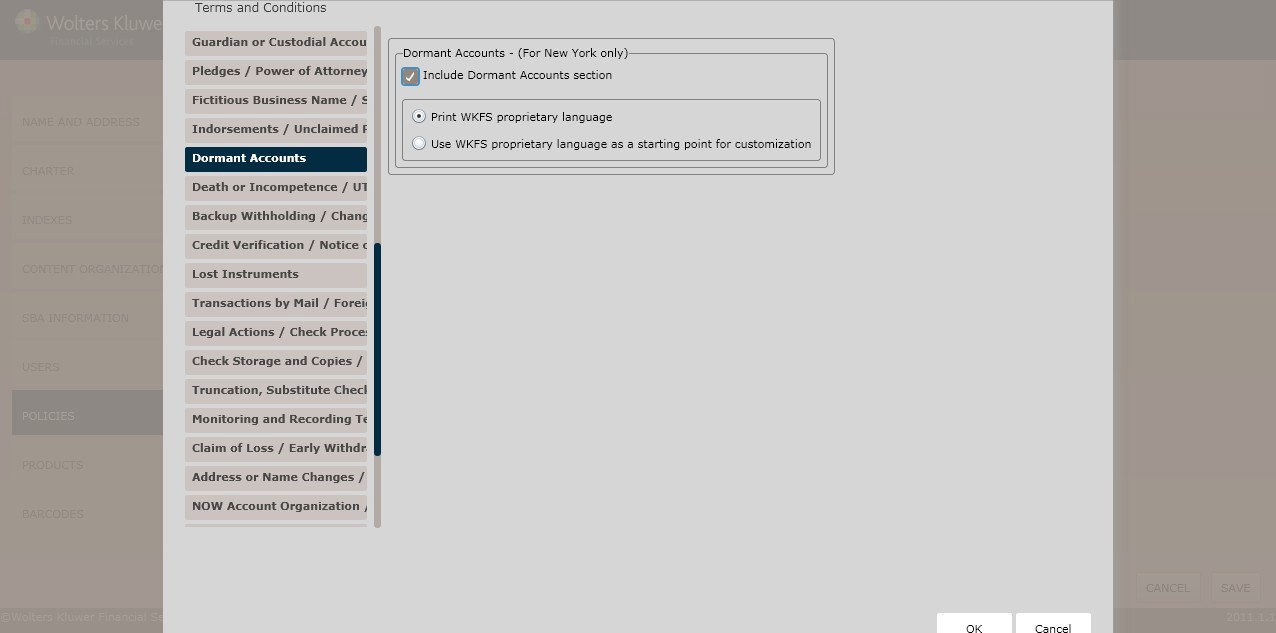
To include a dormant accountssection, click the IncludeDormant Accounts sectioncheckbox; select one of the following:
§ Print WKFS proprietary language(*default)
§ Use WKFS proprietary language as a starting point for customization
NOTE: If selecting Use WKFS proprietary languageas a starting point for customization, enter additional language necessary for this rule in the corresponding text box.
This screen allows users to includeregulatory language for the following:
§ Death or Incompetence
§ UTMA/UGMA
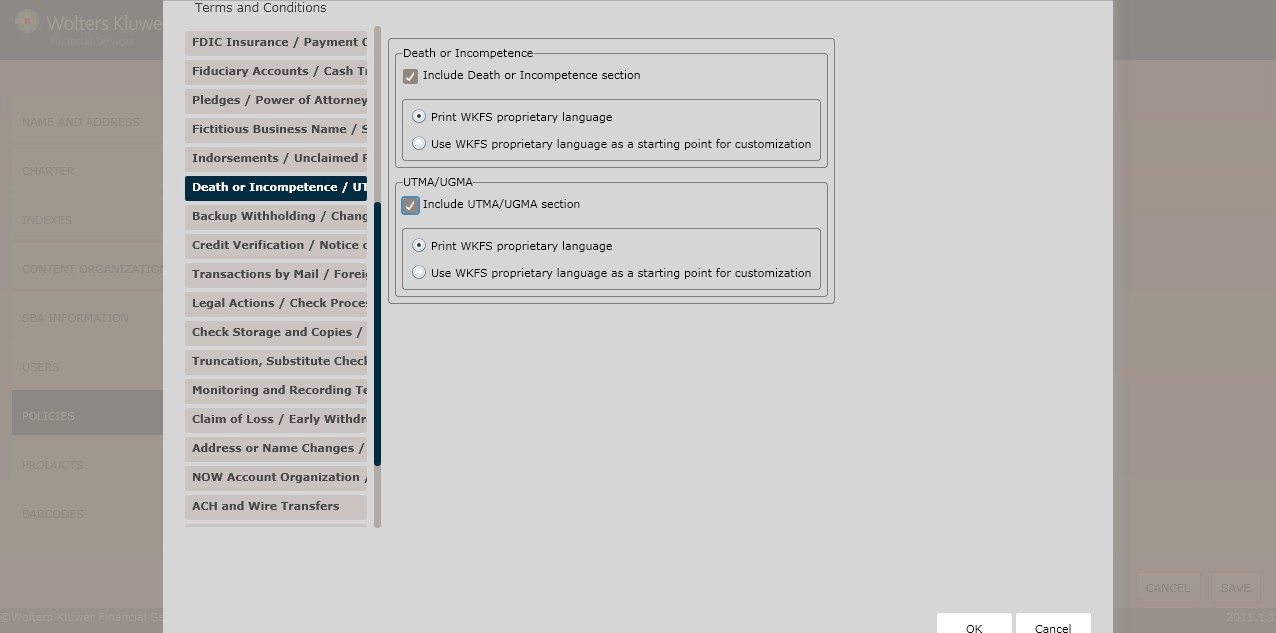
To include a death or incompetence section,click the Include Death or Incompetence section checkbox; select one of the following:
§ Print WKFS proprietary language(*default)
§ Use WKFS proprietary language as a startingpoint for customization
NOTE: If selecting Use WKFS proprietary languageas a starting point for customization, enter additional language necessary for this rule in the corresponding text box.
To include an UTMA/UGMA section,click the UTMA/UGMA checkbox; select one of the following:
§ Print WKFS proprietary language(*default)
§ Use WKFS proprietary language as a starting point for customization
This screenallows users to determine regulatory language for the following:
§ Backup Withholding
§ Changing AccountProducts
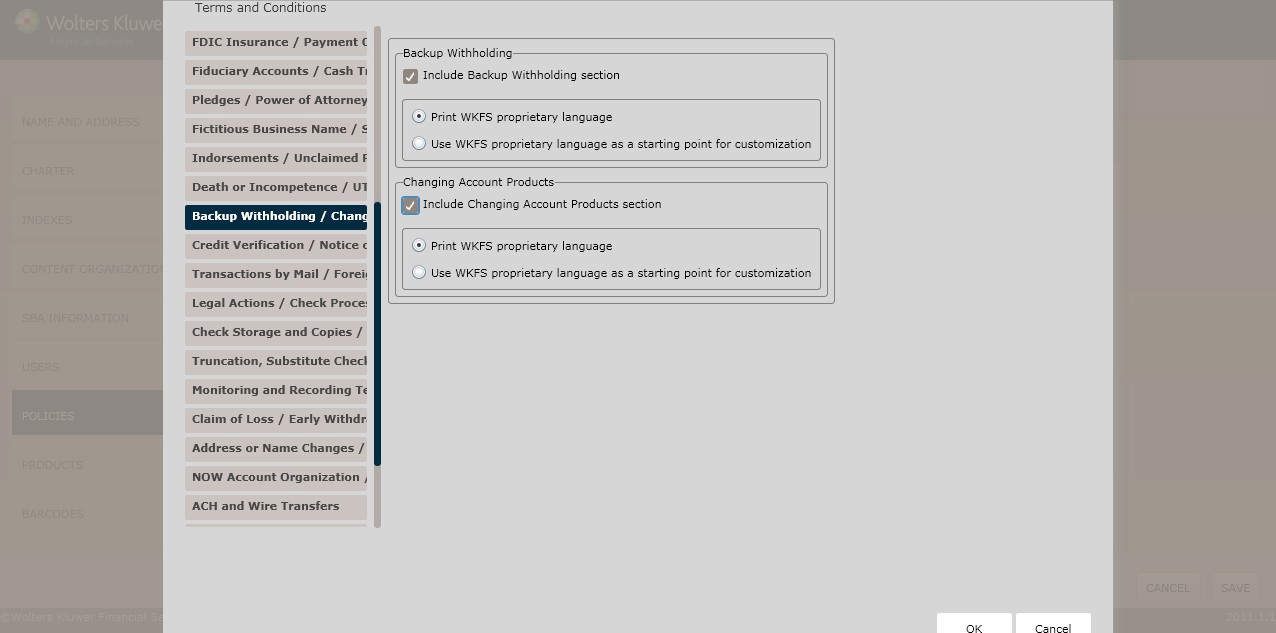
To include a backup withholding section, click the Include Backup Withholding Note section; select one of the following:
§ Print WKFS proprietary language(*default)
§ Use WKFS proprietary language as a starting point for customization
NOTE: If selecting Use WKFS proprietary languageas a starting point for customization, enter additional language necessary for this rule in the corresponding text box.
To include a changingaccount productssection, click the Include ChangingAccount Products section checkbox; select one of the following:
§ Print WKFS proprietary language(*default)
§ Use WKFS proprietary language as a starting point for customization
NOTE: If selecting Use WKFS proprietary languageas a starting point for customization, enter additional language necessary for this rule in the corresponding text box.
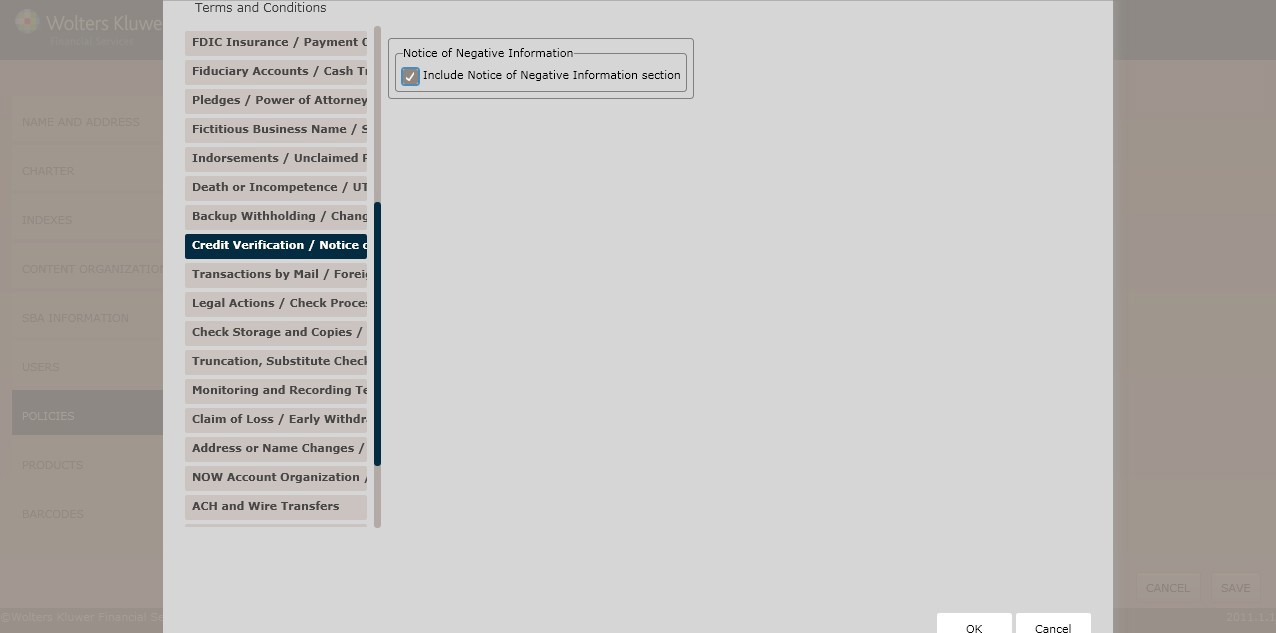
This screenallows users to determine regulatory language for the following:
§ CreditVerification
§ Notice of Negative Information
Select one of the following:
§ Print WKFS proprietary language(*default)
§ Use WKFS proprietary language as a starting point for customization
NOTE: If selecting Use WKFS proprietary languageas a starting point for customization, enter additional language necessary for this rule in the corresponding text box.
To include a credit verification section, click the Include Credit Verification checkbox; select one of the following:
§ Print WKFS proprietary language(*default)
§ Use WKFS proprietary language as a starting point for customization
NOTE: If selecting Use WKFS proprietary languageas a starting point for customization, enter additional language necessary for this rule in the corresponding text box.
To include a notice of negative information section, click the IncludeNotice of Negative Information section checkbox; select one of the following:
§ Print WKFS proprietary language(*default)
§ Use WKFS proprietary language as a starting point for customization
NOTE: If selecting Use WKFS proprietary languageas a starting point for customization, enter additional language necessary for this rule in the corresponding text box.
This screenallows users to include Lost Instruments regulatory language.
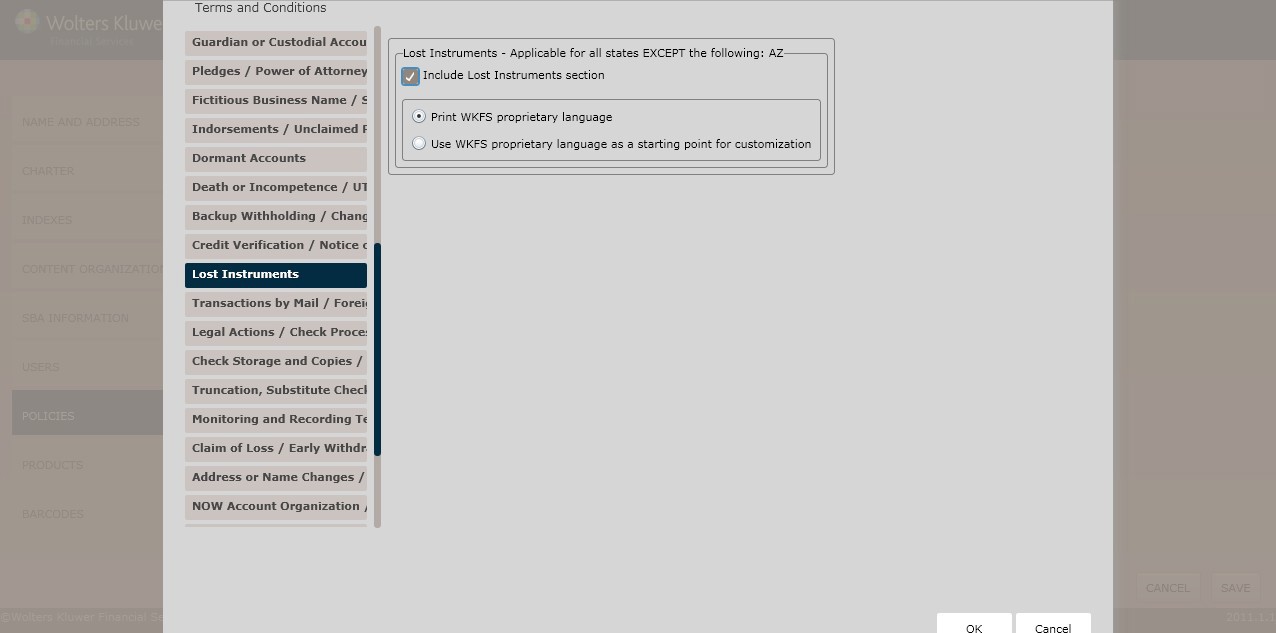
To include a lost instruments section, click the Include Lost Instruments section checkbox;select one of the following:
§ Print WKFS proprietary language(*default)
§ Use WKFS proprietary language as a startingpoint for customization
NOTE: If selecting Use WKFS proprietary languageas a starting point for customization, enter additional language necessary for this rule in the corresponding text box.
This screenallows users to determine regulatory language for the following:
§ Transactions by Mail
§ Foreign Accounts
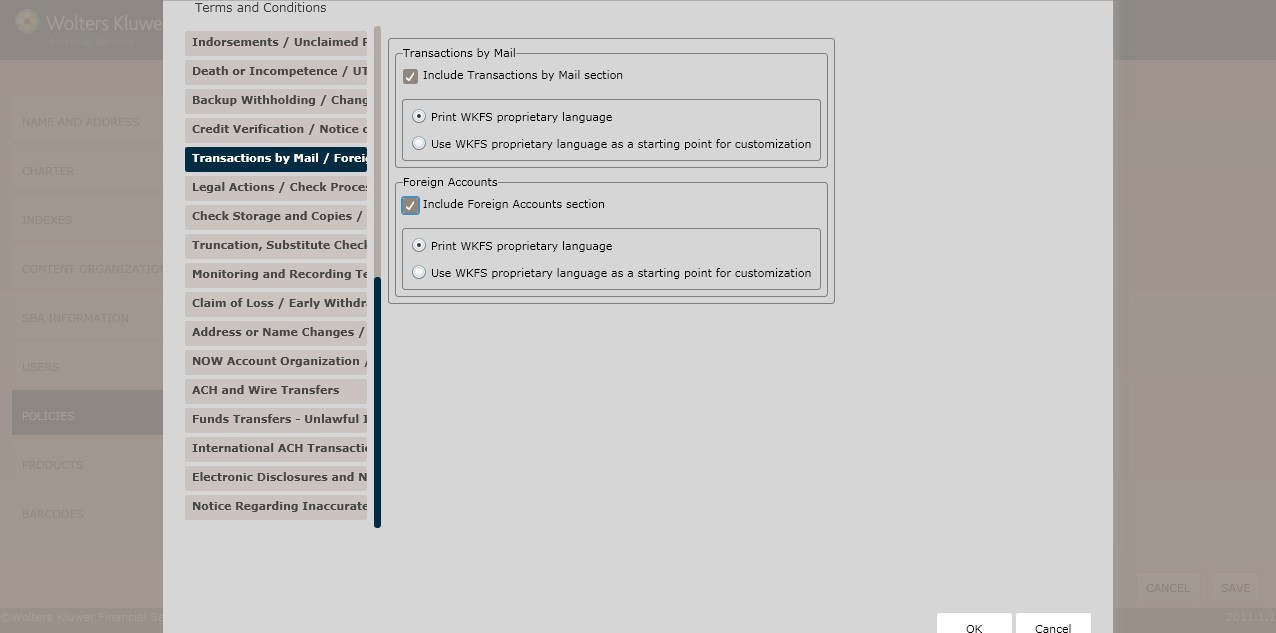
To include a transactions by mail section,click the Include Transactions by Mail sectioncheckbox; select one of the following:
§ Print WKFS proprietary language(*default)
§ Use WKFS proprietary language as a starting point for customization
NOTE: If selecting Use WKFS proprietary languageas a starting point for customization, enter additional language necessary for this rule in the corresponding text box.
To include a foreignaccounts section, click the Include ForeignAccounts sectioncheckbox; select one of the following:
§ Print WKFS proprietary language(*default)
§ Use WKFS proprietary language as a startingpoint for customization
NOTE: If selecting Use WKFS proprietary languageas a starting point for customization, enter additional language necessary for this rule in the corresponding text box.
This screenallows users to determine regulatory language for the following:
§ Legal Actions
§ Check Processing
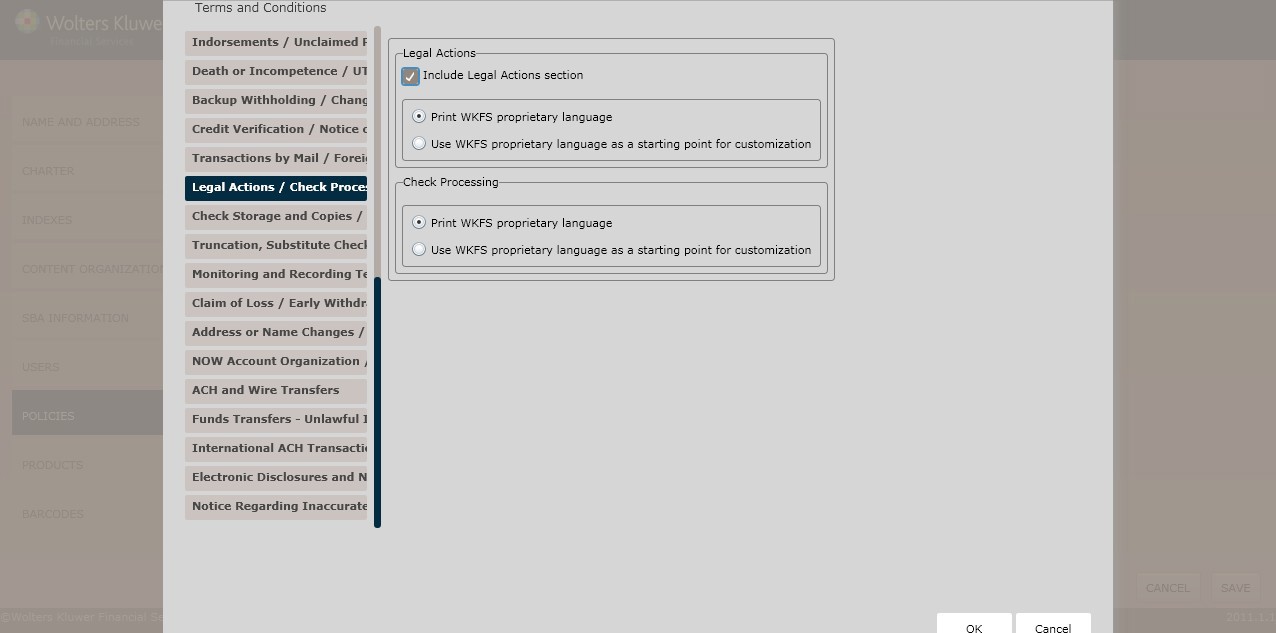
To include a legal actions section,click the Include LegalActions sectioncheckbox; select one of the following:
§ Print WKFS proprietary language(*default)
§ Use WKFS proprietary language as a starting point for customization
NOTE: If selecting Use WKFS proprietary languageas a starting point for customization, enter additional language necessary for this rule in the corresponding text box.
Select one of the following:
§ Print WKFS proprietary language(*default)
§ Use WKFS proprietary language as a starting point for customization
NOTE: If selecting Use WKFS proprietary languageas a starting point for customization, enter additional language necessary for this rule in the corresponding text box.
This screenallows users to determine regulatory language for the following:
§ Check Storage and Copies
§ Check Cashing
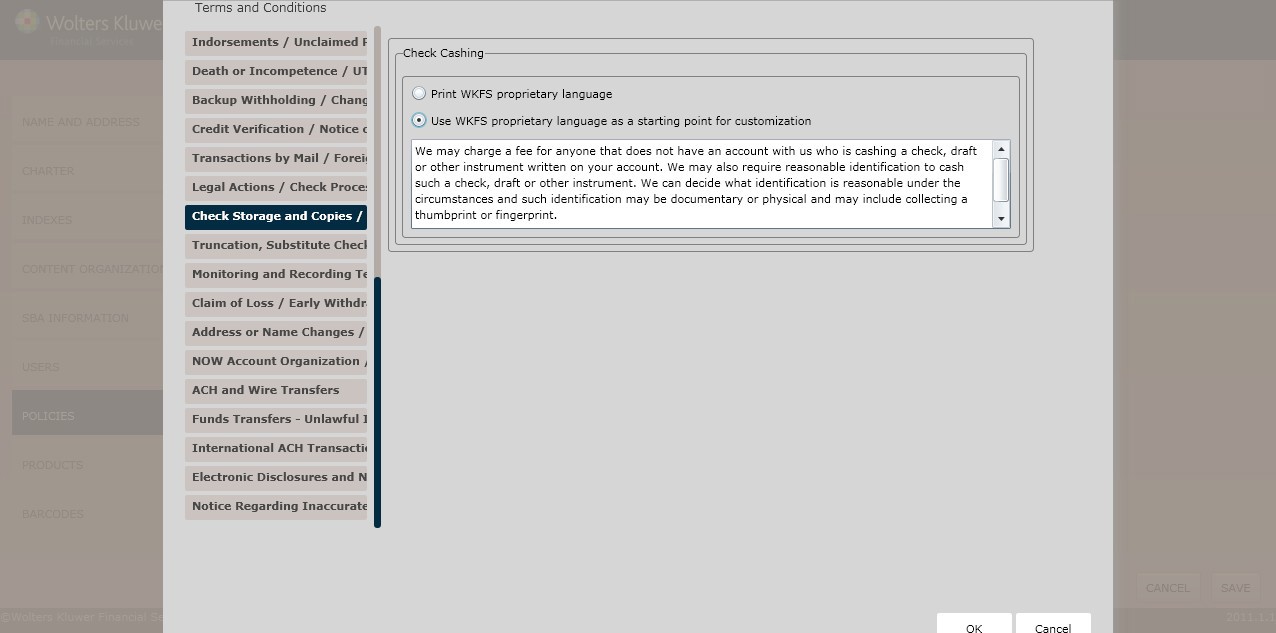
To include a check storage and copies section,click the Include CheckStorage and Copies section checkbox; select one of the following:
§ Print WKFS proprietary language(*default)
§ Use WKFS proprietary language as a starting point for customization
NOTE: If selecting Use WKFS proprietary languageas a starting point for customization, enter additional language necessary for this rule in the corresponding text box.
Select one of the following:
§ Print WKFS proprietary language(*default)
§ Use WKFS proprietary language as a starting point for customization
NOTE: If selecting Use WKFS proprietary languageas a starting point for customization, enter additional language necessary for this rule in the corresponding text box.
This screen allowsusers to includeregulatory language for the following:
§ Truncation, Substitute Checksand Other Images
§ Security
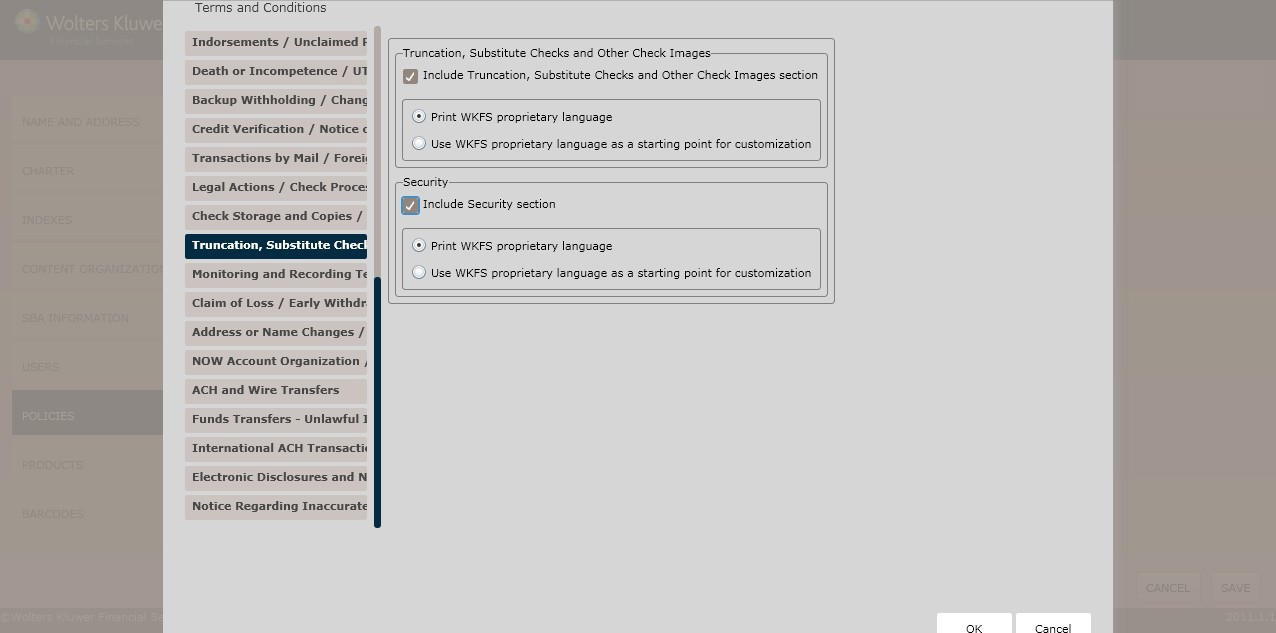
To include a truncation, substitute checks,and other check images section,click the Truncation, Substitute Checks and Other Check Images sectioncheckbox; select one of the following:
§ Print WKFS proprietary language(*default)
§ Use WKFS proprietary language as a starting point for customization
NOTE: If selecting Use WKFS proprietary languageas a starting point for customization, enter additional language necessary for this rule in the corresponding text box.
To include a security section,click the Include Securitysection checkbox; selectone of the following:
§ Print WKFS proprietary language(*default)
§ Use WKFS proprietary language as a starting point for customization
NOTE: If selecting Use WKFS proprietary languageas a starting point for customization, enter additional language necessary for this rule in the corresponding text box.
This screen allows users to includeregulatory language for the following:
§ Monitoring and Recording TelephoneCalls
§ Telephonic Instructions
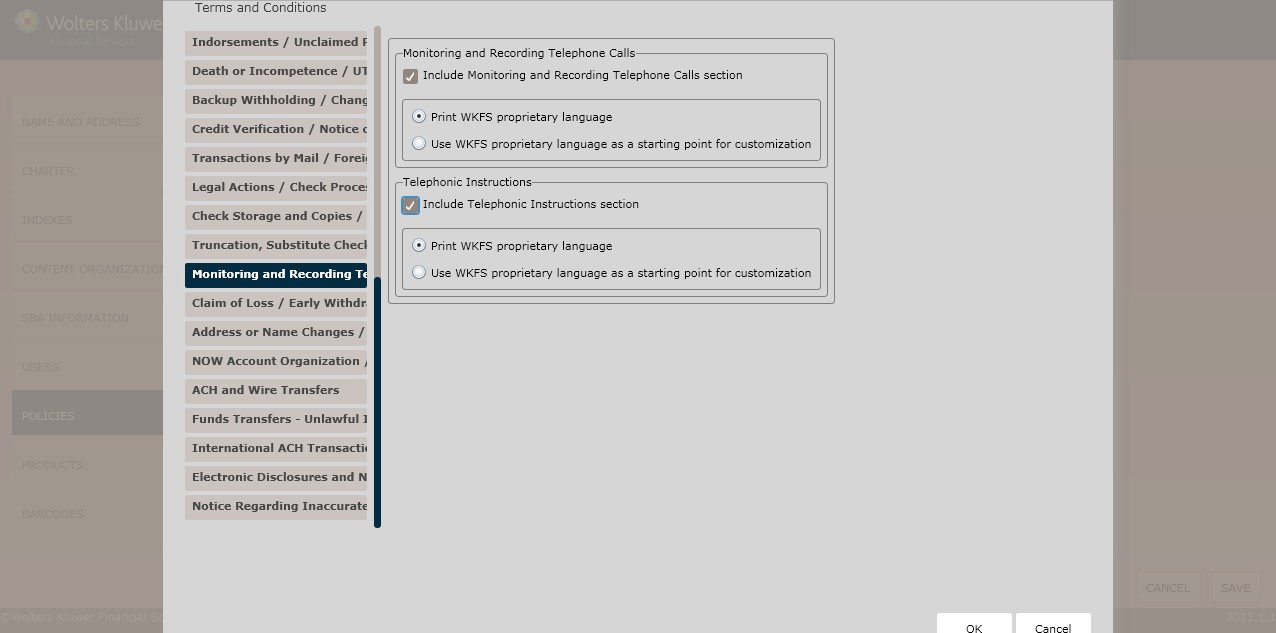
To include a monitoring and recording telephone calls section, click the Include Monitoring and Recording Telephone Calls section checkbox; select one of the following:
§ Print WKFS proprietary language(*default)
§ Use WKFS proprietary language as a starting point for customization
NOTE: If selecting Use WKFS proprietary languageas a starting point for customization, enter additional language necessary for this rule in the corresponding text box.
To include a telephonic instructions section, click the Include Telephone Instructions section checkbox; select one of the following:
§ Print WKFS proprietary language(*default)
§ Use WKFS proprietary language as a starting point for customization
NOTE: If selecting Use WKFS proprietary languageas a starting point for customization, enter additional language necessary for this rule in the corresponding text box.
This screen allows users to includeregulatory language for the following:
§ Claim of Loss
§ Early Withdrawal
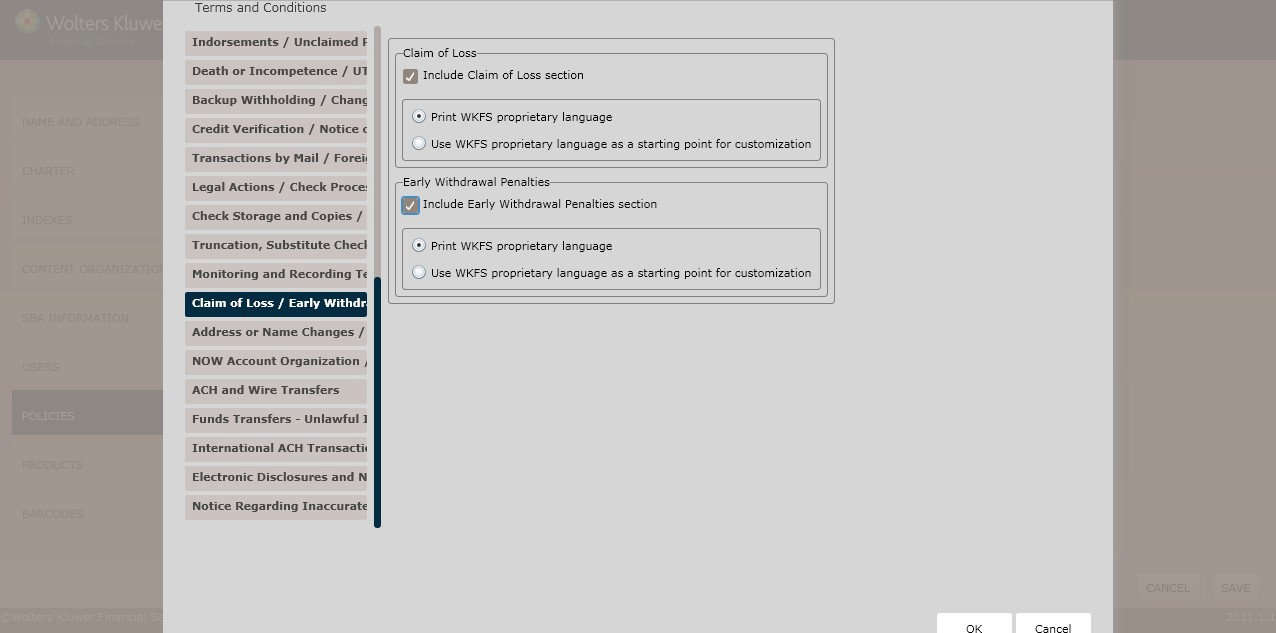
To include a claim of loss section,click the Include Claim of Loss section checkbox; select one of the following:
§ Print WKFS proprietary language(*default)
§ Use WKFS proprietary language as a starting point for customization
NOTE: If selecting Use WKFS proprietary languageas a starting point for customization, enter additional language necessary for this rule in the corresponding text box.
To include a n earlywithdrawal penalties section,click the Include Early Withdrawal Penalties section checkbox; selectone of the following:
§ Print WKFS proprietary language(*default)
§ Use WKFS proprietary language as a starting point for customization
NOTE: If selecting Use WKFS proprietary languageas a starting point for customization, enter additional language necessary for this rule in the corresponding text box.
This screen allows users to includeregulatory language for the following:
§ Addressor Name Changes
§ Resolving AccountDisputes
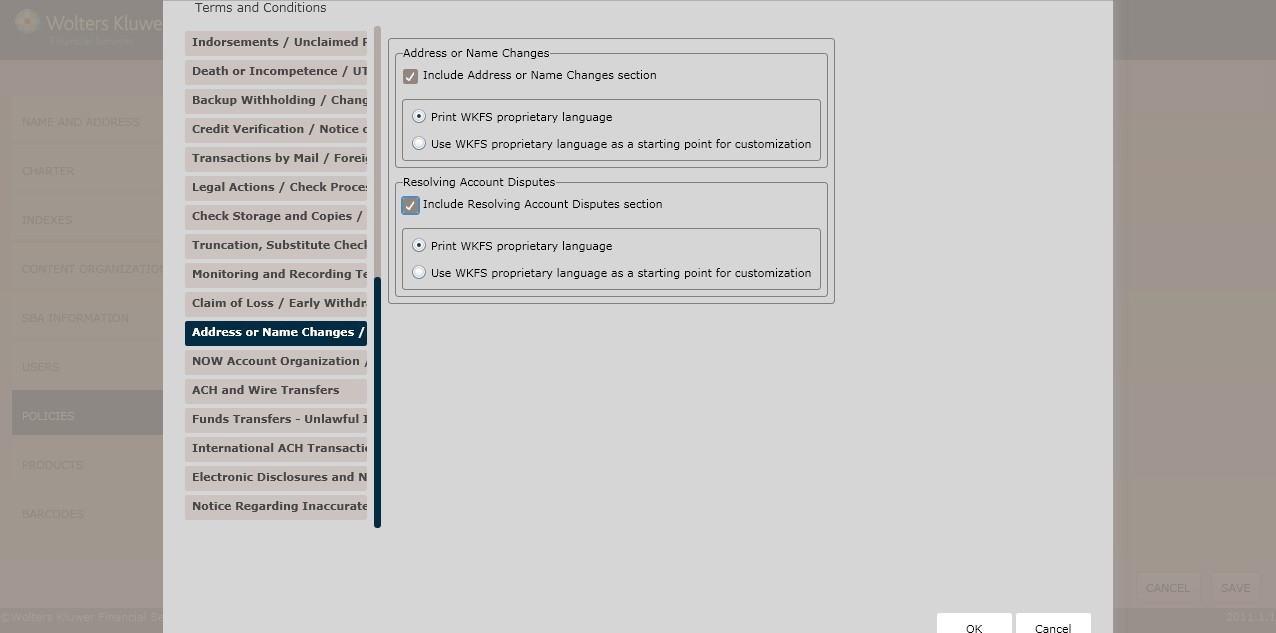
To include an address or name changes section,click the IncludeAddress or Name Changes section checkbox; select one of the following:
§ Print WKFS proprietary language(*default)
§ Use WKFS proprietary language as a starting point for customization
NOTE: If selecting Use WKFS proprietary languageas a starting point for customization, enter additional language necessary for this rule in the corresponding text box.
To include a resolving accountdisputes section, click the Include ResolvingAccount Disputes section checkbox; select one of the following:
§ Print WKFS proprietary language(*default)
§ Use WKFS proprietary language as a starting point for customization
NOTE: If selecting Use WKFS proprietary languageas a starting point for customization, enter additional language necessary for this rule in the corresponding text box.
This screen allows users to includeregulatory language for the following:
§ NOW Account Organization
§ Health SavingsAccounts
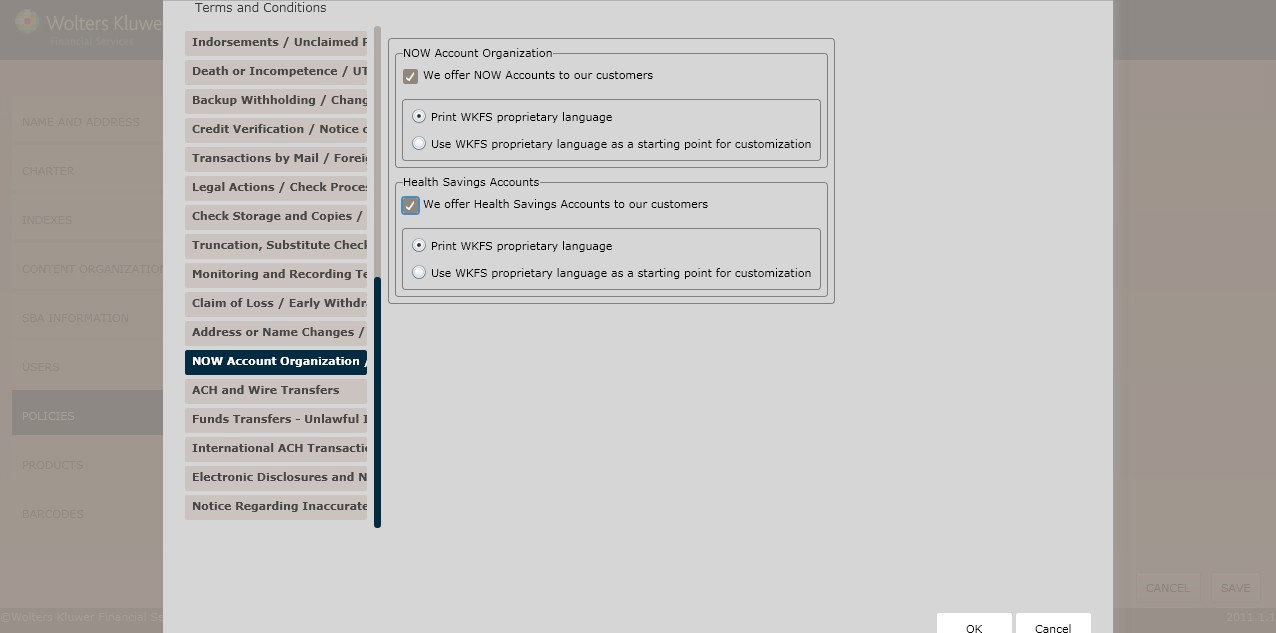
To include a NOW accountsection, click the We offer NOW Accounts to our customers checkbox; select one of the following:
§ Print WKFS proprietary language(*default)
§ Use WKFS proprietary language as a startingpoint for customization
NOTE: If selecting Use WKFS proprietary languageas a starting point for customization, enter additional language necessary for this rule in the corresponding text box.
To include a health savings account section,click the We offerHealth Savings Accountsto our customerscheckbox; select one of the following:
§ Print WKFS proprietary language(*default)
§ Use WKFS proprietary language as a starting point for customization
NOTE: If selecting Use WKFS proprietary languageas a starting point for customization, enter additional language necessary for this rule in the corresponding text box.
This screen allowsusers to determineACH and Wire Transfersregulatory language.
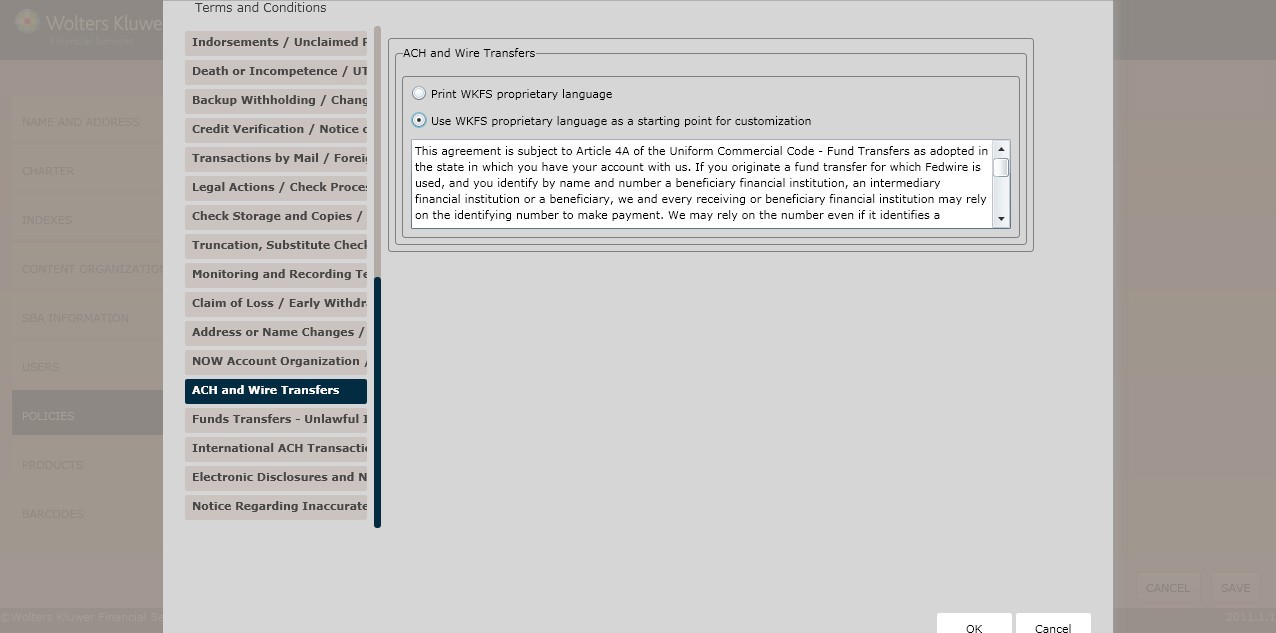
Determine the ACH and Wire Transferslanguage by selecting one of the following:
§ Print WKFS proprietary language(*default)
§ Use WKFS proprietary language as a starting point for customization
NOTE: If selecting Use WKFS proprietary languageas a starting point for customization, enter additional language necessary for this rule in the corresponding text box.
This screen allows users to includeregulatory language for the following:
§ Funds Transfers
§ UnlawfulInternet Gambling Notices
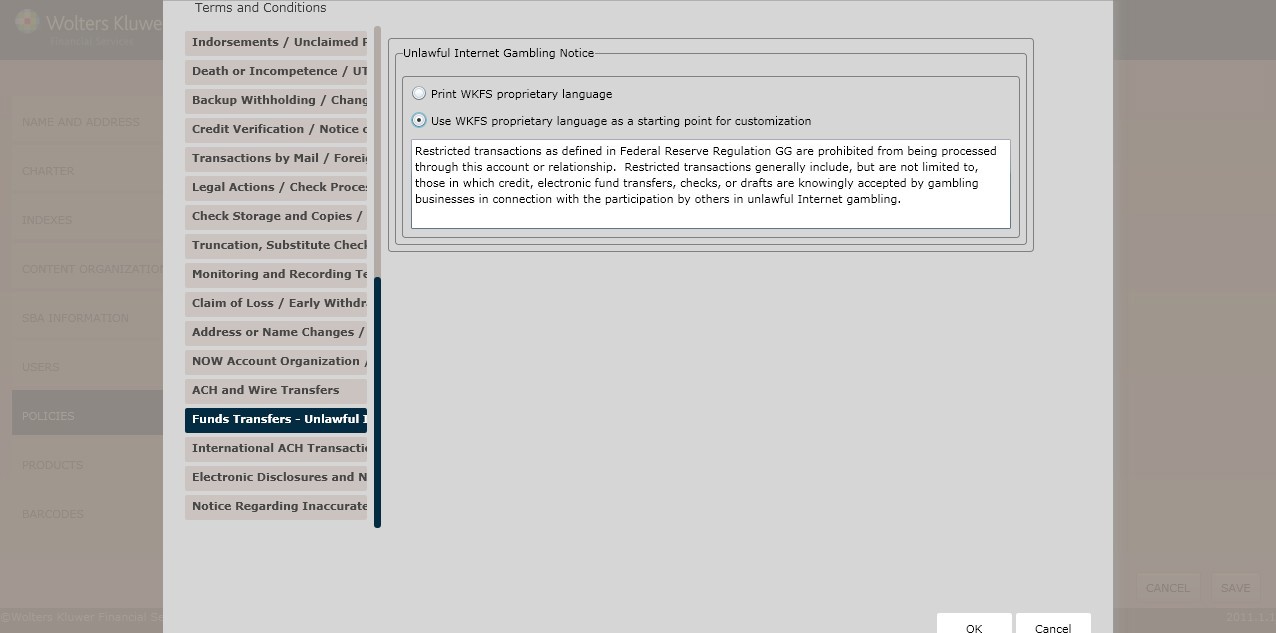
Determine the Funds Transfers language by selecting one of the following:
§ Print WKFS proprietary language(*default)
§ Use WKFS proprietary language as a starting point for customization
NOTE: If selecting Use WKFS proprietary languageas a starting point for customization, enter additional language necessary for this rule in the corresponding text box.
Determine the Unlawful InternetGambling Notice language by selecting one of the following:
§ Print WKFS proprietary language(*default)
§ Use WKFS proprietary language as a starting point for customization
NOTE: If selecting Use WKFS proprietary languageas a starting point for customization, enter additional language necessary for this rule in the corresponding text box.
This screenallows users to include regulatory language for International ACH Transfers.
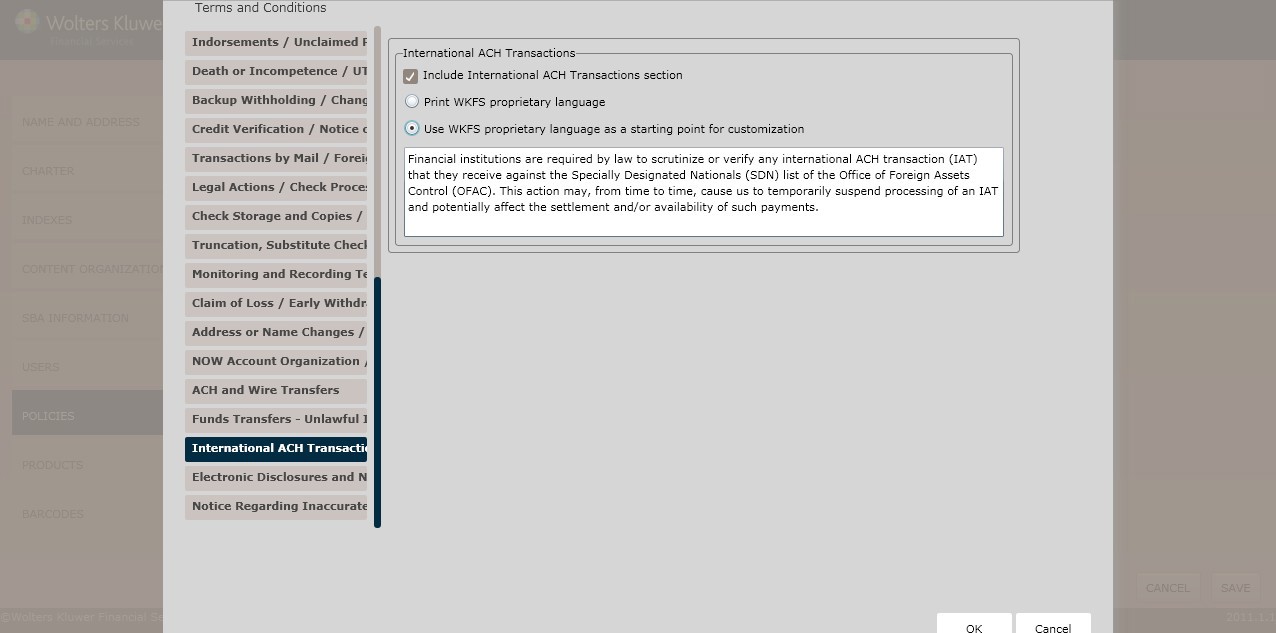
Determine the International ACH Transferslanguage by selectingone of the following:
§ Print WKFS proprietary language(*default)
§ Use WKFS proprietary language as a starting point for customization
NOTE: If selecting Use WKFS proprietary languageas a starting point for customization, enter additional language necessary for this rule in the corresponding text box.
This screen allowsusers to determineif a question and answer section should exist withinthe policy.
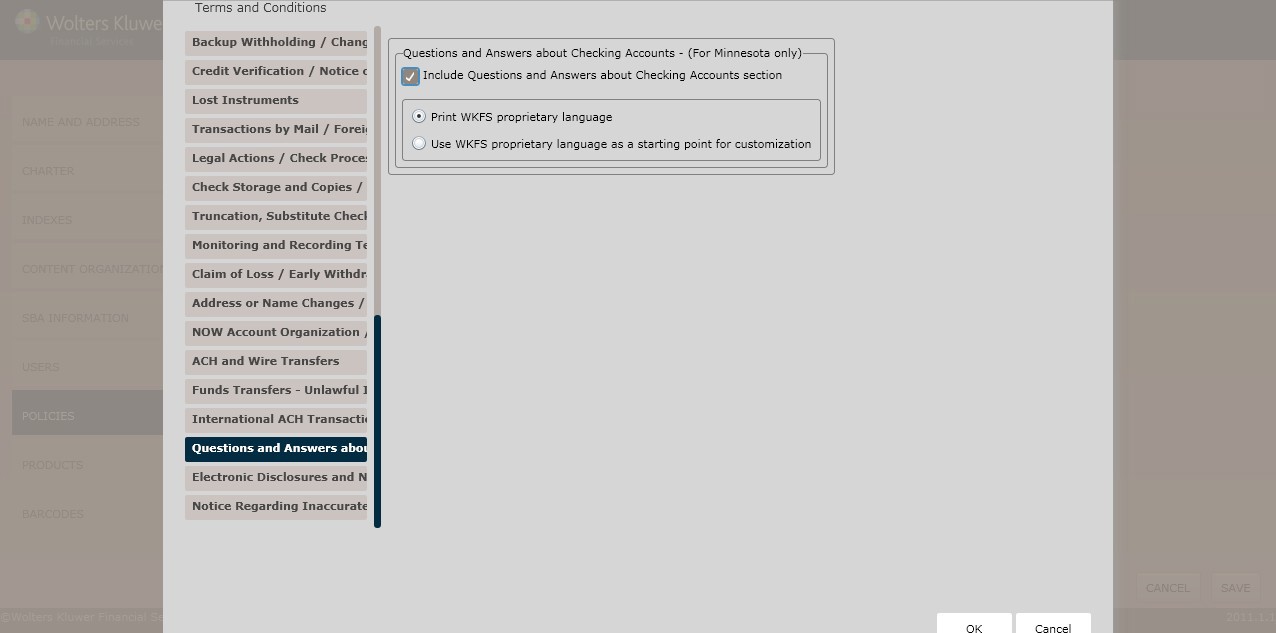
To include a QA sectionabout checking accounts section,click the Include Electronic Disclosures and Noticessection checkbox; select one of the following:
§ Print WKFS proprietary language(*default)
§ Use WKFS proprietary language as a starting point for customization
NOTE: If selecting Use WKFS proprietary languageas a starting point for customization, enter additional language necessary for this rule in the corresponding text box.
This screenallows users to determine regulatory language for the following:
§ Electronic Disclosures and Notices
§ Additional Terms
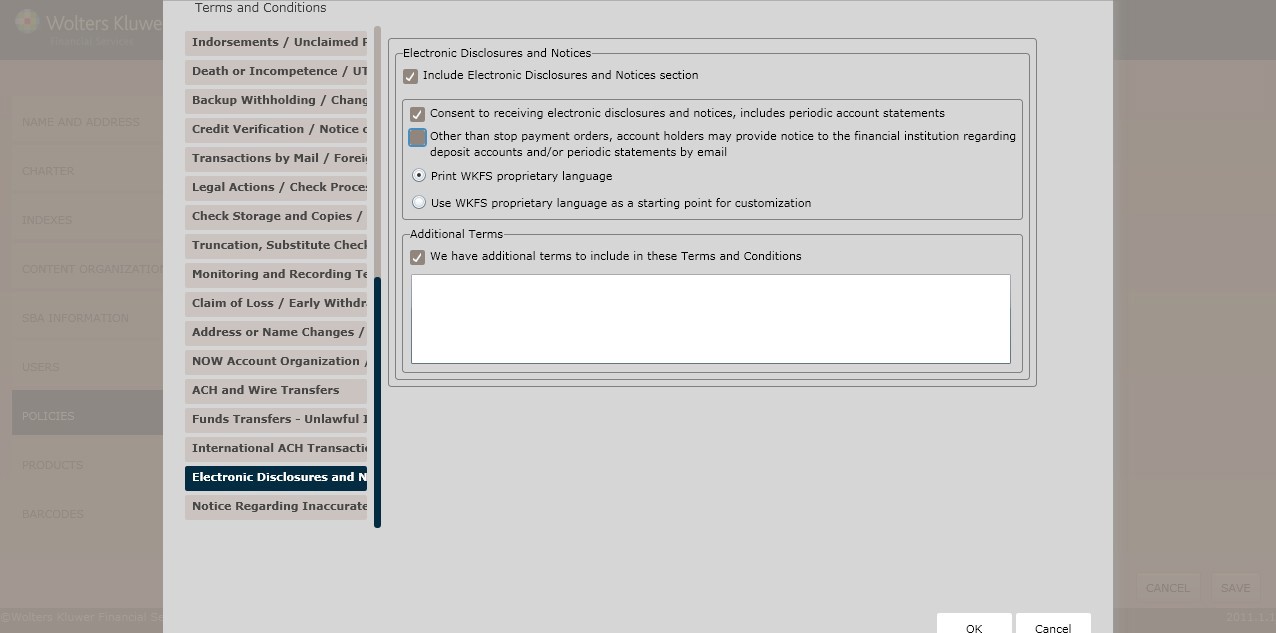
To add an electronic disclosures and notices section,click the Include Electronic Disclosures and Notices sectioncheckbox; select one of the following:
§ Print WKFS proprietary language(*default)
§ Use WKFS proprietary language as a starting point for customization
NOTE: If selecting Use WKFS proprietary languageas a starting point for customization, enter additional language necessary for this rule in the corresponding text box.
To add additional terms, click the We have Additional Terms to add to the disclosure checkbox; enter the additional terms in the corresponding text box.
This screenallows users to determine regulatory language for the NoticeRegarding Inaccurate Information.
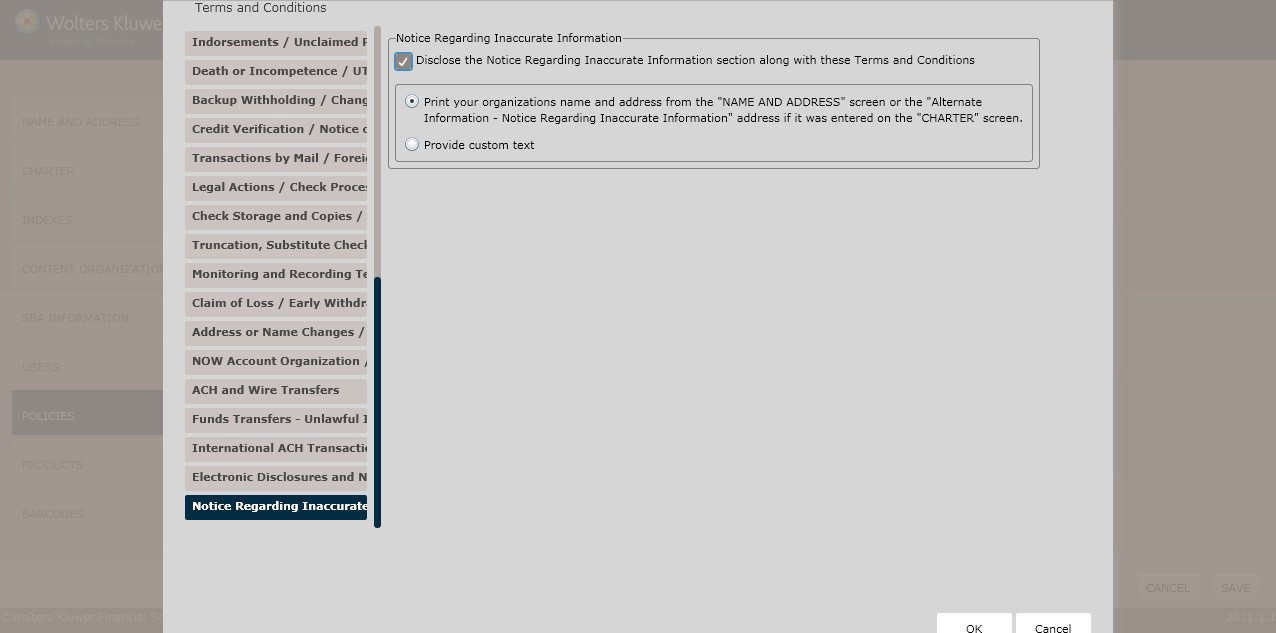
To add an inaccurate information noticessection, click the Disclosethe Notice Regarding Inaccurate Information alongwith these Terms and Conditions checkbox; select one of the following:
§ Print your organization’s name and addressfor the “NAME AND ADDRESS” screenor the “Alternate Information - Notice Regarding Inaccurate Information” address if it was enteredon the CHARTER screen.
§ Providecustom text.
NOTE: If selecting Provide customtext, enter additional language necessary for this rule in the corresponding text box.
Click OK to complete the Terms and Conditions policycreation process.The policy is now available to OPPSA users.
For information on displaying, editing, copyingor deleting policies,see Creating and Managing Policies, earlier in this section.