To create a new user, performthe following procedure:
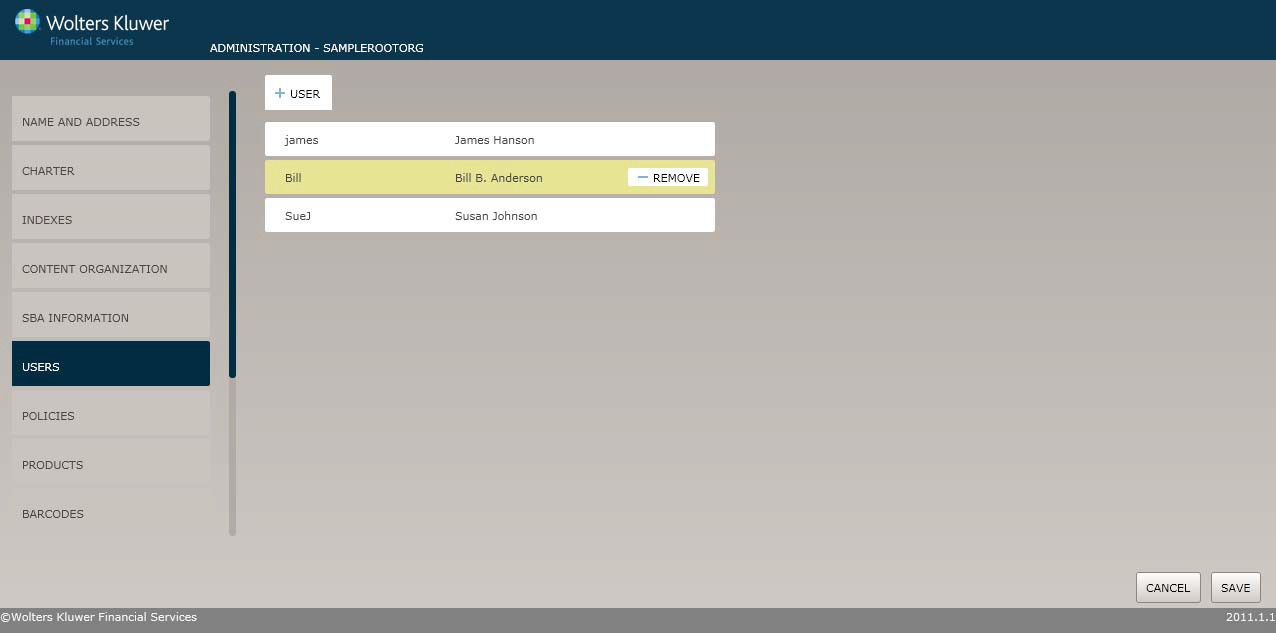
1. On the User screen, click the User button to display the User Setup screen.
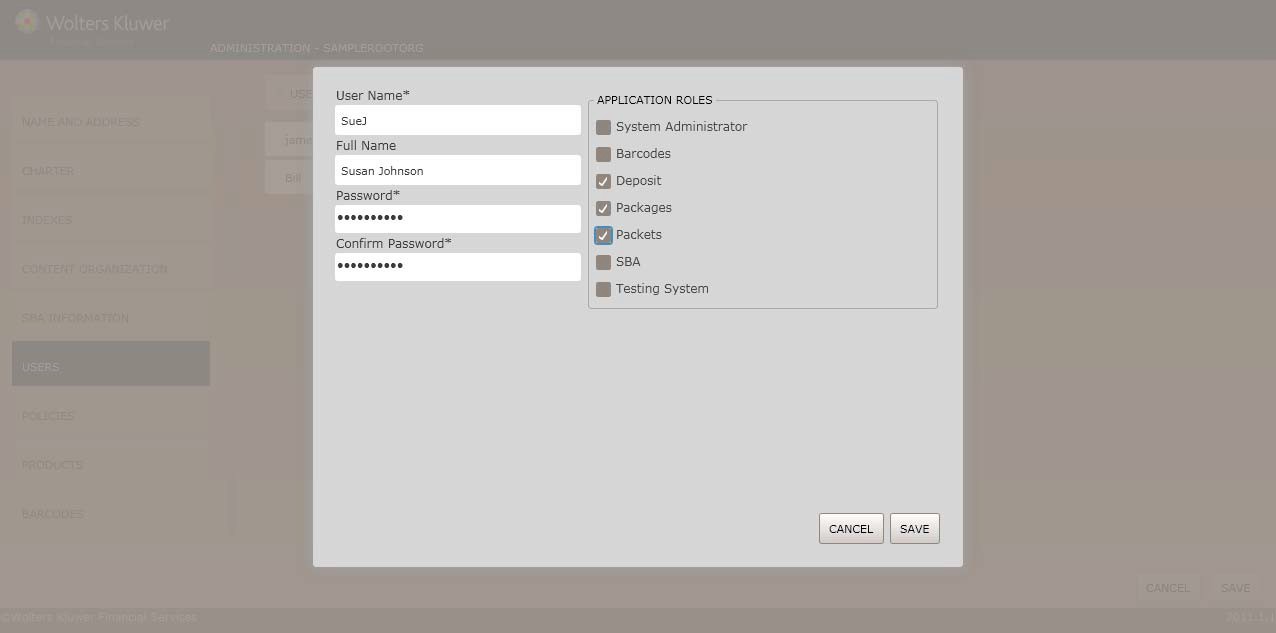
2. Enter the followinginformation:
§ User Name
§ Full Name
§ Password/Confirm Password
3. Select the Application Roles for the user.
4. Click the Save button. The User screen displays;the user you just created appearsat the bottom of the list.