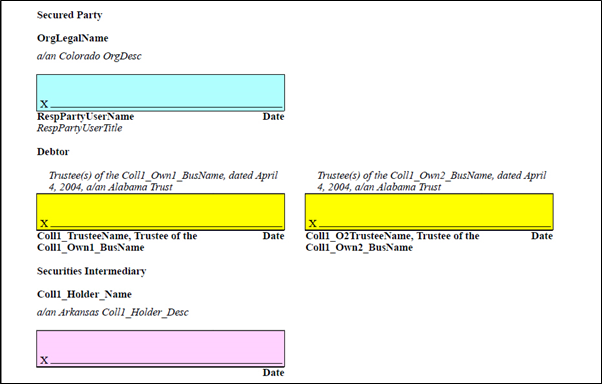
Adding the HighlightSignature indicator to a tranaction is slightly different depending onthe schema associatd with the document.
- For the TXN Schema, the HighlightSignatureIndicator is at the root level of TXN. Add the HighlightSignatureIndicator attribute and then set the indicator to True/Yes/1.

- For the VMPMISMO Schema, the HighlightSignatureIndicator is at the Loan/_CLOSING_DOCUMENTS level.

The transaction has the indicator turned on, the condition is met, an in our example, all three of the features, Highlighting, X, and the Box, will be enabled. The PDF generadted for our sample document will appear as follows.