This procedure explains how to resize the amount of space between two columns in a document.
Note: The ColumnCap attribute should only be used when the standard column gap of 22pts is not sufficient, per compliance requirements.
- Right-click the Document element and select Add Attribute > ColumnGap.
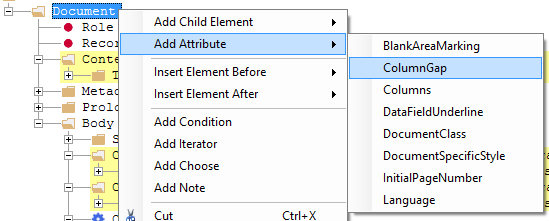 The ColumnGap attribute is added to the Document element.
