Document windows, the names of which appear on the View menu, support a feature named Auto Hide. Auto Hide causes a window to slide out of the way when you use a different window. When a window is auto-hidden, its name and icon are displayed on a tab at the edge of the environment (see below). To use the window again, move the pointer over the tab so that it slides back into view.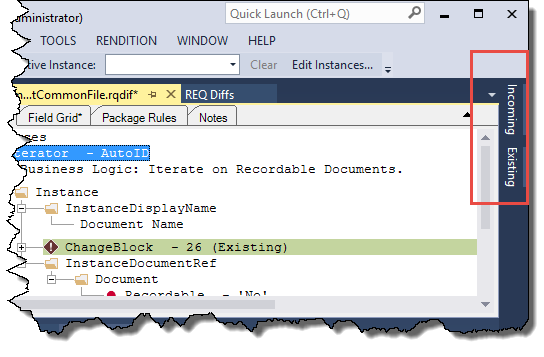
To turn on Auto Hide
- On the Window menu, click Auto Hide.Alternatively, you can click the pushpin icon (
 ) on the title bar of the window.Note: To turn off Auto Hide, click the window you want to keep visible. On the Window menu, click Auto Hide to clear the check mark. Alternatively, you can click the pushpin icon on the title bar of the window.
