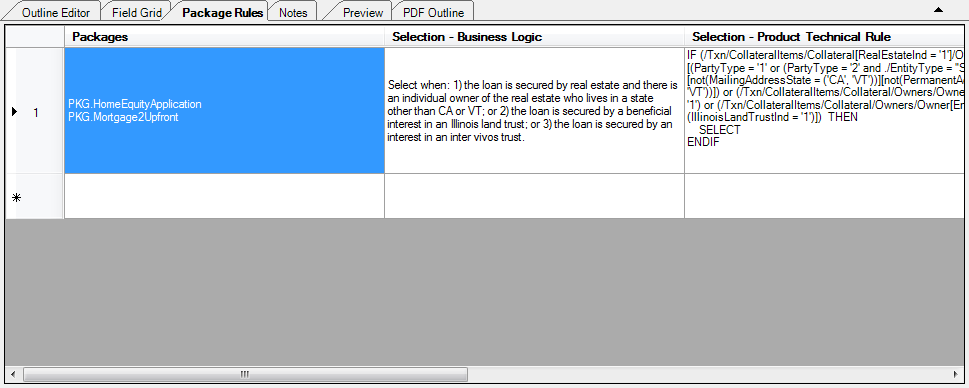
The Package Rules perspective allows the author to define rules to apply to an associated package (also referred to as Auto-Selection and Auto-Suggestion rules) that determine when the document should be selected or suggested based on the transaction data. In this perspective, an author can create new package rules or modify existing ones. A document can have Auto-Selection and Auto-Suggestion rules for each phase that it is in. A separate PTR is written for each selection and suggestion rule.
Package Rule PTRs always start with “IF”, include “THEN” and “SELECT” and end with “ENDIF”. The rules within the Package Rule follow the same Keyword conventions as Condition and Data PTRs. There can be multiple IFs in a Package Rule. For example, the following rule selects the document any time either of the two conditions were met. :
IF /Txn/Deposit/IRAPlans/IRAPlan[Type = '1'] THEN
SELECT
ELSEIF /Txn/Deposit/IRAPlans/IRAPlan[SelfDirectedInd = '1'] THEN
SELECT
ENDIF
The perspective is available by clicking the Package Rules tab in the document pane. The Package Rules perspective is available for both dynamic and static documents. This is an example of the field grid perspective in a dynamic document.