The Outline Editor tab is used as the main view to author documents; both in authoring new and editing existing requirements files. This perspective provides an XML Editor experience where the requirements file is presented in an outline based on the XML structure of the file.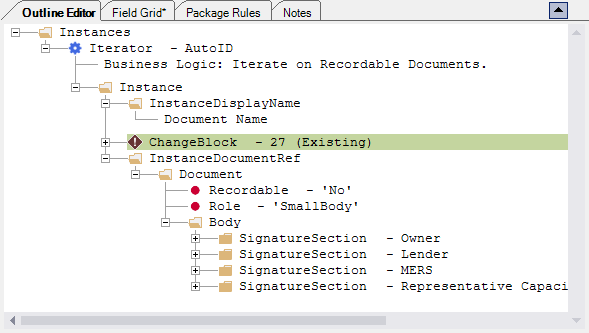
Authors utilize this perspective and the main view of a requirements files for authoring and testing. It is here where you can build the file and edit it's contents by adding and removing elements and attributes to adjust the content of the document and to apply formatting requirements to the document.
This window allows you to browse through the document's hierarchy, expand and collapse nodes, as well as edit PTR data within the PTR Editor window.
If the PTR Editor is open and the selected node has associated PTR information, the information is automatically populated within the PTR Editor Window.
