Add a Section element directly under the Body or under another Section (as a subsection of that other Section). It cannot contain text directly, but it can have a Para child that does contain text. It typically will have a title.
A Section child (subsection) of a Section will be indented inside that “parent” Section. Use a Section for anything that is a distinct topic within the document that can be titled. Name the main sections, like “Definitions” “Defaults” etc.
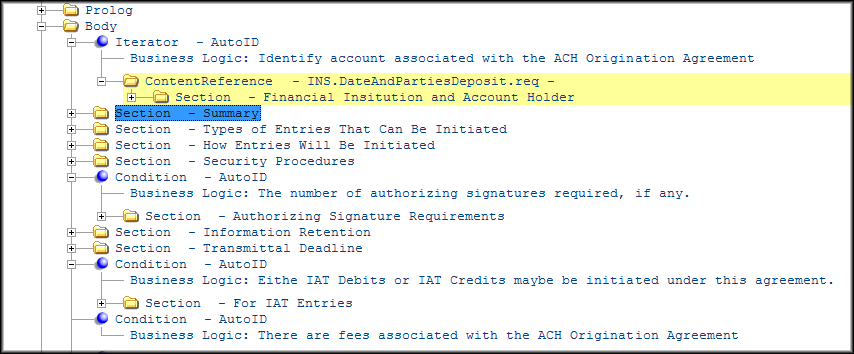
In the Outline Editor, give each section a name that is meaningful to the author. This “title” can be used to create Internal References to that section and is different from the actual section title under the title element, as it will not appear on the final document. The actual section heading that appears on the printed document appears under the Title element. In this example, the titles are the same, but they do not have to be identical.
Typical child elements within a Section element consist of the following:
- Condition/Choose/Iterator
- Title
- Table
- List
- Note
- Para
- Signature
- Title
Section Level Attributes
The following attributes are available on the Section element and offer some control over how the stylesheet will format that section:
- Boxing – When set to Yes, the entire content of the section appears in a box. The content is kept together when setting the boxing to Yes.
- BoxingColor – When setting the Boxing attribute to Yes, the BoxingColor attribute specifies that the box is red instead of the default of black.
- FeatureText – Identifies text that is included in a document based on the selection made by the customer on one of our Menu worksheets.
- KeepTogether – When set to Yes, the entire content of the section (also available on other elements) will not break across columns or pages.
- KeepWithNext – When set to Yes, the stylesheet keeps the Section content with the next object at the same level or higher, typically the next Section (also available on other elements). An example of where this may occur is with a Notice that needs to appear directly above the SignatureSection.
- Language – Set to ‘es’ if this section only is in Spanish. This will change the font used in this section so that the Spanish accents are supported in all Eform outputs.
- Number – Set the value of this attribute to override the standard stylesheet setting for Section numbering. If the stylesheet is configured to number all sections and this attribute is set to No for a Section, that Section will not be numbered.
- Span – For documents that have a stylesheet that will produce two column layout documents this attribute can be used to make the Section (also available on other elements) span across the full width of the page. This is commonly used for Tables.Note: Any switch from two column to one column starts on a new page, but any switch from one column to two column can occur in mid-page, unless the two column follows a PageBreak element.
- SuppressPeriod - Suppress the period from printing by setting this attribute on the Section element to Yes; for example: when a title needs to end with a question mark.
