After selecting New Merge Session from the File menu, the New Merge Session dialog is displayed.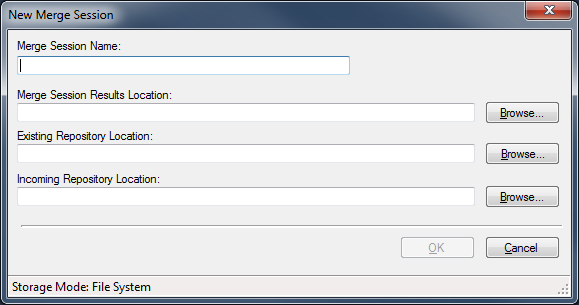
| Field | Description |
|---|---|
| Merge Session Name | The name of the Merge session. The name you enter becomes the name of the folder created in the Merge Session Results Location. |
| Merge Session Results Location | The location where you want the new merge session to be saved. The session file (*.msession), the analysis files and folders and the Merge Results will be placed in this location. |
| Existing Repository Location | The location of the existing custom repository. This location must contain a valid Organizations.xml file. |
| Incoming Repository Location | The location of the new repository to be merged to the existing. This location must contain a valid Organizations.xml file. |
When all fields are completed, click OK to begin the Merge analysis.
During the analysis process, a progress window is displayed. The progress is mirrored in the Requirements Editor status bar.
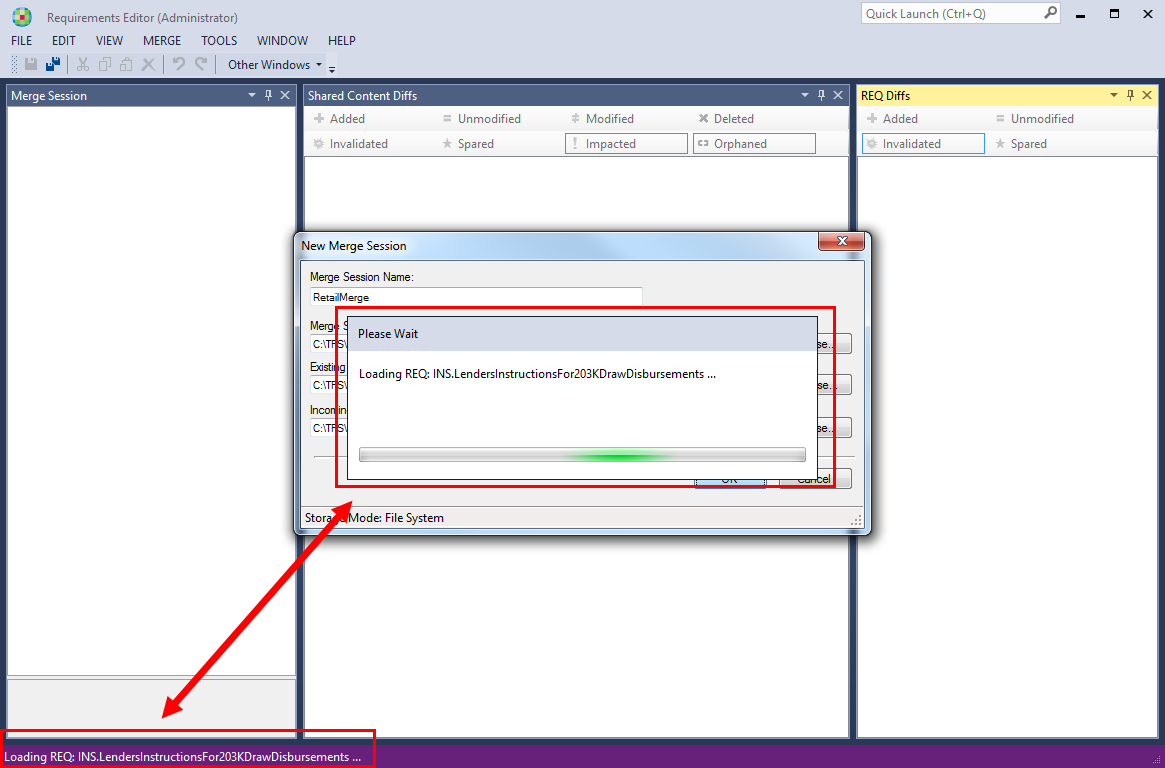
Note: The time required to analyze depends on size the of the repositories and the number of customizations and changes.
