With the Admin Tool running, open the Expere Knowledge Base repository by completing the following steps:
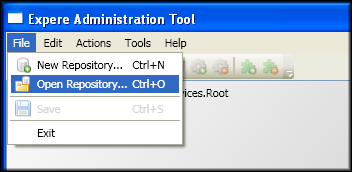
- Select File/Open Repository.
- The Folder Selector window appears.
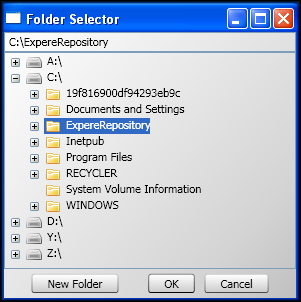
The repository you select will display in the Admin Tool.
You can configure load timeout to avoid failure loading huge repositories. The default timeout is 10 minutes.
RequirementsAdmin.exe.config has key LoadTimeout in appSettings group:
<appSettings>
 <add key="LoadTimeout" value="10"/>
</appSettings>
If key "LoadTimeout" does not exist in config file, internal load timeout will be set to 10 by default.
