The Admin Tool provides access to many standard functions using either the menus at the top of the application window, the right-click (options) menus, or toolbar buttons. For example, as shown below, you can add a line of business to the selected object from the Actions menu, the right-click menu, and using a toolbar button. The procedures in this user guide will generally use the right-click menu options. You can use whichever method is most comfortable for you.
When you select an object in the Admin Tool—for example, a Line of Business—it is highlighted and considered active. If a menu item or toolbar button is disabled, it cannot be used with the active object.
Status and confirmation messages for routine functions, such as adding and deleting objects, display in the lower-left corner (shown below) of the Admin Tool.
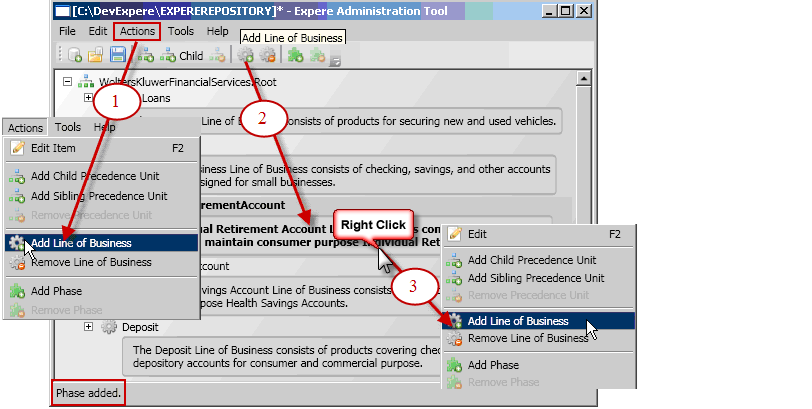
- Actions menu
- Toolbar
- Right-click menu
