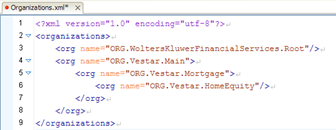
The following steps describe how to open a repository so you can add a new precedence unit or delete any obsolete units:
- With WoltersKluwerFinancialServices.Root selected, right-click and select Add Sibling Precedence Unit.
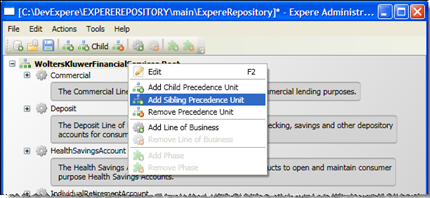
The new precedence unit is added and appears at the proper hierarchical level of the content structure.The precedence number is set by default and it increments each time a new unit is added, regardless of where the unit is added and whether the unit is a child or sibling. - Select the new precedence unit, right-click and select Edit to open an editing box (or press the F2 key). Rename the unit, then click outside the box to save the name.
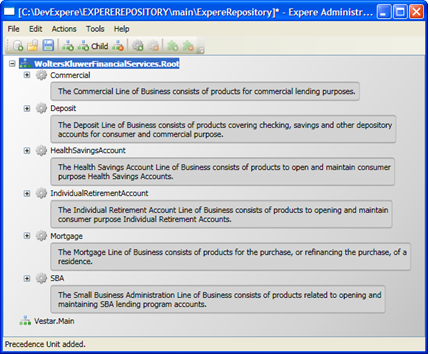
- 4. Select File>Save. In the Requirements Editor, you can create or save the custom content into the proper precedence folder in the repository folder structure on your system.