If caching is enabled for Expere IE Services, be sure to clear any affected data out of the cache before using the Testing System. The Version Information screen includes a link to the Expere IE Cache Manager to simplify this process.
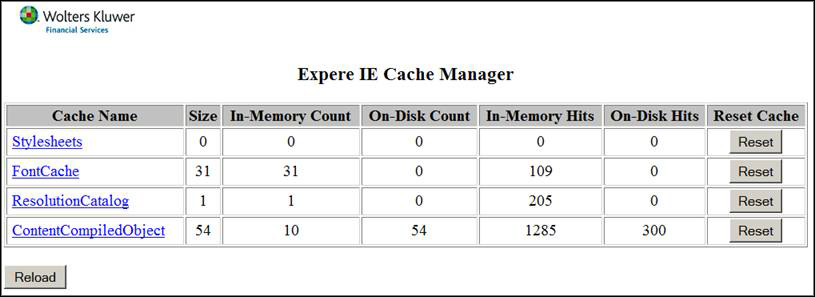
After a major update it is recommended to use the Reset buttons shown above to reset, at least, the ResolutionCatalog and the ContentCompiledObject caches. In cases where clearing the entire cache is not desired, it is also possible to click on the Cache Name to display what is currently in the cache. This information can then be used to avoid unnecessarily clearing the entire cache.
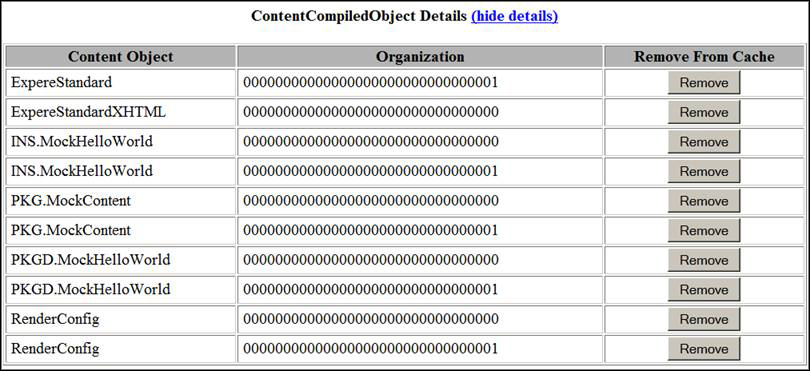
For example if you know the content you changed all descended from INS.MockHelloWorld at Organization 00000000000000000000000000000000 then you could use the Remove button, for that object, to avoid clearing the entire cache.