Click the .diff file within the Document Viewer to view the differences highlighted within the document.
Important: Viewing the compare file requires opening a new Internet Explorer window. If popup blockers are installed, you may experience critical browser application errors. This could cause Internet Explorer to close; any unsaved work will be lost.
Users should disable any popup blockers when comparing either PDF or XML files.
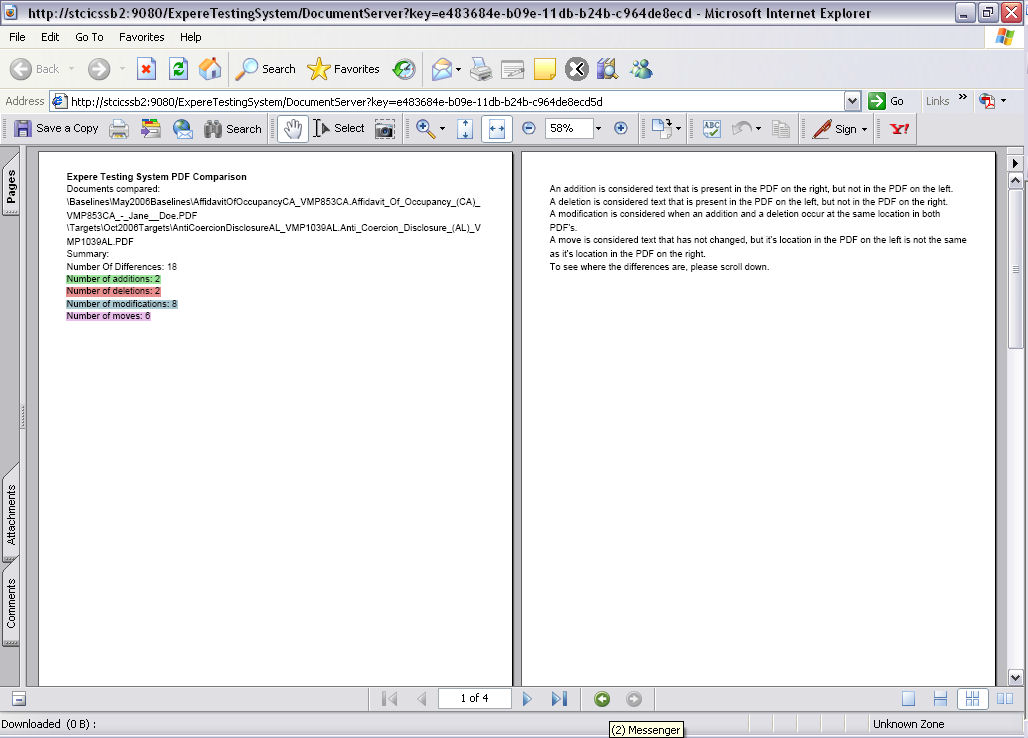
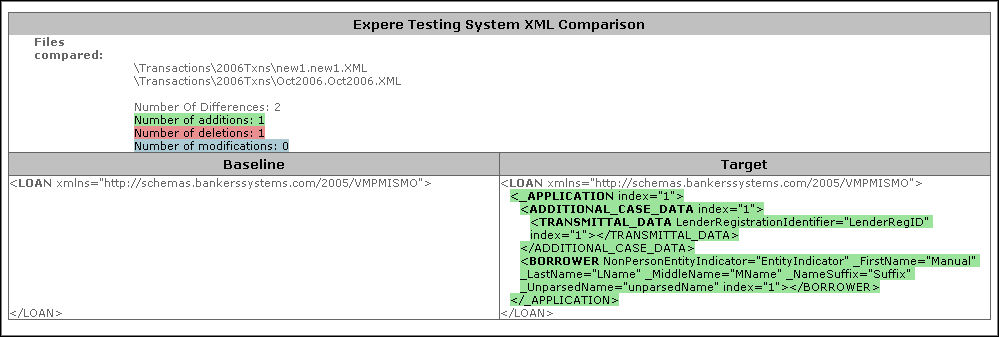
The differences in the documents are highlighted using the following color scheme in order to make identifying the differences easier.
| This color | Indicates | Description |
|---|---|---|
| Green | Addition | Content has been recognized within the target document that was not found in the baseline document. |
| Red | Deletion | Content was recognized in the baseline document that was not found in the target document. |
| Blue | Modification | Content was identified in both documents, but was recognized as changed in the target document. |
| Magenta | Move | Identical content was found in both documents, but was recognized in different locations. This feature is only available when comparing PDF documents. |

