- Select the Precedence level to use in document assembly from the Precedence list. For more information, see Precedence.
- Select the Policy to use (if applicable) from the Policy dropdown.
- Select an organization from the OPPSA Organization dropdown box.
- Select a policy from the OPPSA Product dropdown box.
- Select a jurisdiction from the Org Jurisdiction dropdown box. This allows the user to filter state specific information for the transaction.
- From the Transaction box, select from the following:
- Click the Browse button to access the Browser. Users can identify the path and filename of the transaction data to use. For information on using Browser, see Expere Testing System Browser.
- Click the Paste button to display a text box for pasting in existing transaction data.
- Click the Document DDR button to display the document data items for a new transaction; click one of the following:
- VMPMISMO DDR
- ExpereTxn DDR
Note: Verify you have a selected a document with the Browse function. - On the Assembly page, enter data in the transaction fields.
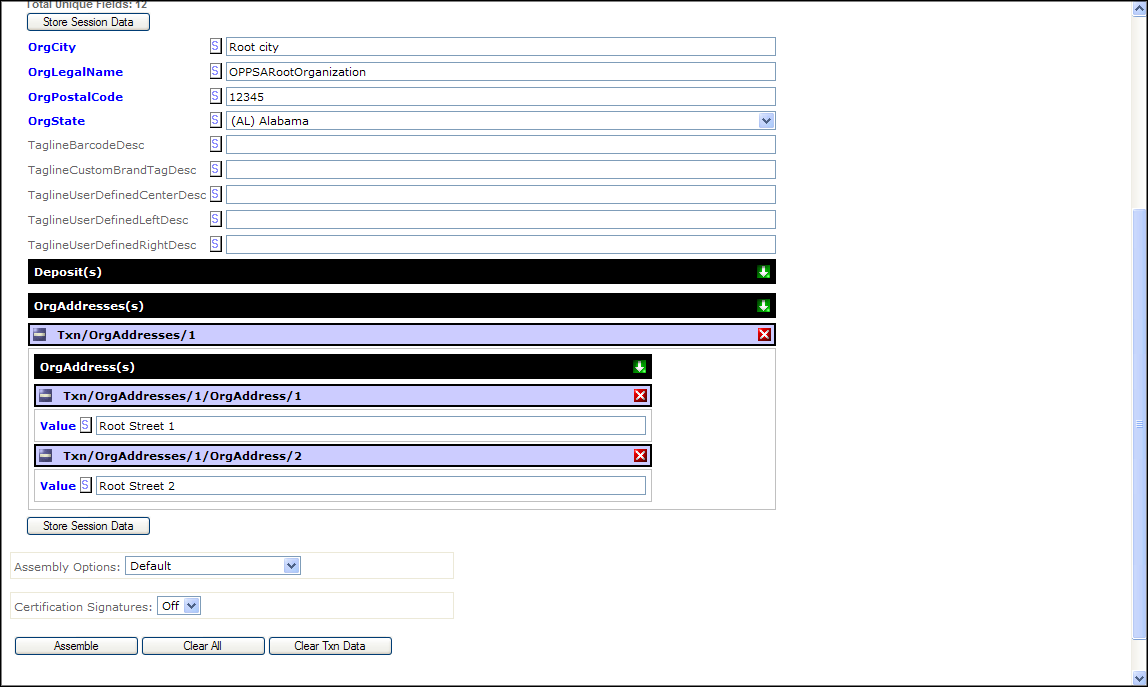
- Click the Store Session Data button.
- Select an option from the Assembly Options dropdown. See Assembly Options for more information.
- Click the Assemble button. The screen updates the results. The Document Viewer displays the link to the assembled document(s).
- Click one of the following to save the results:
- Save Baseline
- Save Target
The Expere Browser allows users to save the results within the server folder structure.

