Saving Stored Session Data
- Click the Save button to display the Expere Testing System Browser.
- Select the checkbox next to the desired directory to save the transaction or create a new directory using the Create Dir button.
- Click on the OK button to display the Assembly page.
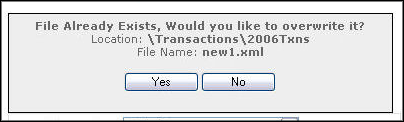
- Enter in the filename for the transaction and click on the Save button. If the filename entered already exists, the Overwrite dialog box appears.
- Click Yes to overwrite the existing file or No to return to the Assembly page. Once the transaction has successfully saved, the following message will appear: