This section explains how to view aliases for a particular account.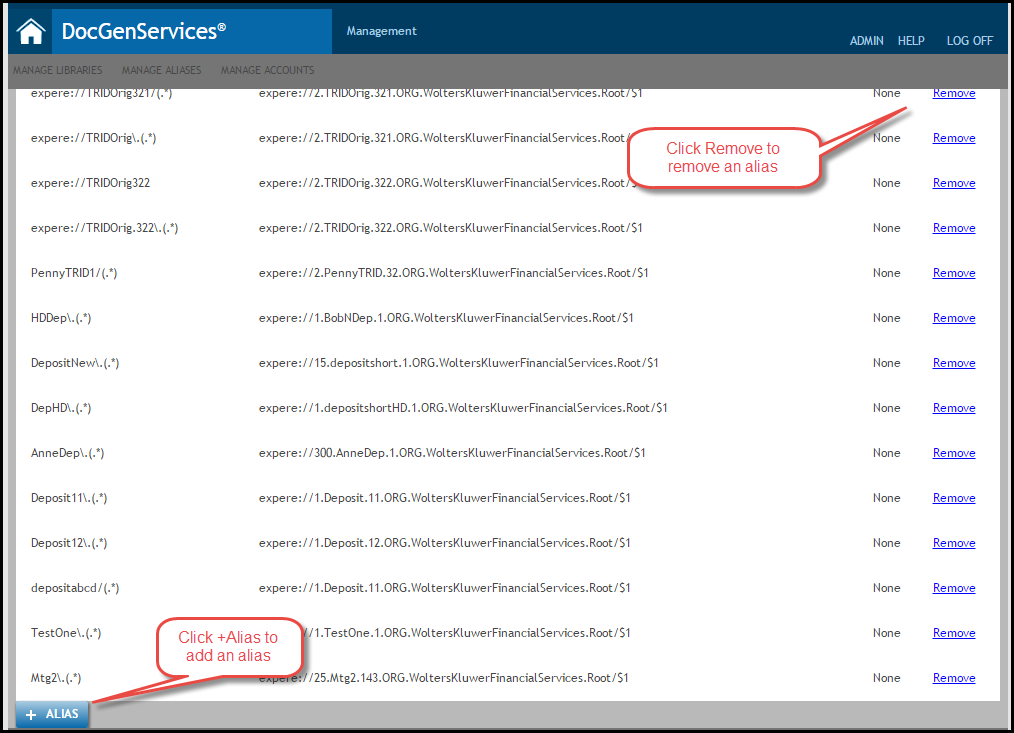
- Click the Manage Aliases link from the Home tab, or select the Manage Aliases tab.
- The Aliases page appears; click View Aliases by Account.
- Enter an Account Id in the corresponding field and click List.
- The aliases for the specific account appear.
- To remove an alias, click the Remove button next to the desired alias. See Removing an Alias for more information.
- To add an alias, click the +Alias button at the bottom of the page. See Assigning Aliases.
