Transaction Comments
- To access transaction comments, select
 on
the Transaction Details page.
on
the Transaction Details page. - To access transaction comments on the Transaction Summary, select View Summary
on the Transactions grid or select a row on the Transactions grid and select
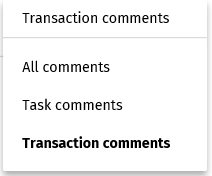
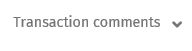
the Comments tab.Note:On the Transaction Summary, transaction comments are displayed by default. To show task comments or all comments, select an option from the Transaction comments list.
- Task Comments: Comments added to all tasks are displayed.
- Transaction Comments: Only comments added to the transaction are displayed.
-
All Comments: All comments display and include
comments added to all tasks and all comments added to the
transaction.